Managing Lessons as an Admin
Learn how to use the Coach Agenda to view and manage all booked lessons and assigned events in one place. This guide explains how to review participant details, monitor payment status (paid, pending, cancelled, refunded), and collect payments for deferred bookings directly from the admin panel.
Coach Agenda
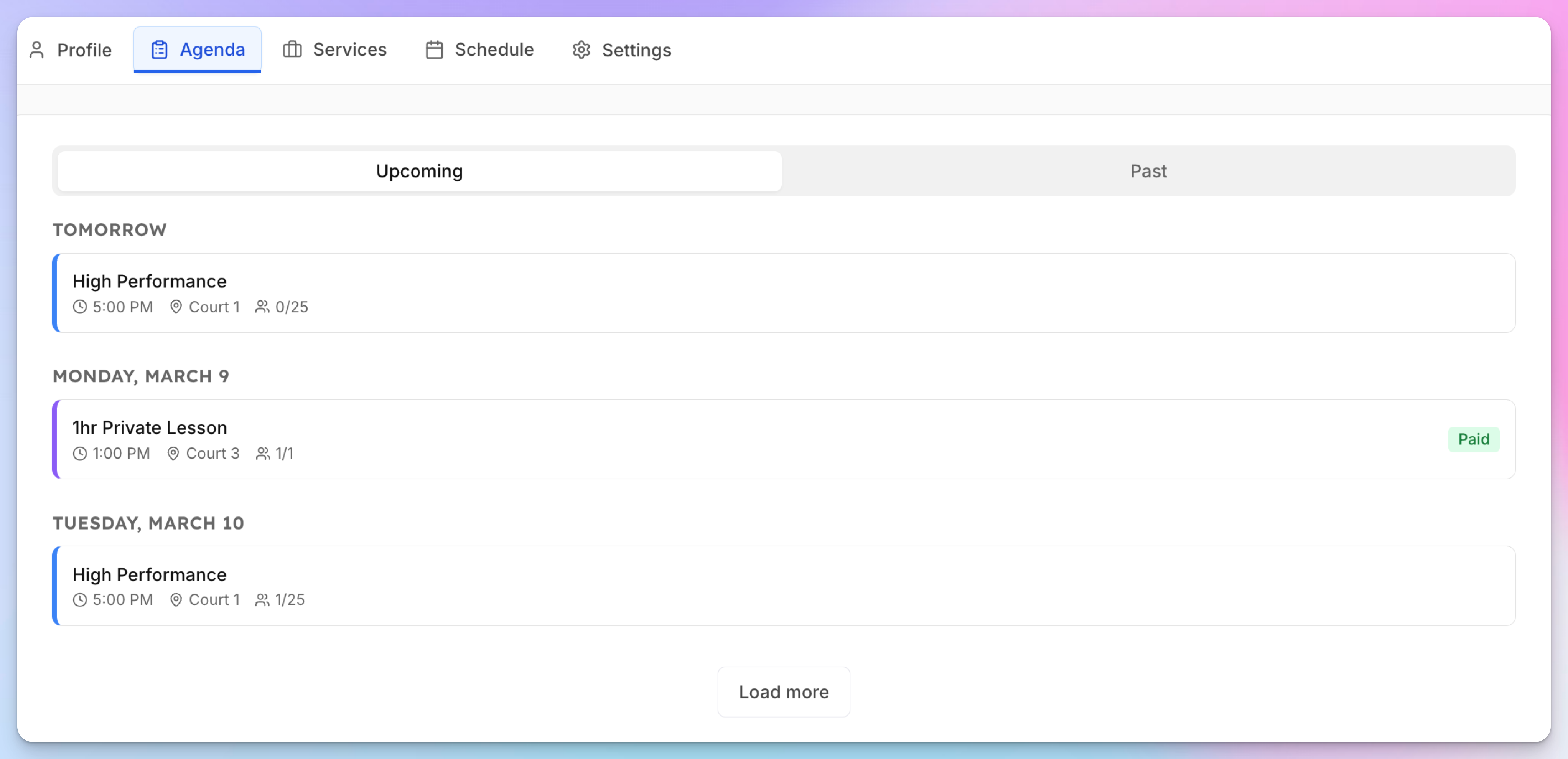
The Agenda tab on each coach's page gives admins a chronological view of all booked lessons and assigned events.
Go to Coaches → [Coach Name] → Agenda tab
View upcoming lessons grouped by date — each showing time, court, participants, and payment status
Click a lesson to open details, check in participants, or manage payments
Payment Status
Each lesson shows its payment status:
Paid — Payment collected (immediate mode) or manually marked as paid
Pending — Awaiting payment (deferred mode)
Cancelled / Refunded
For deferred payment lessons, admins can collect payment through the event participants UI.