Skill Rating: Create Balanced and Competitive Games
The Skill Rating feature helps clubs organize events where players are evenly matched — ensuring every game feels competitive, fair, and fun. Nothing frustrates players faster than joining a group that’s too advanced or not challenging enough. By setting skill levels, you create consistent, enjoyable experiences that keep players coming back.
Why Use Skill Ratings
✅ Better Matchups: Players compete with others at a similar level.
🏆 More Enjoyable Play: Balanced games keep everyone engaged.
💬 Clear Expectations: Players know if an event is right for them.
🔁 Higher Retention: When players have good match experiences, they return more often.
How to Set Up a Skill-Based Event
Go to Events & Programs and click Create New Event.
Fill out event details (name, description, time, participant limit, etc.).
Below the Pricing block, find the Skill Rating section.
Toggle Skill Rating ON.
Choose whether the skill rating will be:
Recommended – players see the ideal level for the event (e.g., 3.0–3.5).
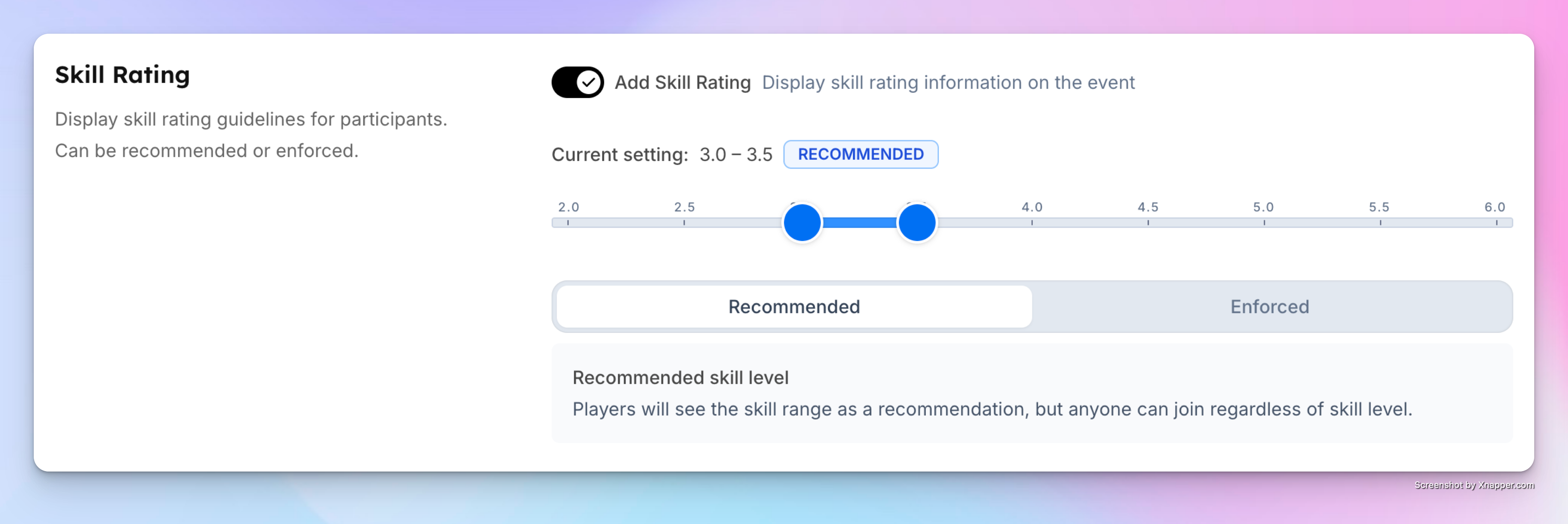
In this case, players will see only a recommendation to sign up if they meet this skill level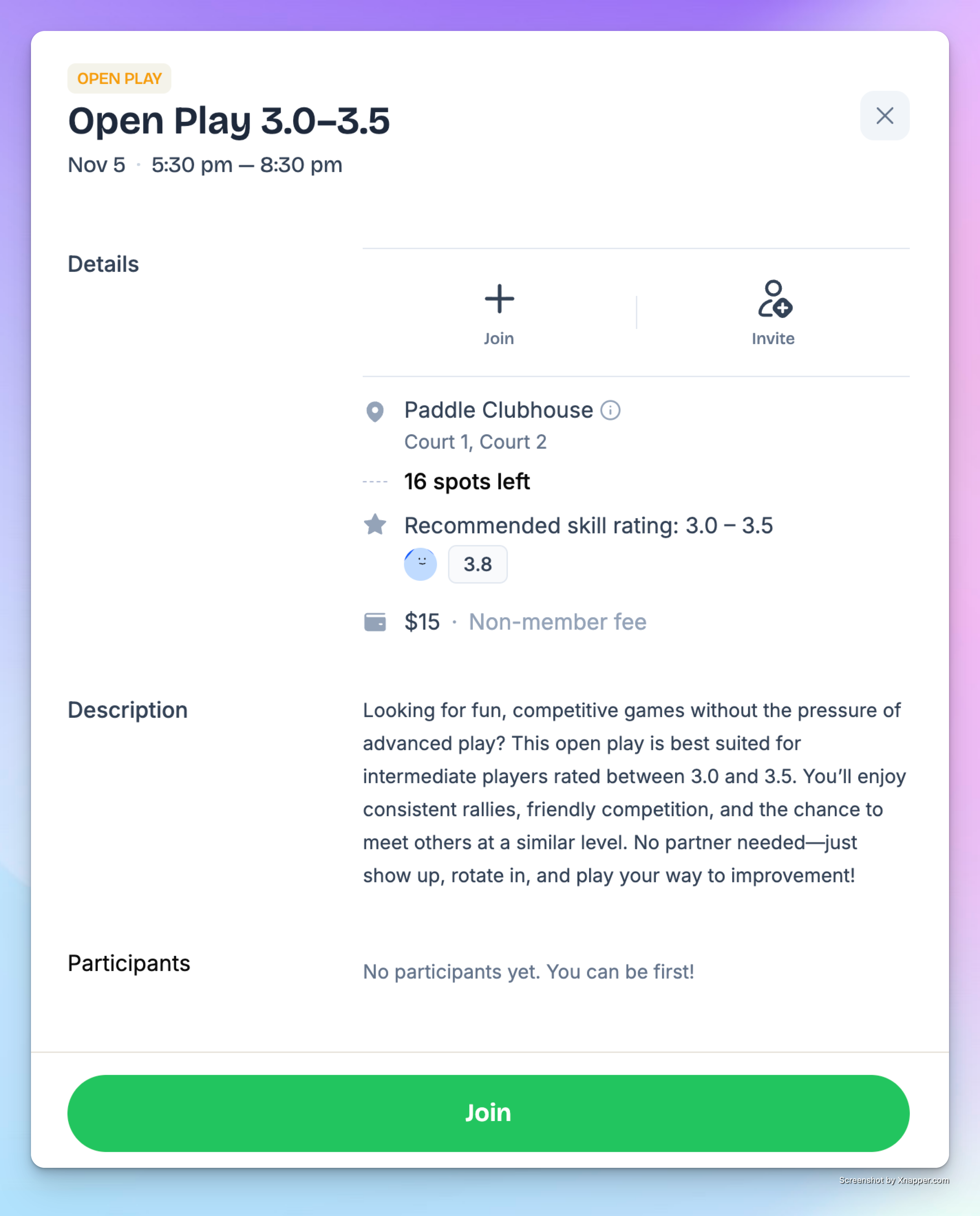
Enforced – only players with the required skill level can join.
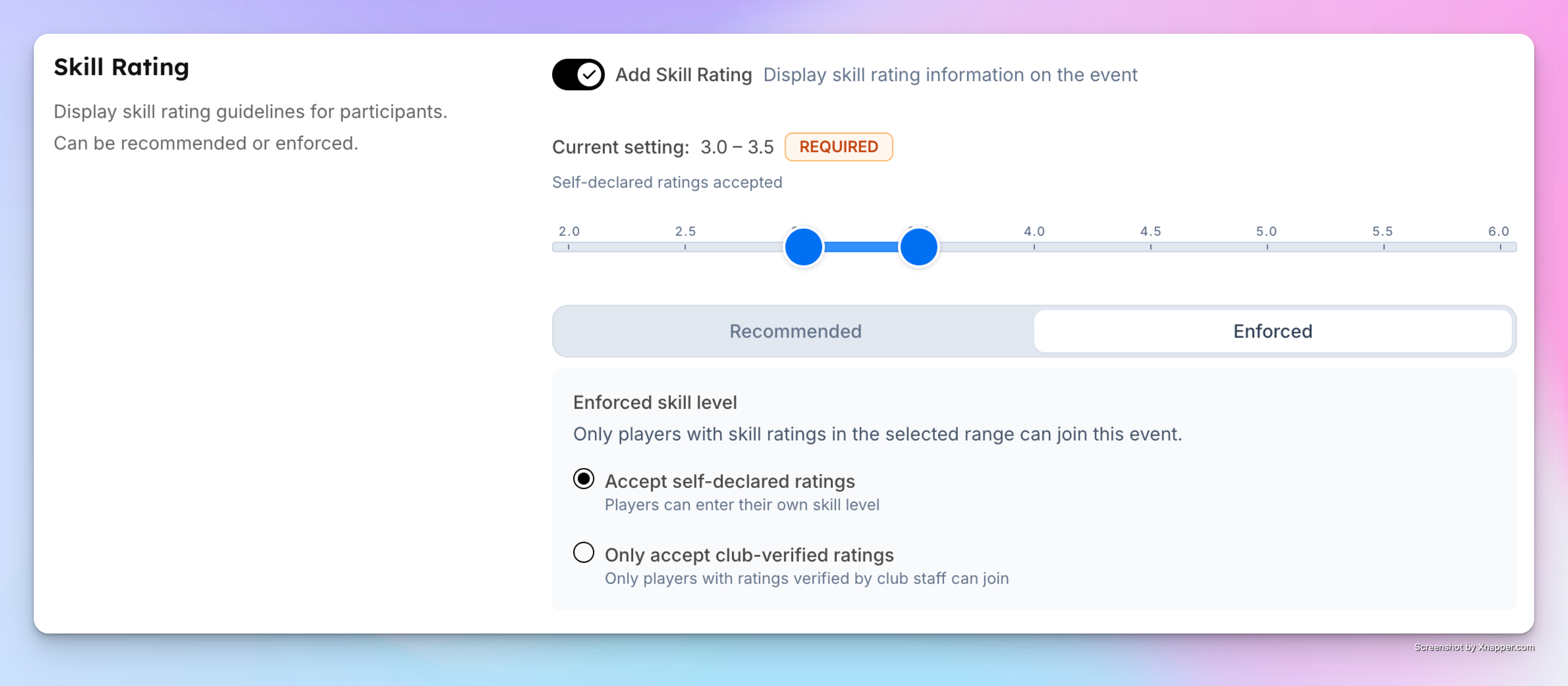
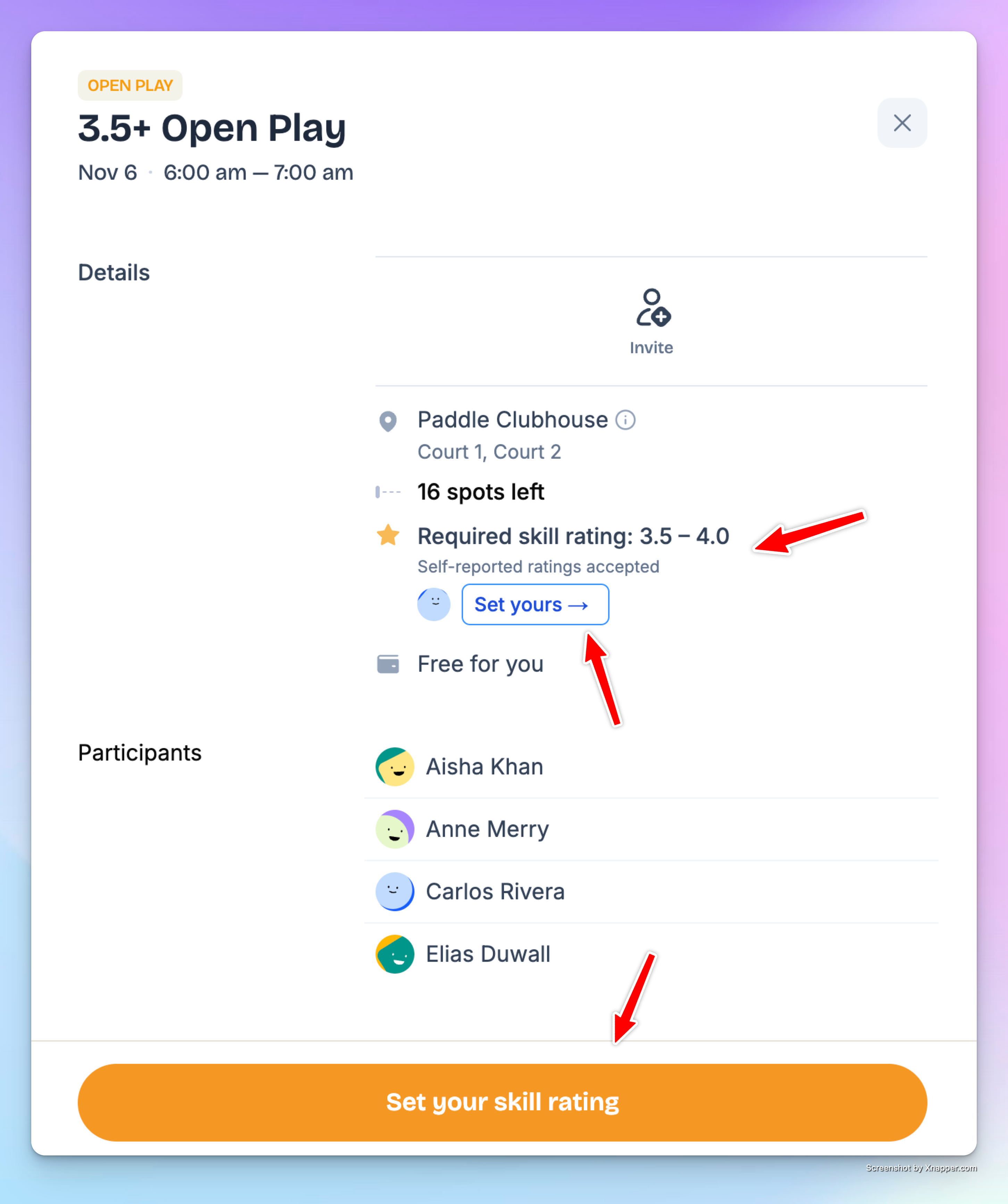
In this case, players won’t even see the Join button unless they meet the requirements. They’ll be prompted to set their skill level in their account if they haven’t done it yet: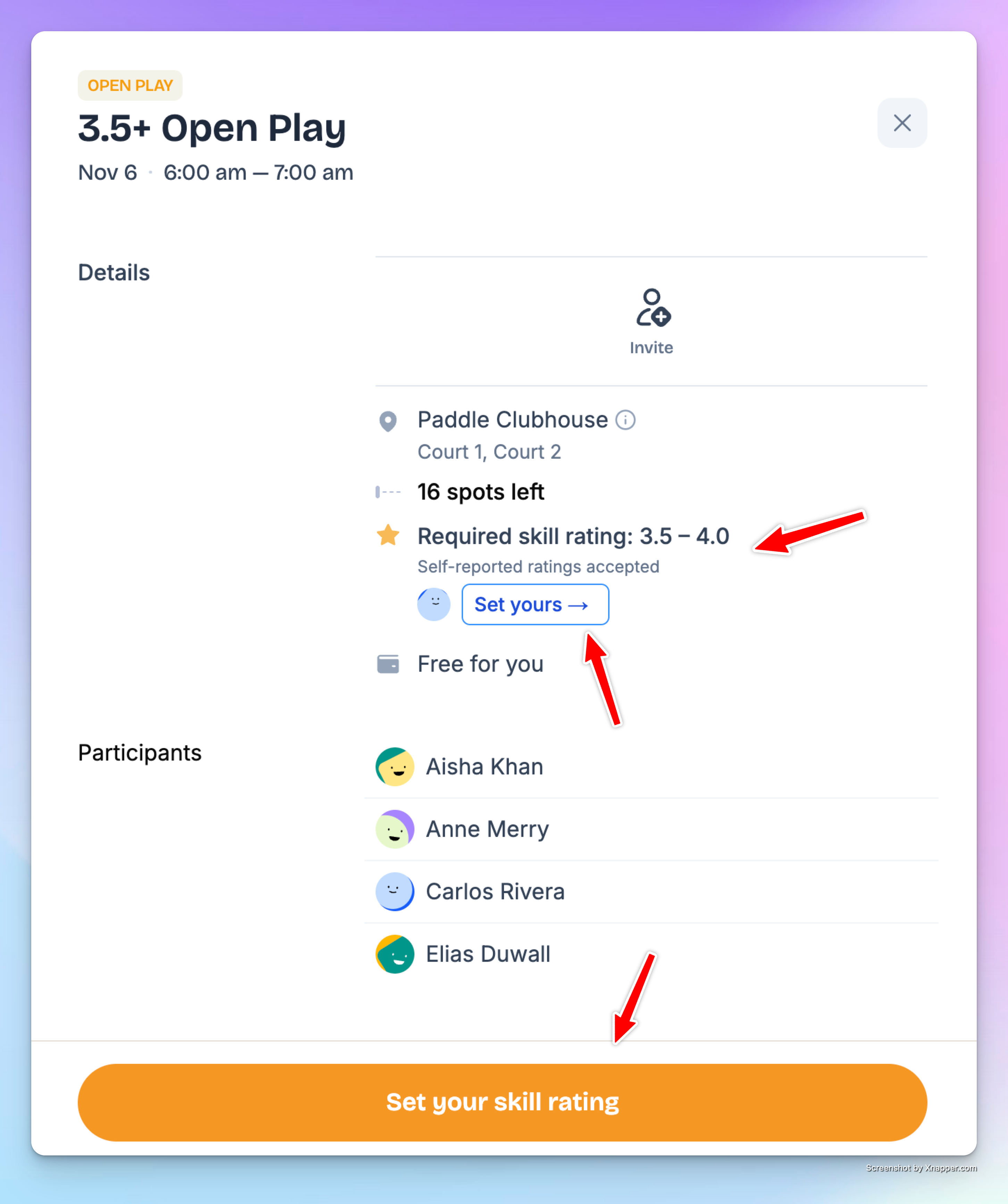
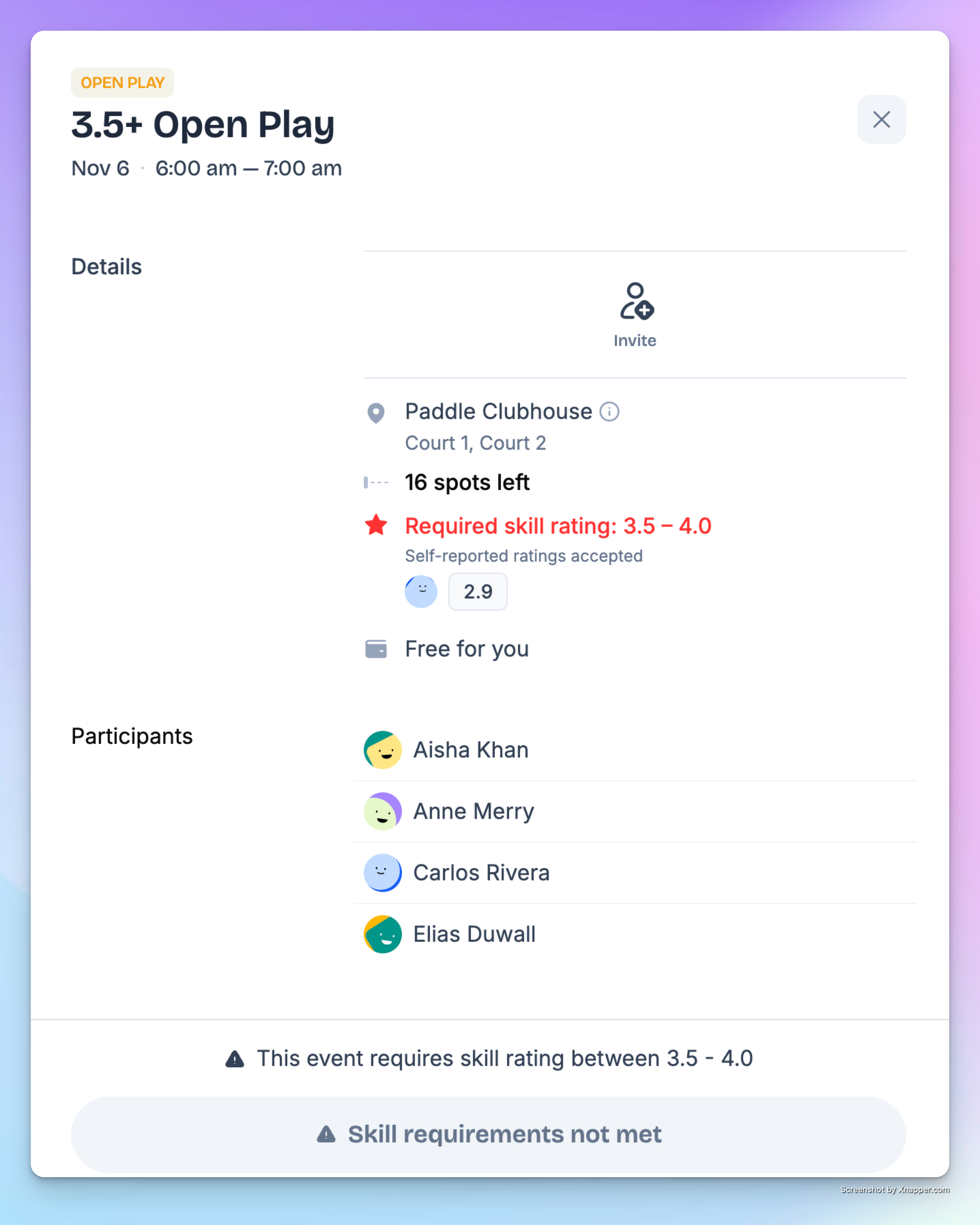
Or if their skill level doesn’t meet the requirements, they’ll see this message: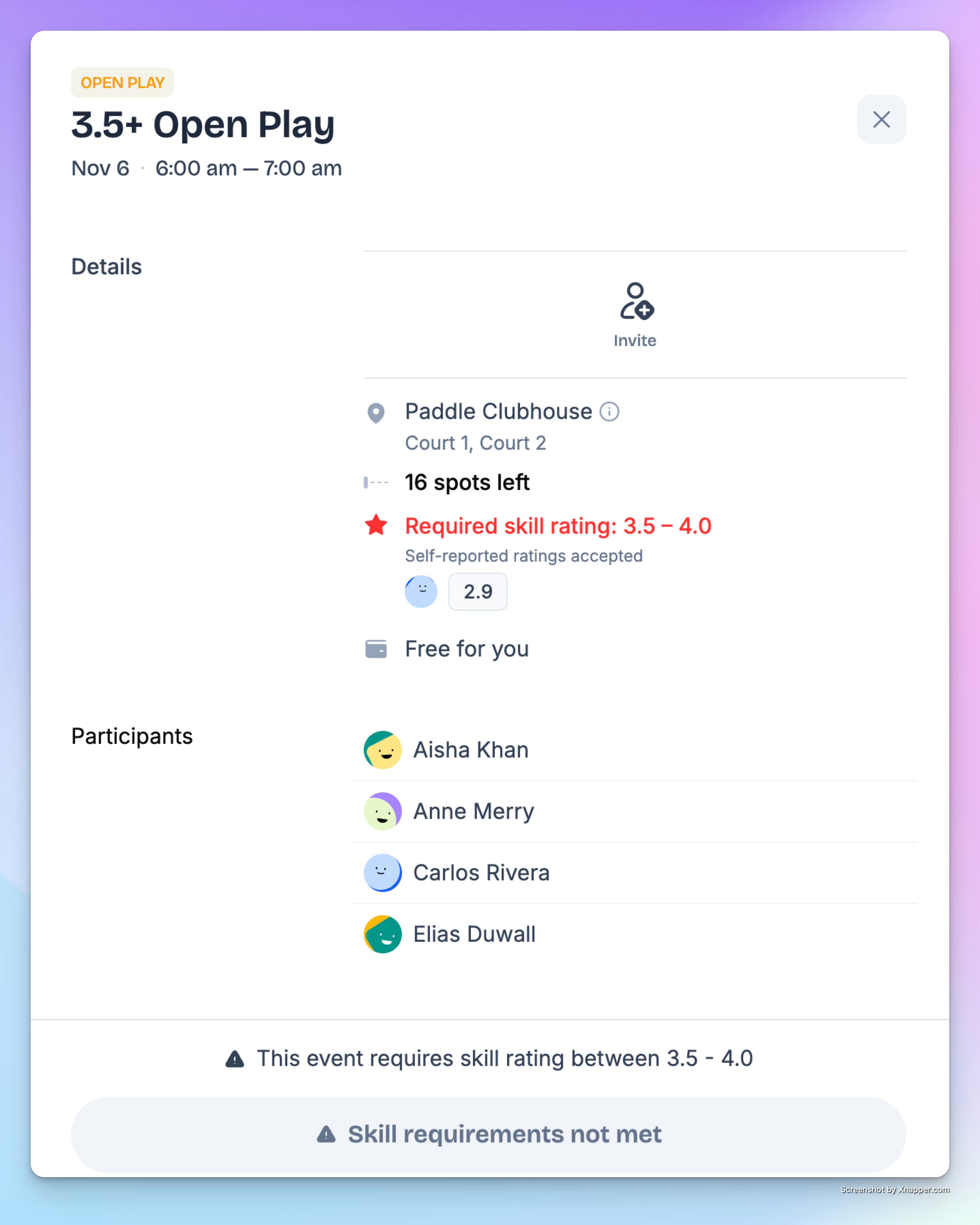
Enforced Skill Rating Options
When you enforce a skill rating, you can choose how the system verifies it:
Self-Declared Rating: The system uses the player’s own skill level from their profile.
Club-Verified Rating: Only players whose rating has been reviewed and confirmed by the club (coach or admin) can join.
What Players See
When players open an event, they’ll see the required skill level (e.g., 3.5–4.0).
If their rating is below or above the required level, they won’t be able to join.
If they don’t have a rating yet, they’ll see a button prompting them to Set Your Skill Rating.
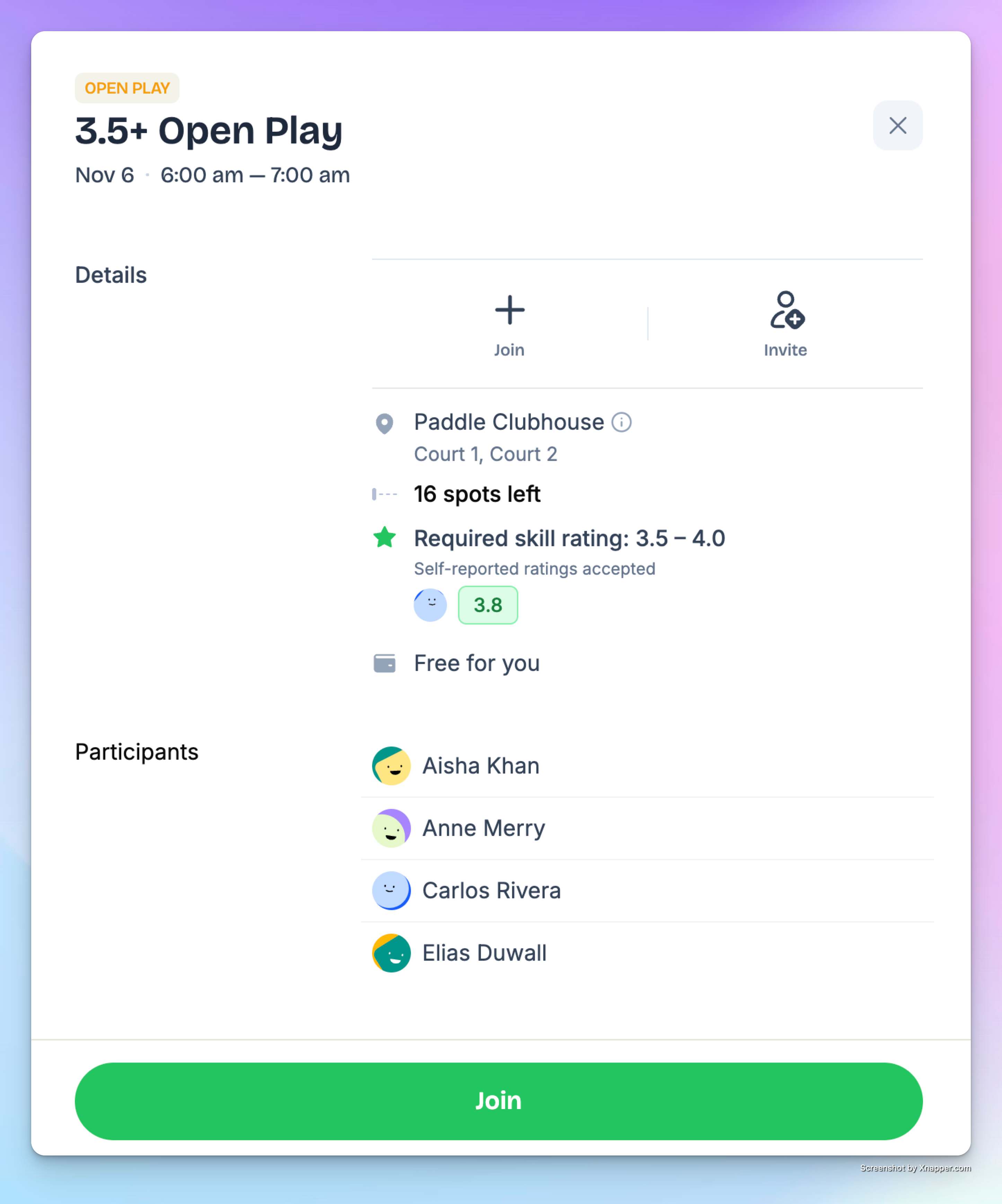
After setting or updating their rating in My Profile, they can join any event within their range.
✅ Using Skill Rating makes your events more organized, competitive, and rewarding for everyone — from beginners finding their groove to advanced players chasing great matches.