Family & Group memberships
Families vs. Family Memberships — Two Different Things
OpenCourt has two related but separate concepts:
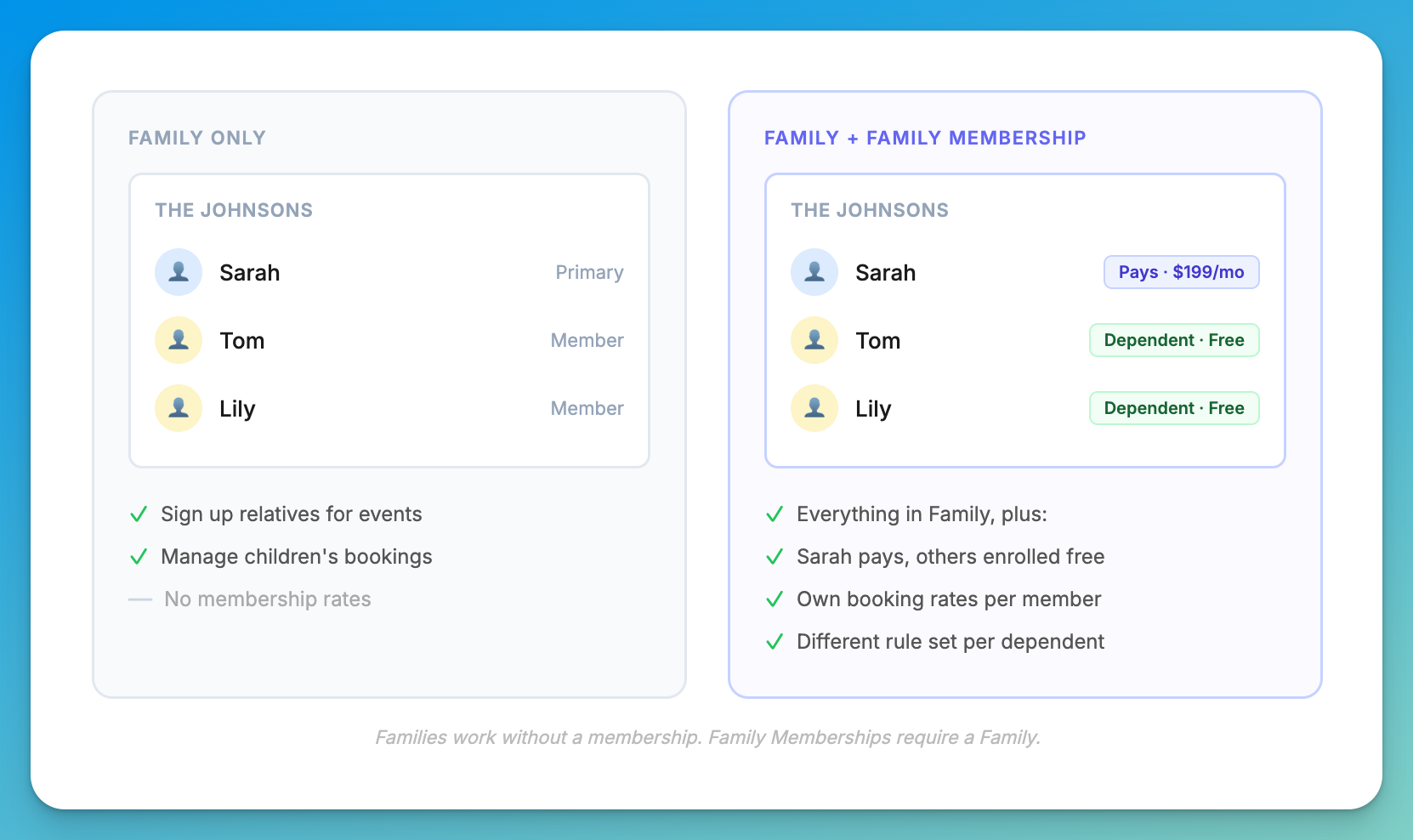
A Family is a group of related people on the platform — a parent and their children, a couple, a household. Families are useful on their own, without any membership at all: family members can sign each other up for events, programs, and clinics, and manage bookings on behalf of their relatives and children.
A Family Membership is a billing arrangement built on top of a family. One person (the Primary Member) pays for a membership, and other family members (dependents) are automatically enrolled in a dependent membership at no additional cost.
You can have families without a family membership. You cannot have a family membership without a family.
→ To create a family and add members, see [Creating and Managing a Family Account]. The rest of this article covers how to set up the membership product that applies to families.
How Family Memberships Work
A family membership has two parts:
The primary membership — a regular membership that the Primary Member of a family purchases and pays for
The dependent membership — a separate, automatically created membership that gets assigned to other family members at no cost
Each has its own rule set, so the primary member and dependents can have completely different booking rates, advance booking windows, and schedule access.
Setting Up a Family Membership
Go to Admin → Memberships → [membership] → Settings
Toggle Family / Group Membership on
Set Maximum family members (minimum 2; leave empty for unlimited)
Click on “Create Dependent Membership” if one doesn’t exist yet
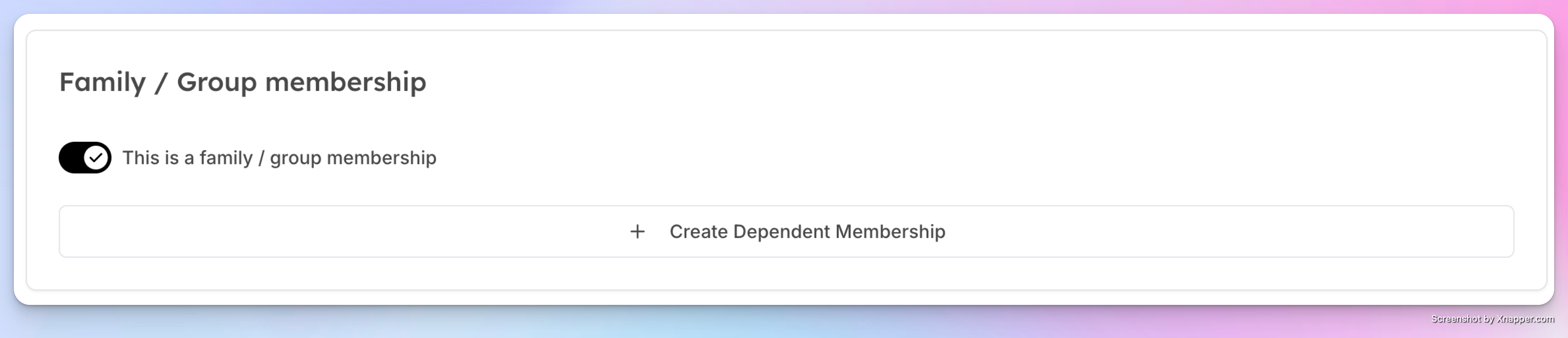
OpenCourt creates a dependent membership linked to this one. You’ll see it appear in your memberships list.
Configuring the Dependent Membership’s Rule Set
By default, the dependent membership uses the same rule set as the primary. You can assign a different one — for example:
Primary “Family Premium” membership → “Premium Member” rule set ($15/hr rates, 14-day advance booking)
Dependent membership → “Junior Member” rule set ($10/hr rates, 3-day advance booking)
To change: go to the dependent membership’s settings and select a different rule set from the dropdown.
What Happens When the Primary Membership Changes
Limits
Each membership can have one dependent membership product
A user who is already a dependent in a family cannot purchase their own subscription at the same club
Related Articles
[Creating and Managing a Family Account →] Set up a family group, add a primary member and dependents — with or without a membership
[Selling a Membership to a Customer →] How to enroll the primary member and assign dependent memberships