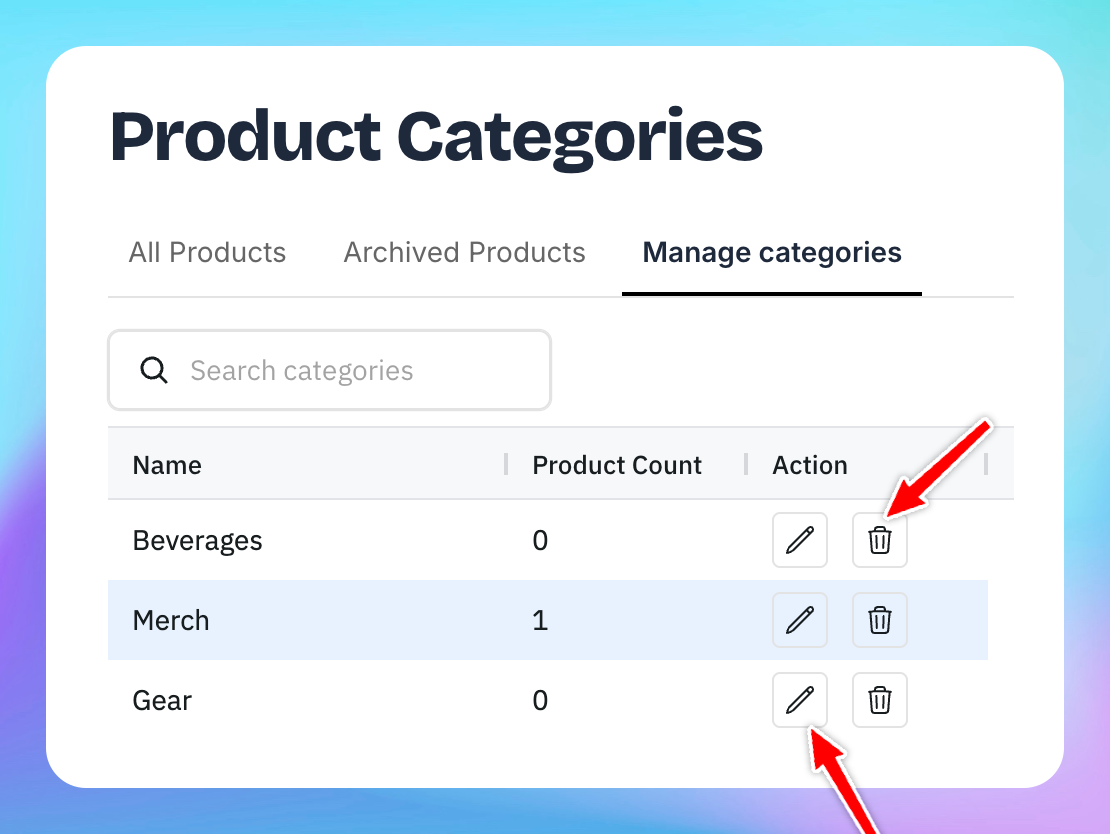
Managing Categories
You can easily organize your products in OpenCourt by creating categories such as Beverages, Merch, or Gear. Here’s how to add a new category and assign products to it.
🛠 Step 1: Go to the Products Page
From the left-hand menu, click Products.
You’ll see three tabs at the top of the page.
🗂 Step 2: Add a New Category
Click the Manage Categories tab.
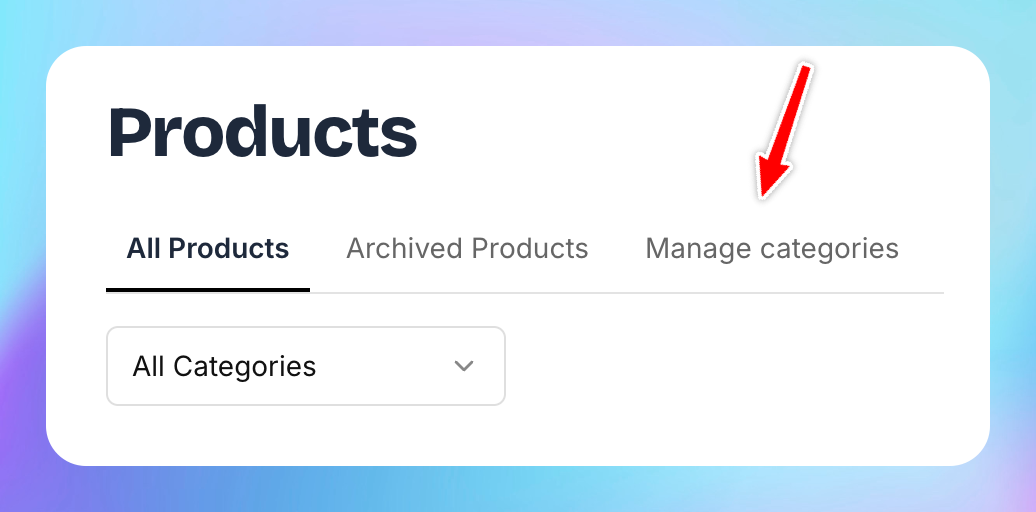
Click the Add New Category button.
Enter the name of your new category (e.g., Beverages, Merch, Gear).
Click Submit.
You can create as many categories as needed to organize your items (e.g., Branded T-Shirts under Merch, or Paddles under Gear).
To add products by some category follow instructions here.
You can also delete or edit categories by clicking corresponding icon