Swish Integration - Effortless Game Management
Swish is a platform that makes it very easy for you to run leagues, tournaments, and a variety of other types of organized games, such as round robins, king of the court, etc.
You can learn more about Swish here.
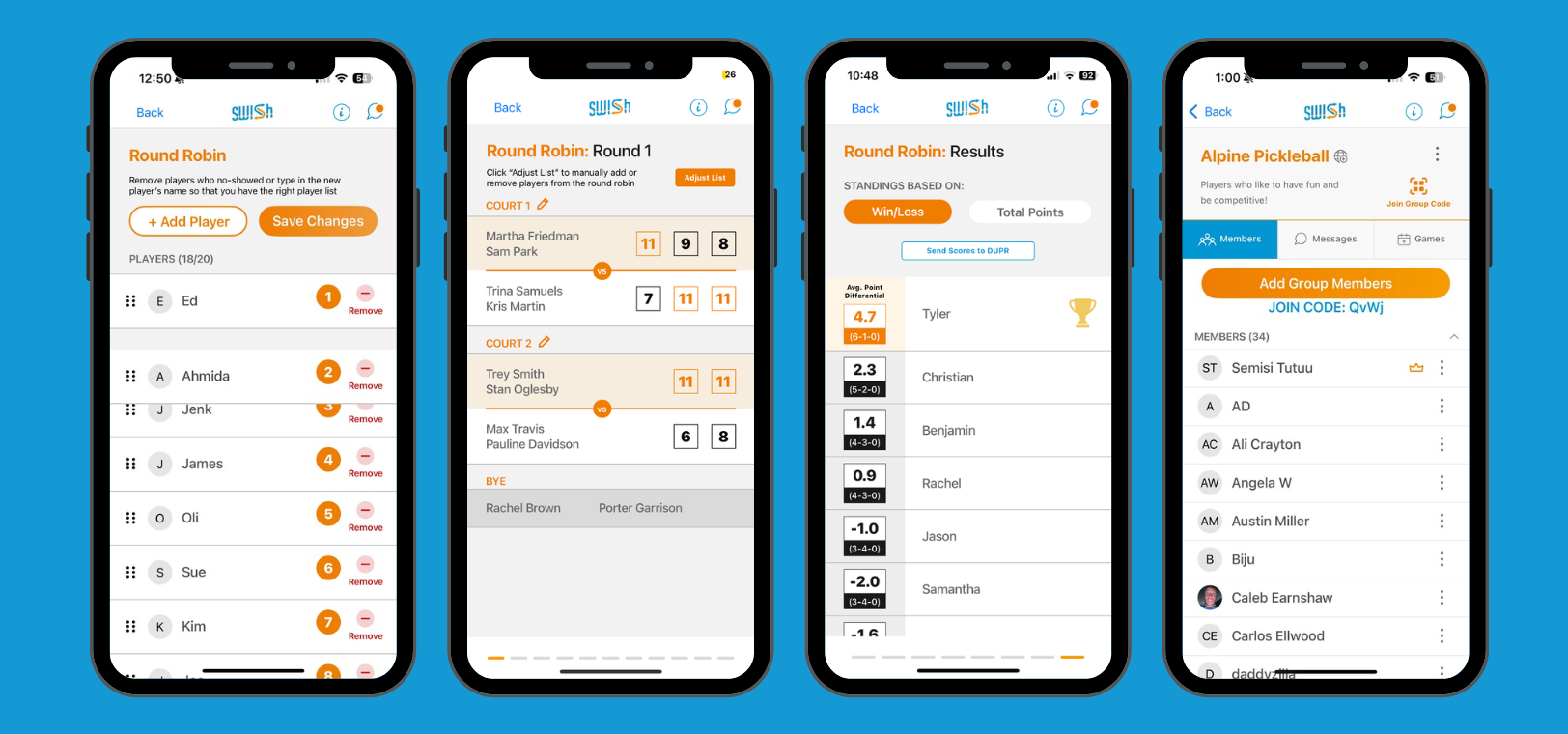
OpenCourt integrates with Swish seamlessly.
With OpenCourt+Swish, you can now create events and collect sign-ups on OpenCourt, then transition the participant list over to Swish in one click, so that you can run your game, league, or a tournament in Swish.
How to use Swish integration in OpenCourt
In most cases, you’ll be synchronizing the participation list into Swish immediately before the game/league/tournament starts, when your participant list of confirmed and final.
In the OpenCourt admin panel, find and open the Event that you’re looking to sync.
Click on the Swish Sync button
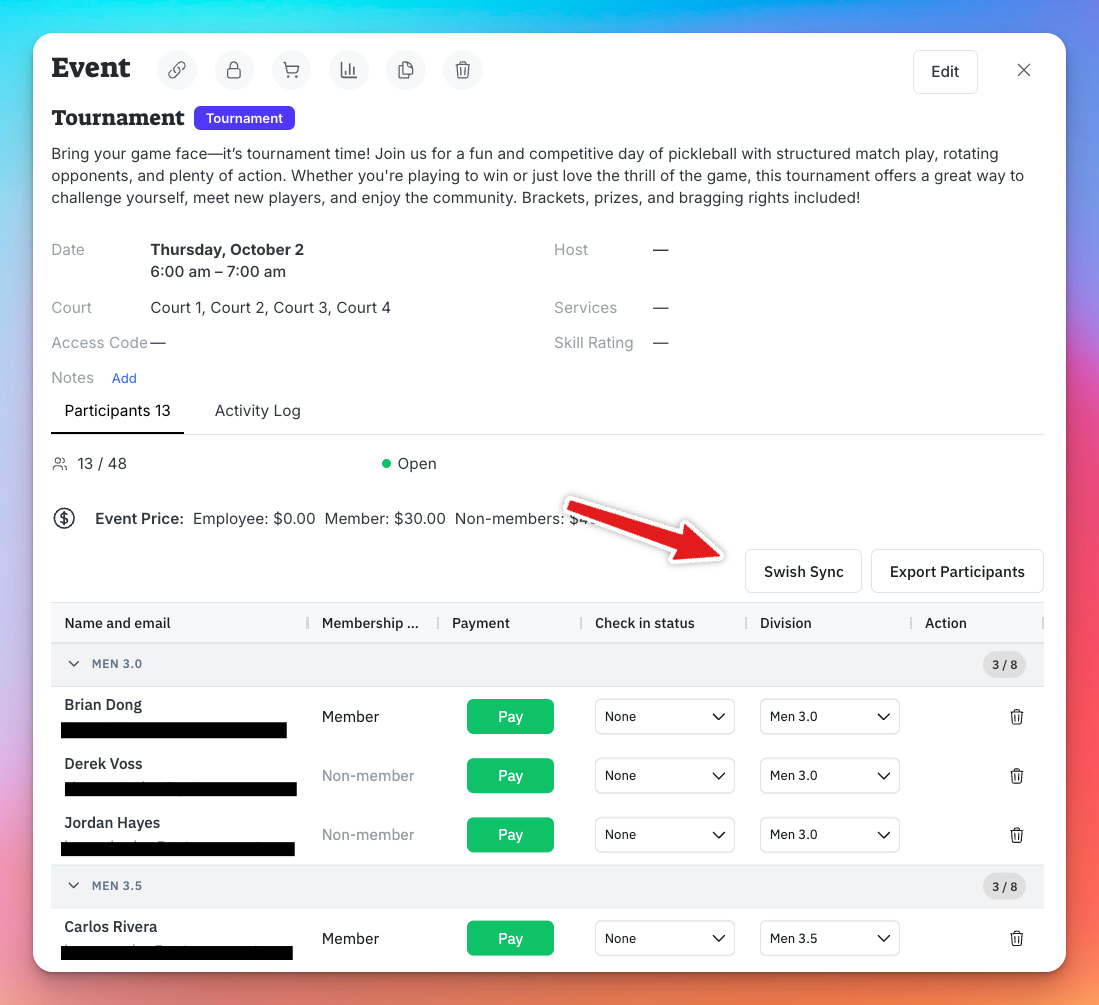
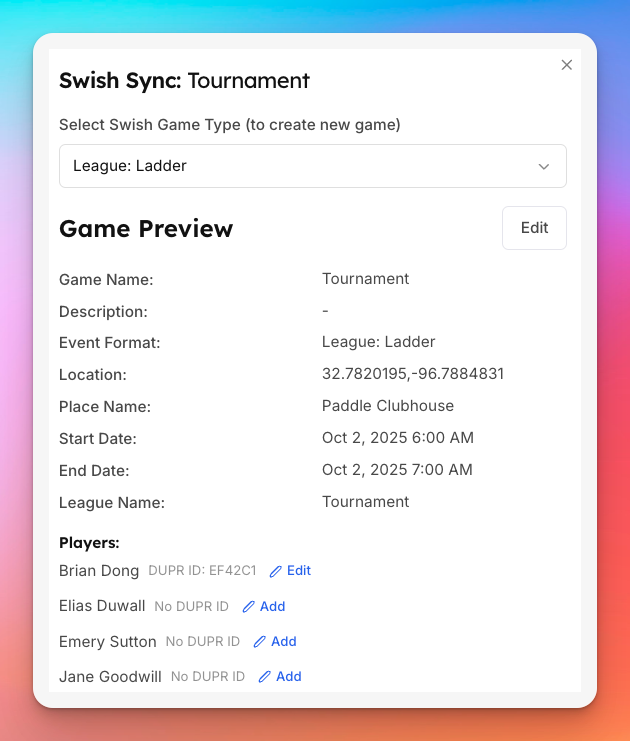
The window may take a few seconds to load as it loads information from Swish. Once it’s loaded, choose the Game Type.
Depending on the game type, you’ll be presented with an appropriate screen to fill out any additional information and assign people to groups.
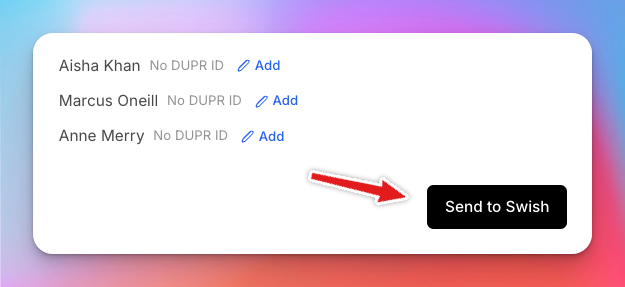
Click “Send to Swish” when you’re ready
Now you will find this game in your Club Account in the Swish App.
Remember, once the game is in Swish, you can still manage participants, their DUPR ids, and more – but now in the Swish App.
If you re-sync the game into Swish, please note all participants will be replaces with new participants.
How to integrate Swish with OpenCourt
Make sure you have a Swish Club account. If you don’t have one yet, reach out to clubs@swishsportsapp.com.
Log in to the Swish Club Portal:
Copy the API Key listed in the
API AccessSection.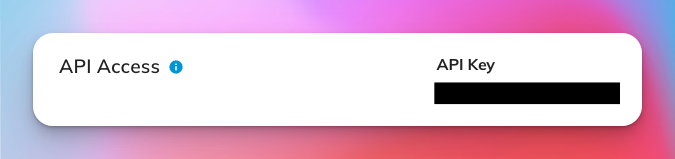
Send this API Key to your OpenCourt representative, or over to club-support@getopencourt.com.
Your OpenCourt representative will activate the integration on your account and will inform you when it’s ready to be used.
Questions?
Please reach out to OpenCourt at club-support@getopencourt.com or to Swish at clubs@swishsportsapp.com for any additional support.