Blocking Off Courts or Marking Time as Unavailable
Sometimes, clubs need to make certain courts temporarily unavailable — for maintenance, cleaning, internal use, or private activities. The Unavailable option lets you block off time without creating a visible event or sharing any details with players.
When to Use It
Use this feature when you want to:
Reserve a court for maintenance or repairs.
Block time for internal meetings or staff use.
Prevent bookings during special events or holidays.
Keep certain time slots off-limits without showing event details.
How to Mark a Court as Unavailable
Go to the Schedule page.
Click on the time slot you want to block.
Choose the “Unavailable” option.
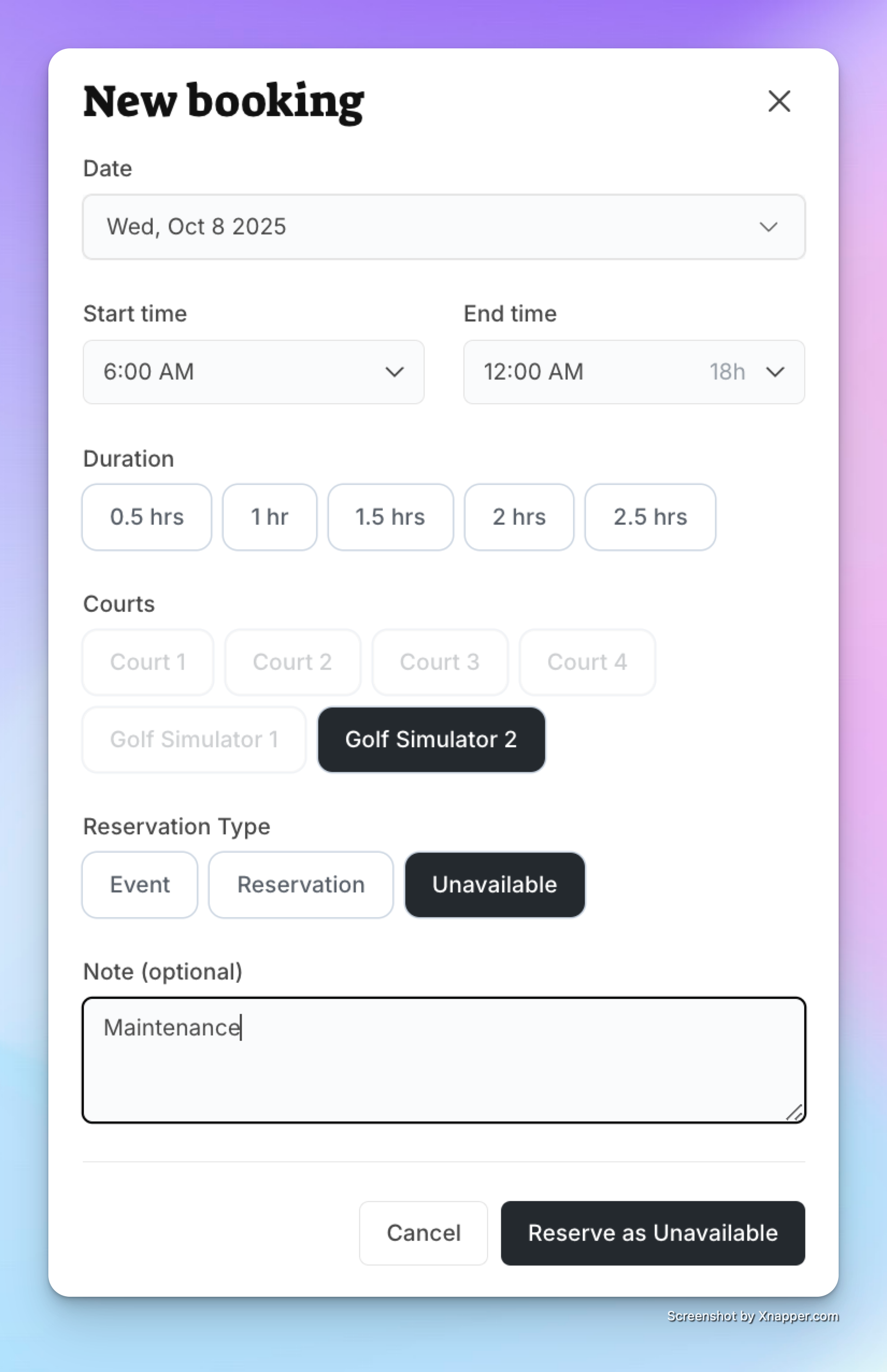
(Optional) Add a short note (e.g., Maintenance, Reserved for Club Use).
Click Save.
What Players See
The blocked time appears grayed out on the schedule.
Players cannot book or view details for that time.
If you added a note (like Maintenance), they’ll see that label.
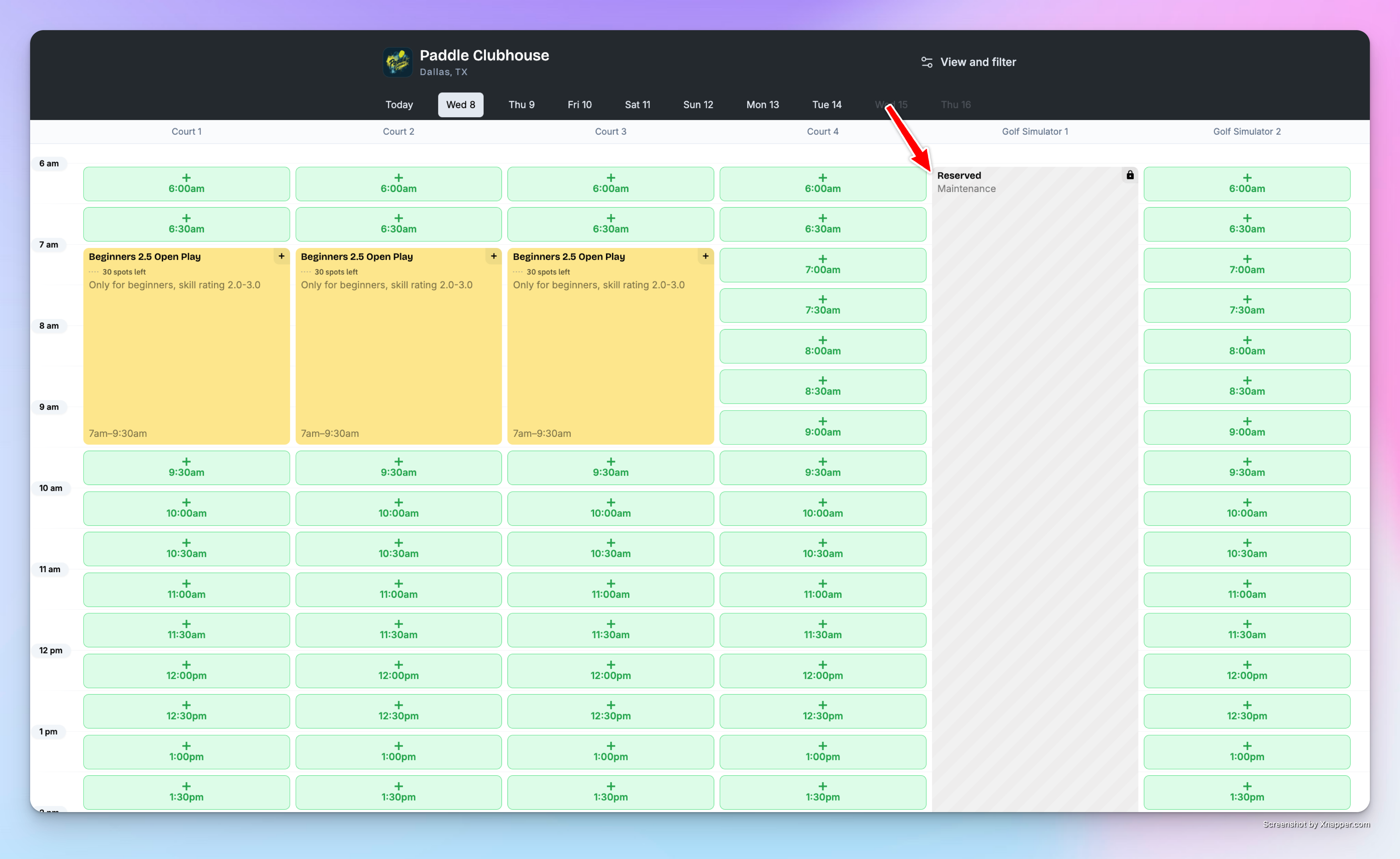
✅ That’s it! The court will stay unavailable for the selected time — keeping your schedule organized and avoiding accidental bookings.