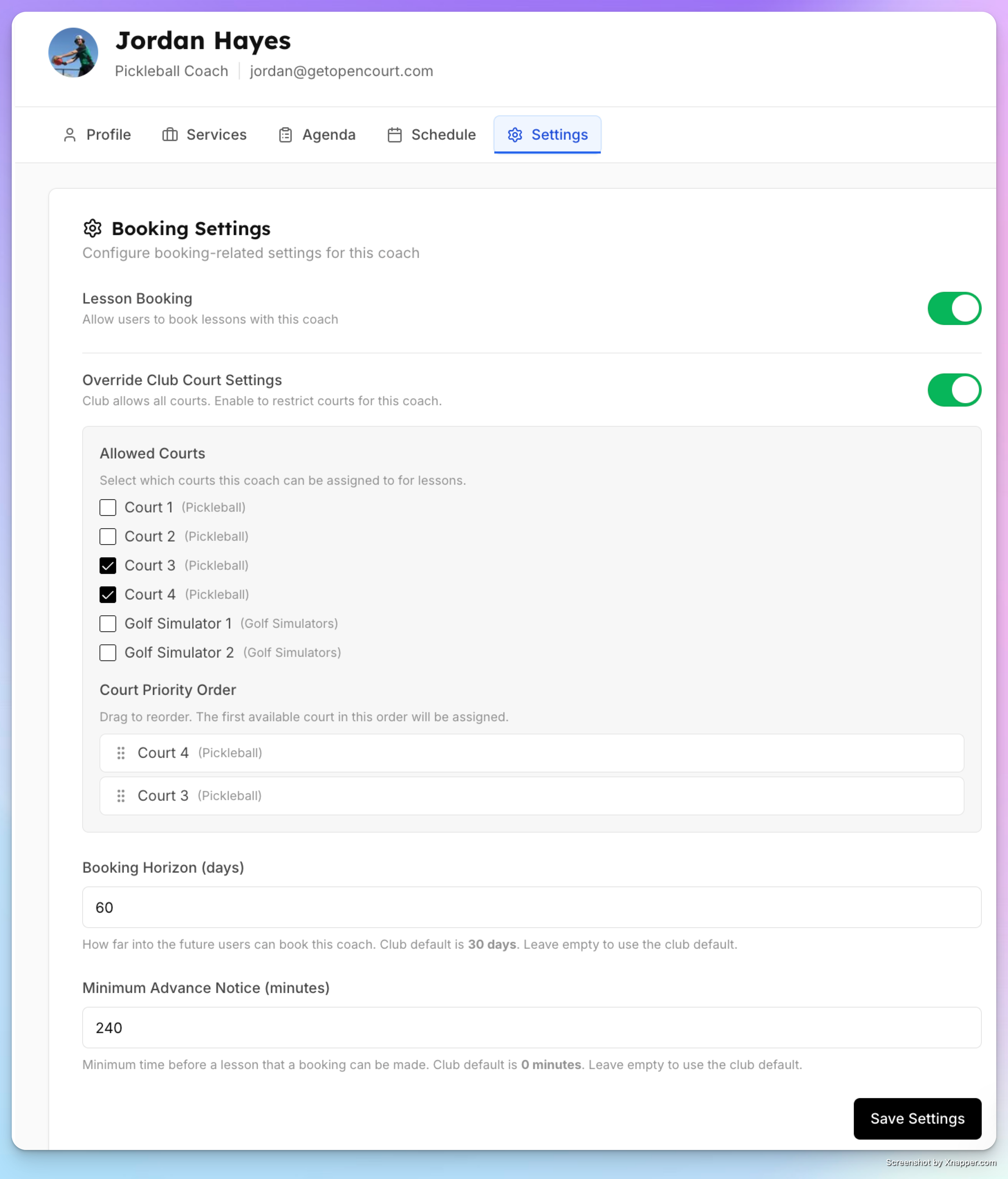
Setting up Court Restrictions & Priority
By default, the system auto-assigns any available court for a lesson. You can restrict which courts are used and set a priority order.
Club-Level (All Coaches)
In Settings → Coach Lessons, configure:
Allowed courts — Only these courts will be used for lessons
Priority order — When multiple courts are available, the highest-priority one is assigned first
Per-Coach Override
Go to Coaches → [Coach Name] → Settings tab
Toggle Override Club Court Settings
Select which courts this specific coach can use
Drag to set the priority order
This is useful for dedicating specific courts to specific coaches, or allowing a coach to use a hidden "teaching court" that doesn't appear on the public schedule.