Coach's Own Schedule View
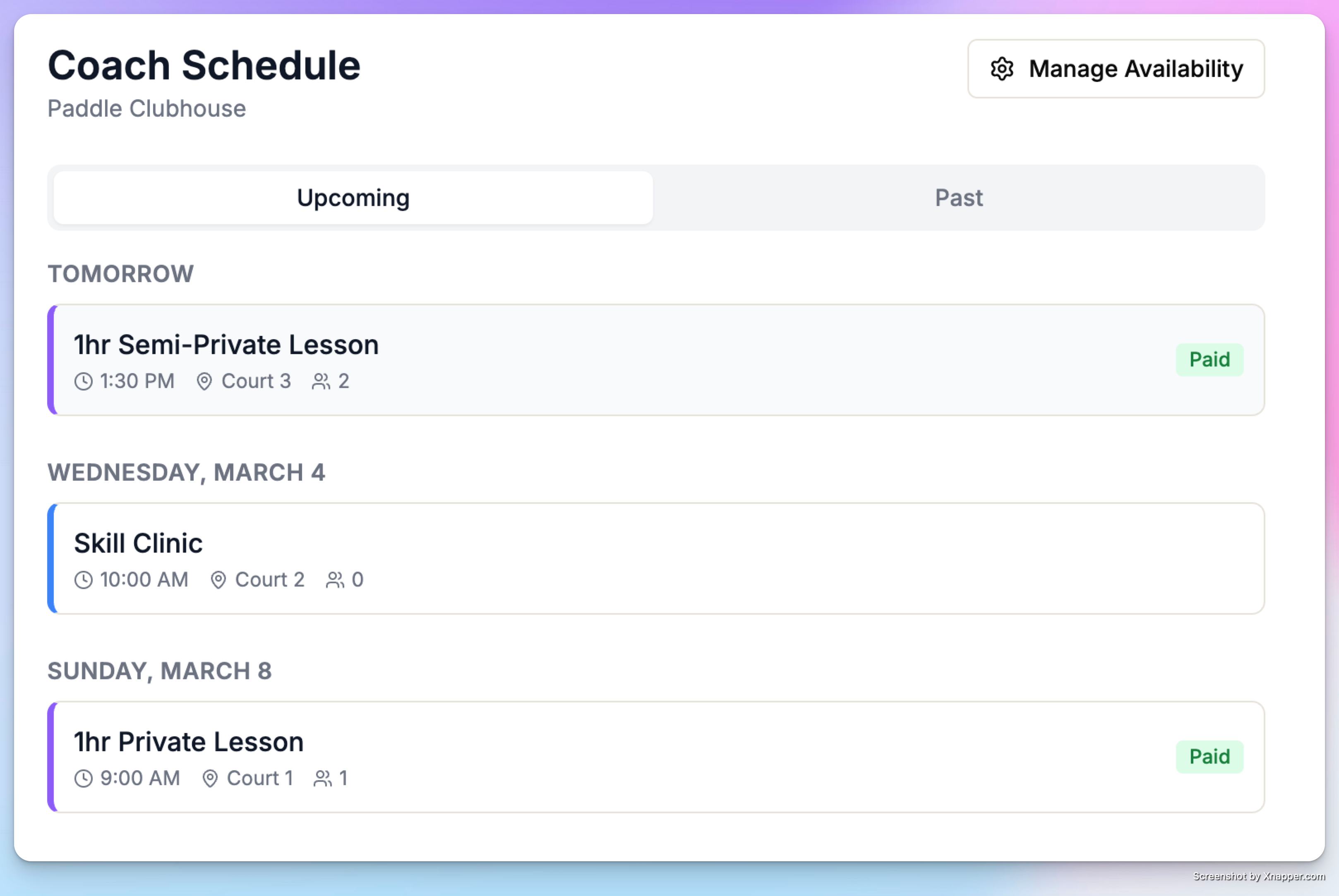
When a coach has a linked user account, they can view their own schedule at My Profile → Coach Schedule. This is a unified view showing:
All their upcoming private and group lessons
All events (clinics, classes) they're assigned to
Lessons appear in purple, assigned events in blue
This gives coaches a complete picture of their schedule without needing admin access.
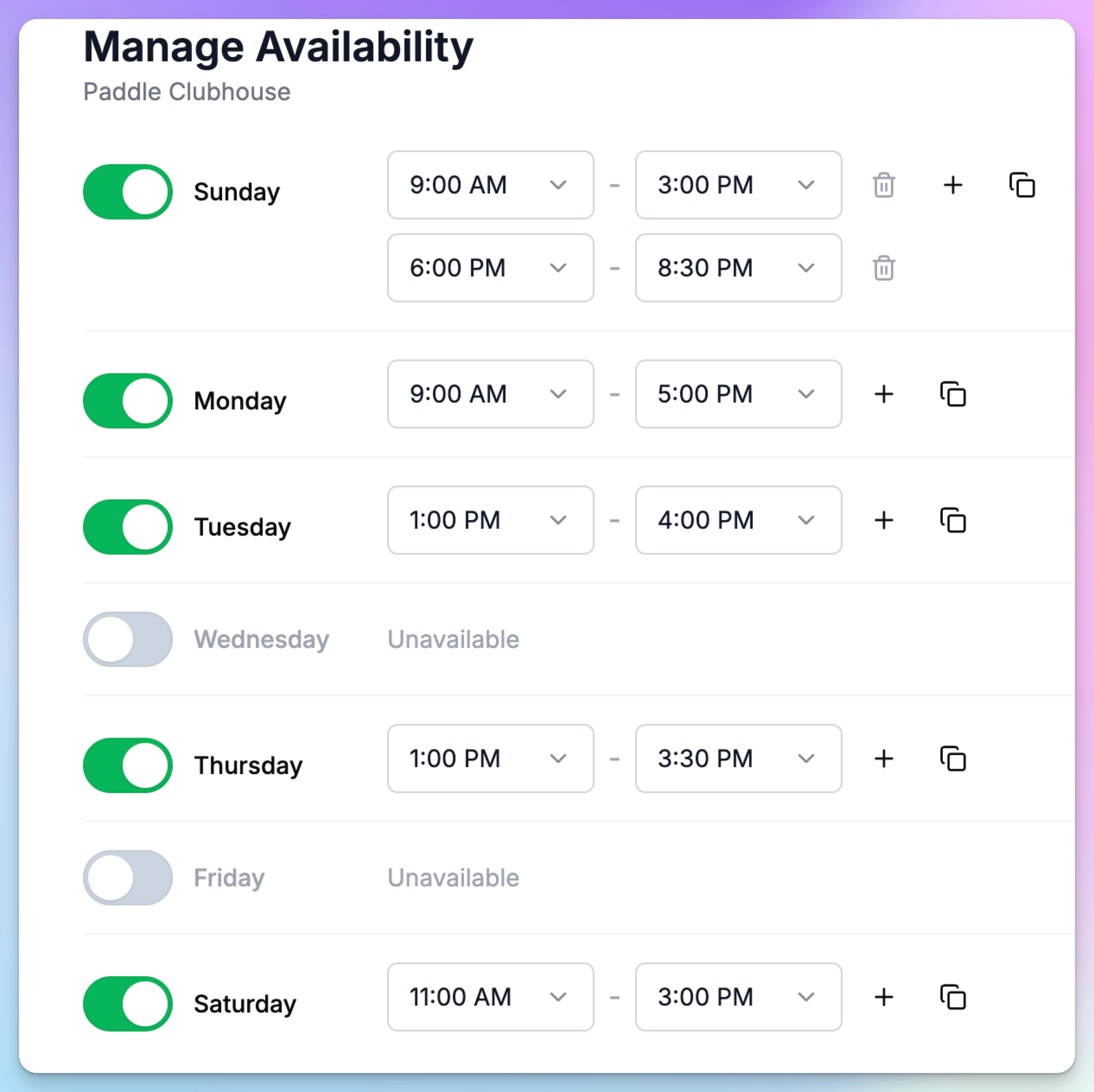
They can change their schedule right there clicking “Manage Availability” button on the top right.
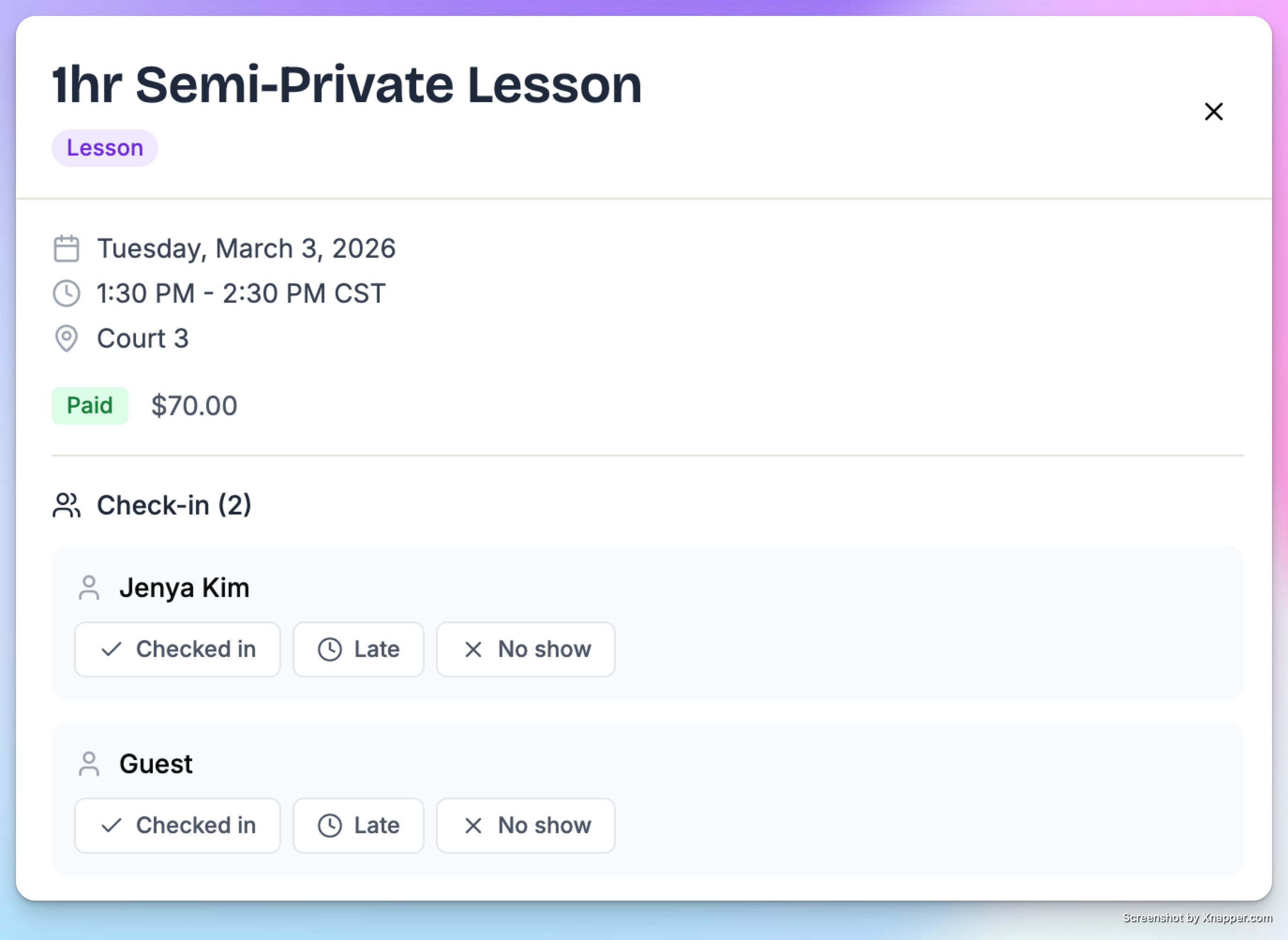
Coach can also check people in when they open a card with a lesson or a clinic.