Community Groups & Chats
The Community feature makes it easy for clubs to build stronger connections with their players. You can create groups, share updates, and let players coordinate games, clinics, or just chat with each other.
What You Can Do with Community
Create Groups: e.g. for players by skill level, interest, or event (e.g., Beginners Chat, Early Birds, Tournament Players).
Public or Private:
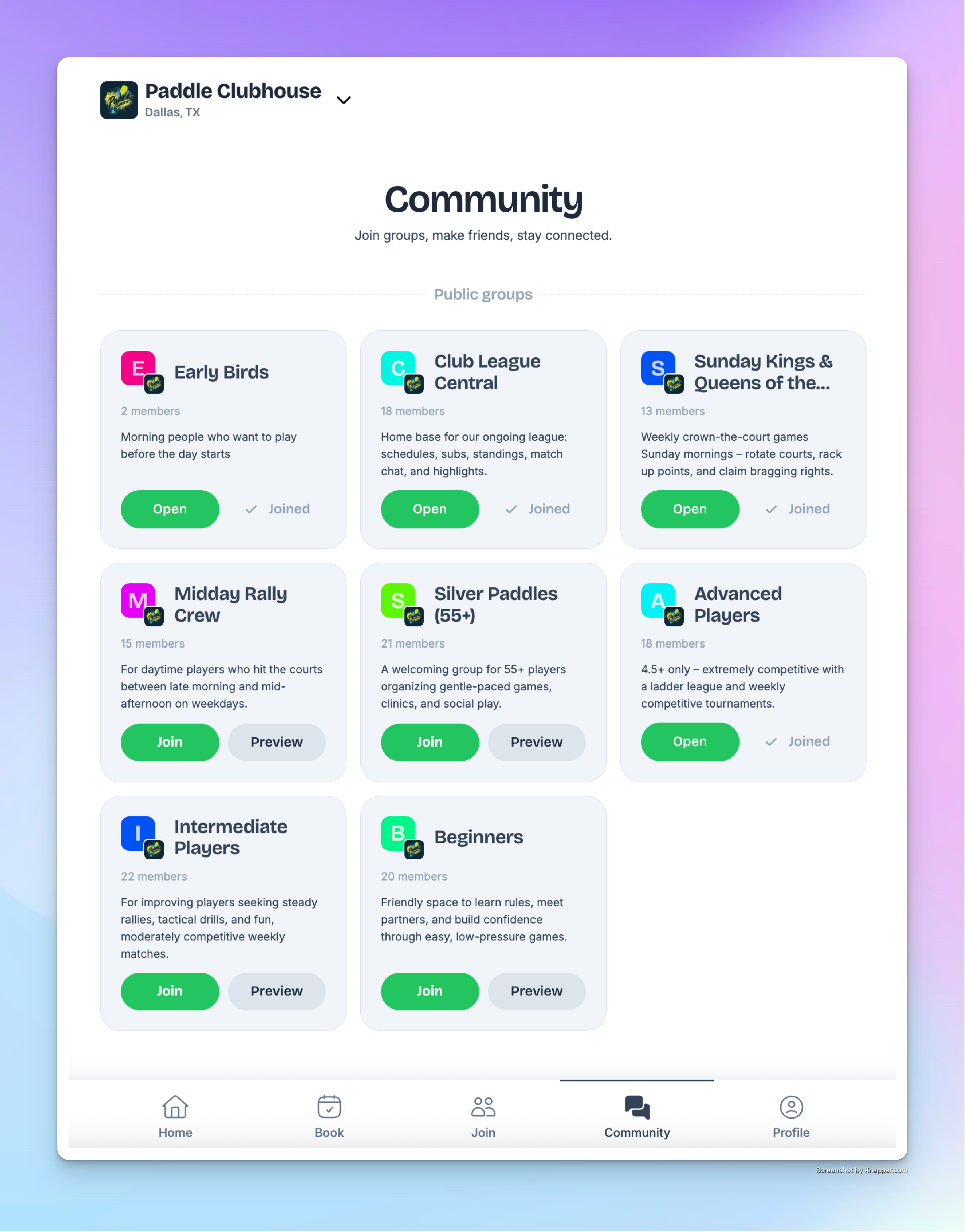
Public groups are visible to all members and non-members, and anyone can join.
Private groups require an invitation code to join.
Communicate Easily: Post updates about open spots, new clinics, or event changes.
Coordinate Play: Players can share event links directly in the chat (like “Join me for this open play!”) so others can quickly sign up.
Build Community: Members can chat, share photos, and plan games together — just like in popular messaging apps.
Players Experience
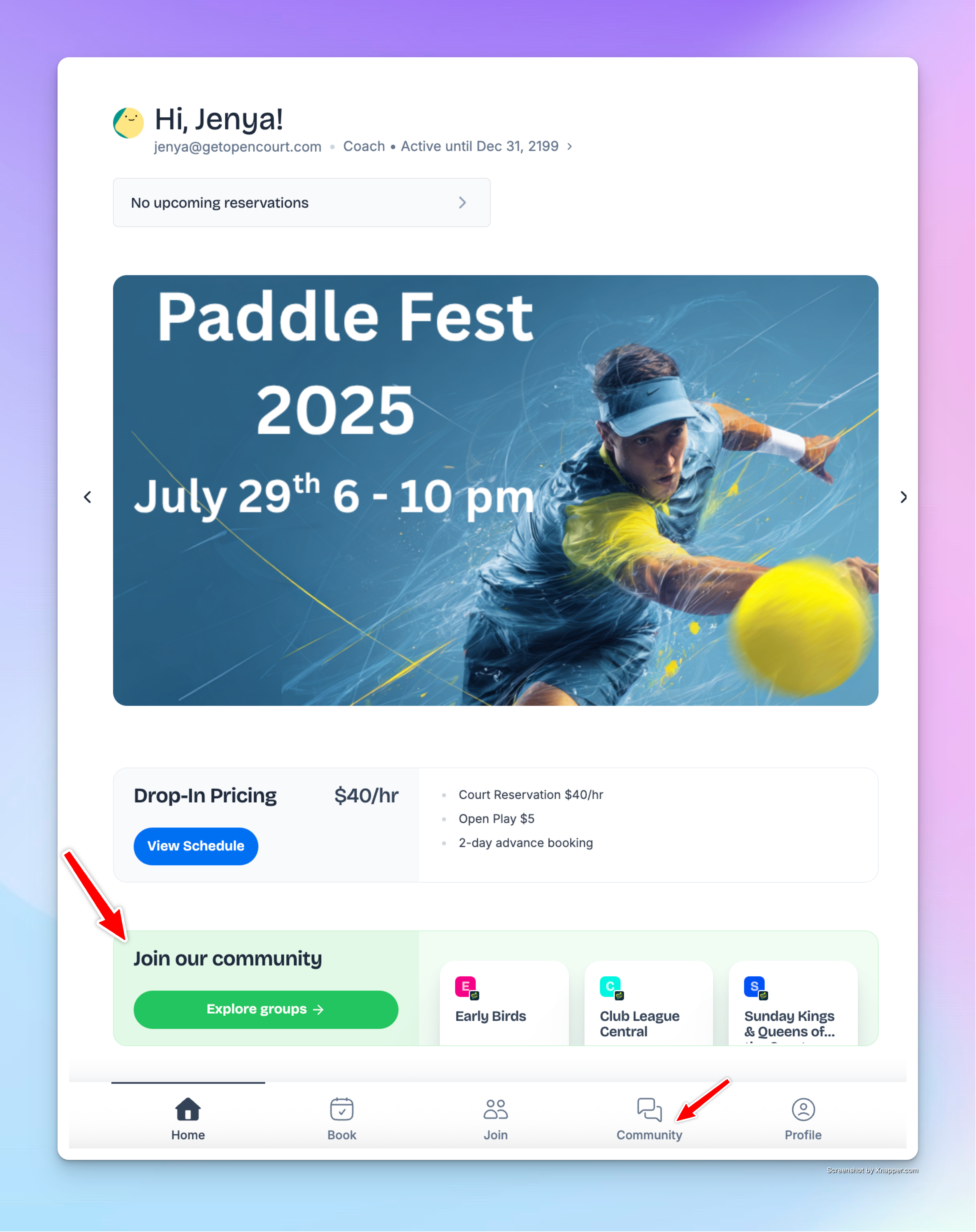
Players see the Community block on the app home page and can explore groups there.
They can browse and join public groups
Or, if it’s a private group, they can join if someone invites them and sends them the code of this group.
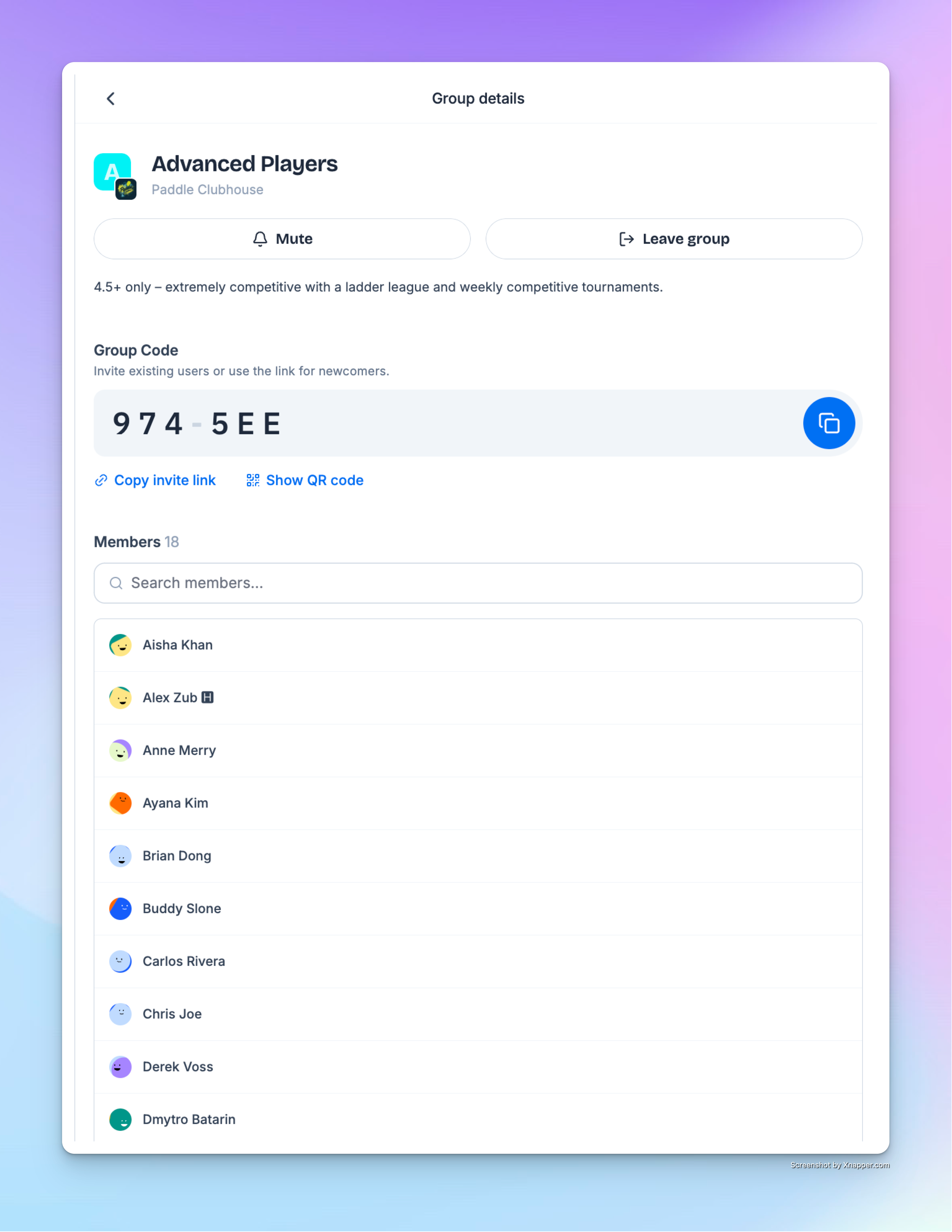
Inside a group, members can:
Send messages, tag others, and get notifications.
Share event links so others can join quickly.
See who else is in the group and manage their own settings (mute, leave, etc.).
Example Groups You Might Create
Beginners Chat – updates for new players learning the game.
Early Birds – for members who like to play before work.
Tournament Players – restricted to participants of a specific tournament.
✅ The Community feature gives your club a built-in way to connect players, keep them engaged, and make scheduling games easier than ever.