Creating and managing a family account
Learn how both users and club admins can create and manage a family account, add family members, and control how family benefits are shared. This article gives a quick overview of what each side can do and how family accounts work.
Overview
Members and admins can create a family and add family members in two ways:
Add Existing — use this when the family member should have their own separate account. This is best for a spouse, partner, or another person who wants to manage their own account, make their own reservations, and join Open Play, events, lessons, or other activities on their own.
Create New — use this for a child or dependent who does not need their own login or email and will not manage the account themselves.
Once family members are added, eligible family booking passes can be shared across the family.
How users can create a family
Open your profile.
Go to My Family.
Click Create a Family.
Click Add Member.
Option 1: Add an existing account
Use Add Existing when the family member should have their own separate account.
This is best for:
spouses or partners
adults who want to make their own reservations
adults who want to sign up for lessons or events on their own
To add an existing account:
Ask the family member to create their own account first - just enter and verify their email, and type their name - that’s it.
In My Family, click Add Member.
Choose Add Existing.
Search by their email address.
Select their account and add them to the family.
Option 2: Create a new dependent
Use Create New for children or dependents who do not need to manage an account themselves.
To create a new dependent:
In My Family, click Add Member.
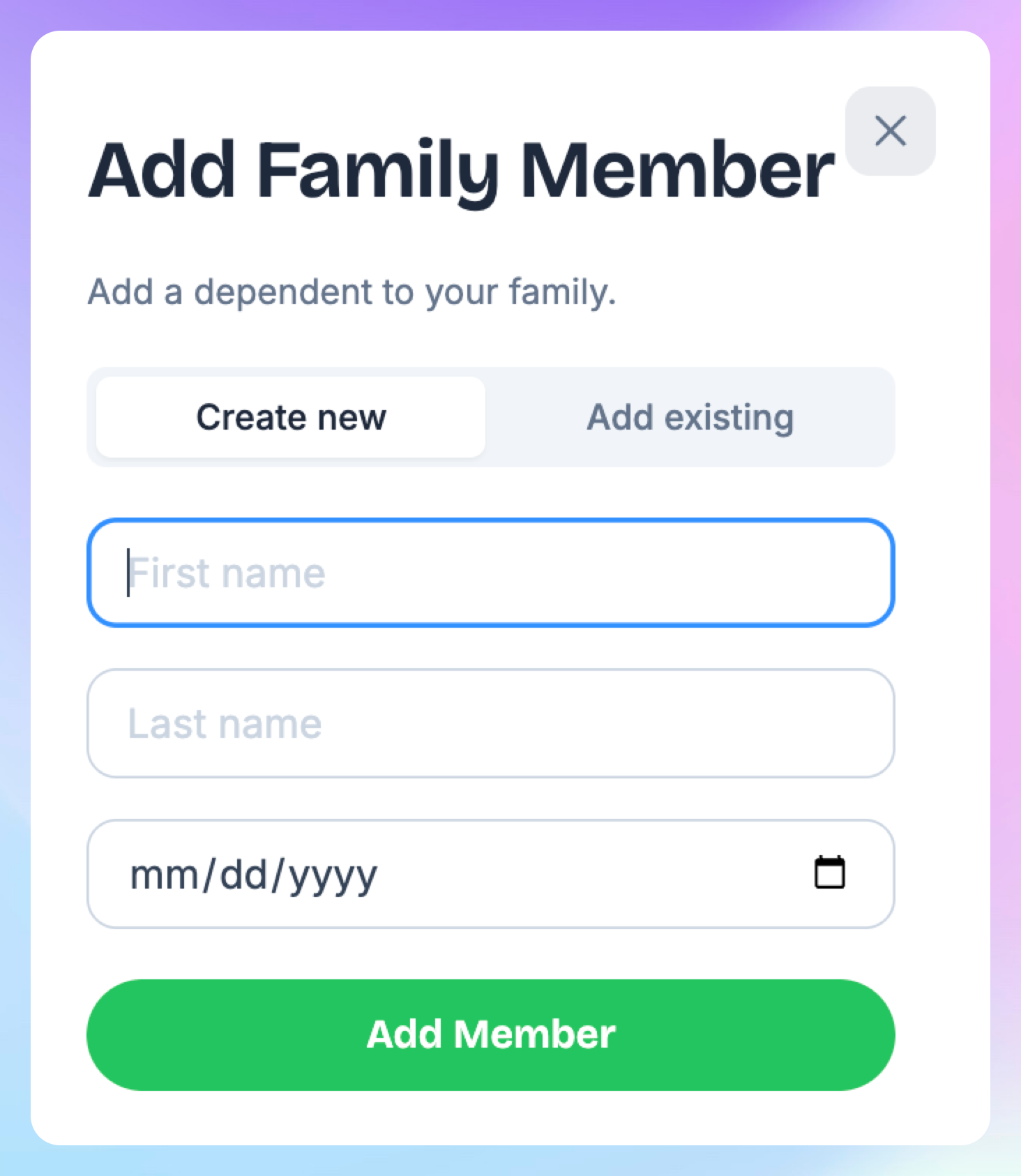
Choose Create New.
Enter the child’s information, including date of birth.
Click Add Member.
How admins manage families and dependents
Family memberships are managed under one primary account holder. The primary member is the one who purchases and pays for the membership, while the dependent family members are included under that membership and receive the same membership benefits without paying separately.
For a couple membership, this usually means one primary member and one dependent. For a family membership, there can be one primary member and multiple dependents.
Only the primary account holder is billed for the membership, and if the primary member cancels it, all dependents connected to that family membership will lose their membership benefits as well.
Where to view families
To see all families that have been created:
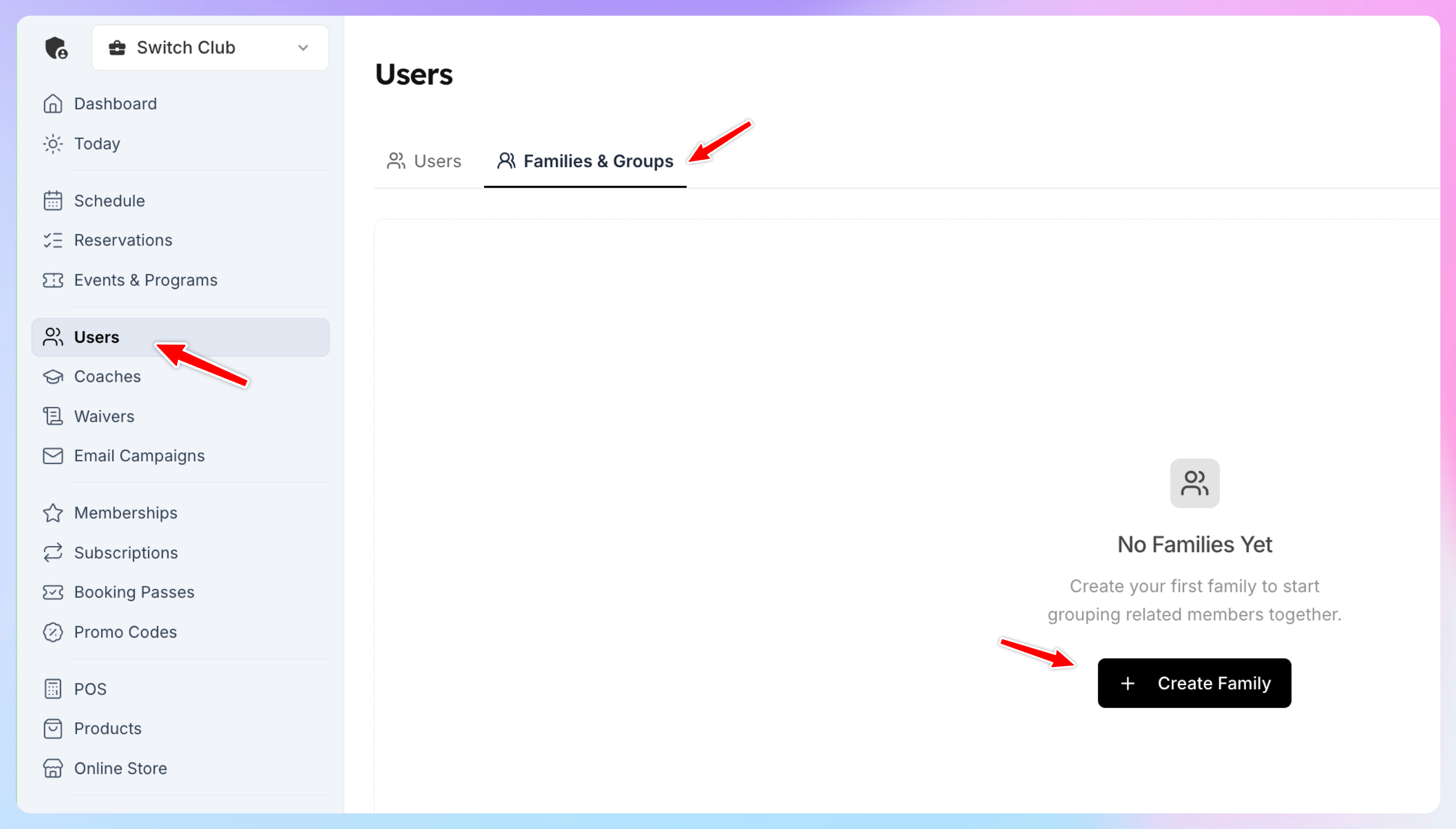
Go to Users
Open Families and Groups
Any family created by a member will appear there.
How admins can create a family manually
Admins can also create a family on behalf of members.
Go to Users
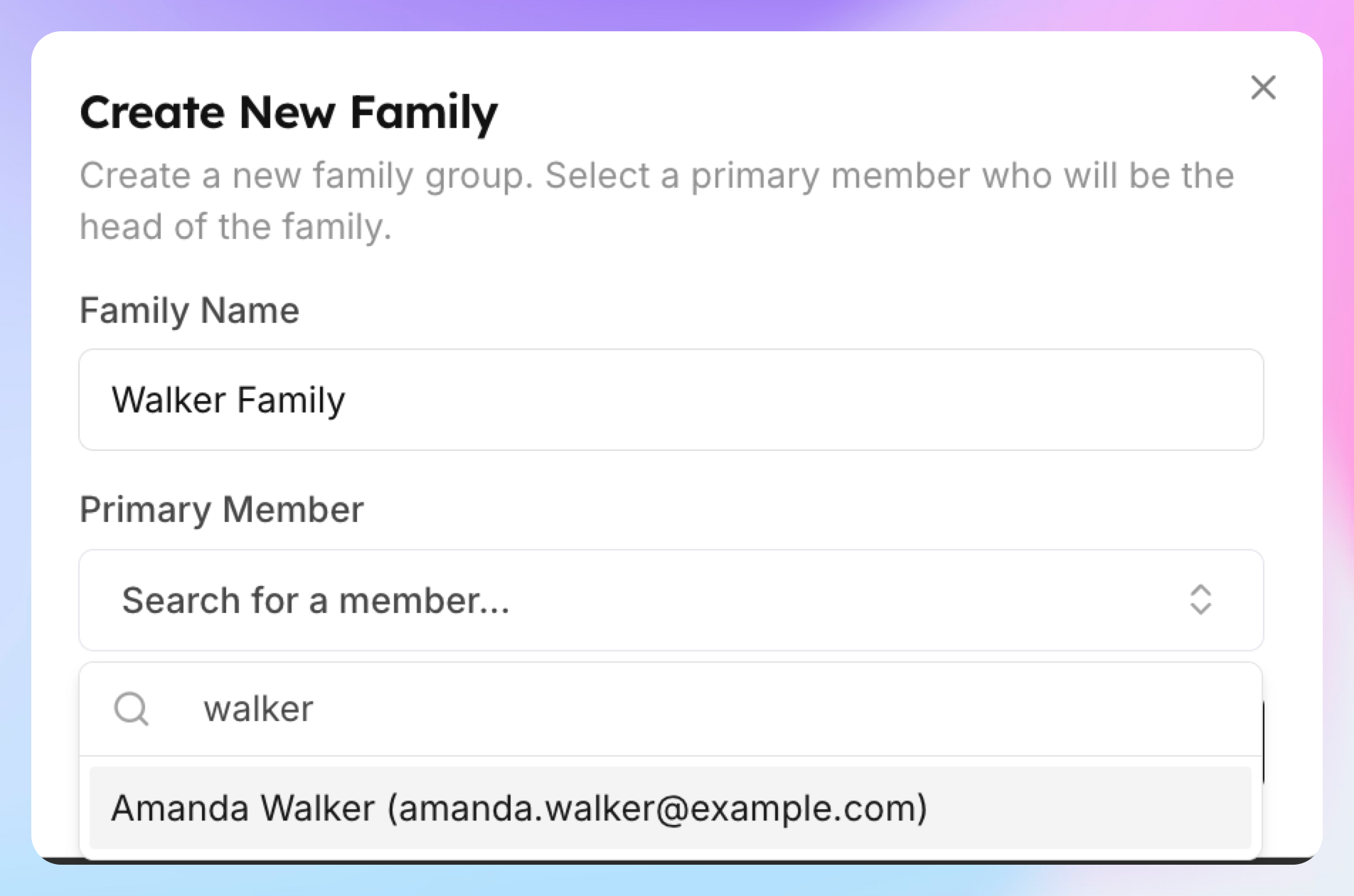
Click Create New Family
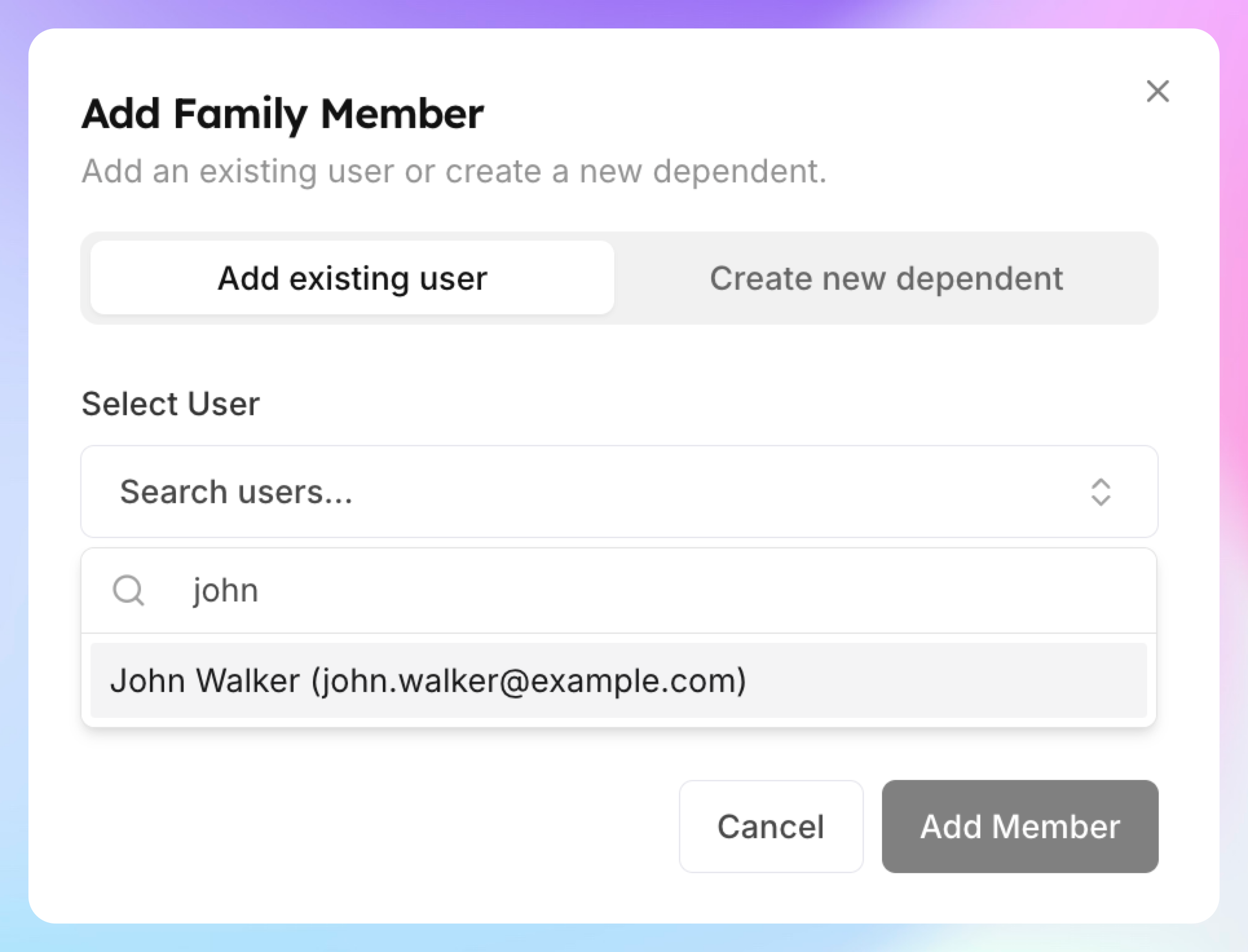
Start typing the primary member name in the field
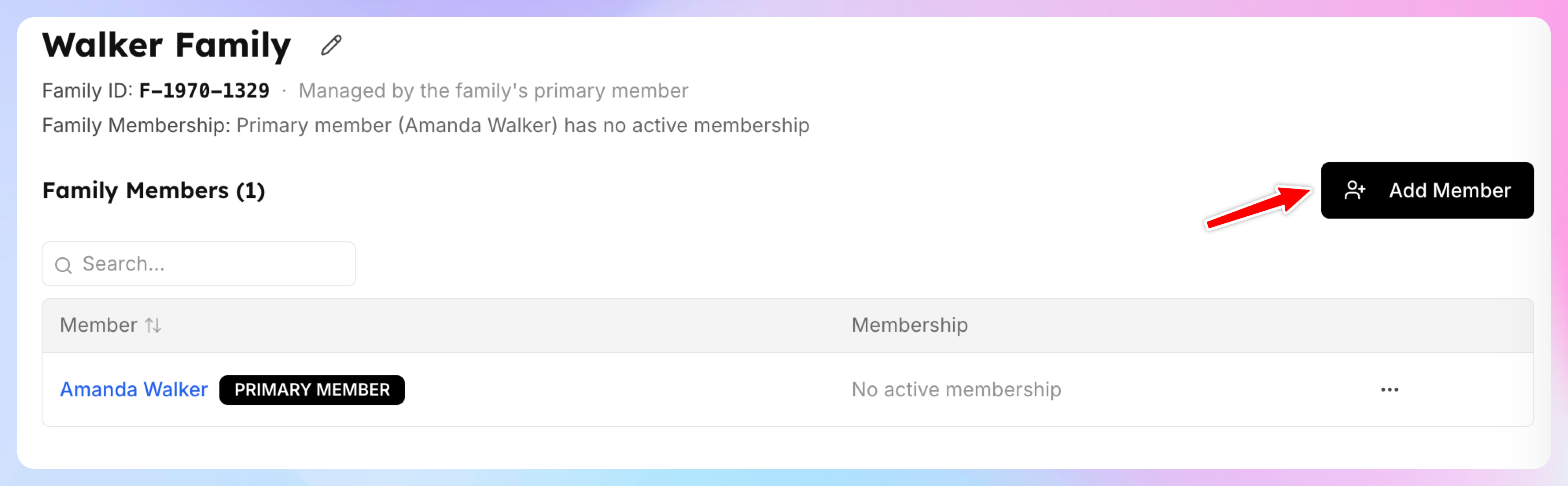
To add a family dependent member click “Add Member”
If it’s a member who wants to have their own account, make their own reservations etc, you should add a new user first with their email and name. Then click Add Existing
If their dependents don’t have their own accounts and won’t need it (e.g. kids who don’t have their emails and don’t need to manage their own reservations etc), then click Create new dependent.
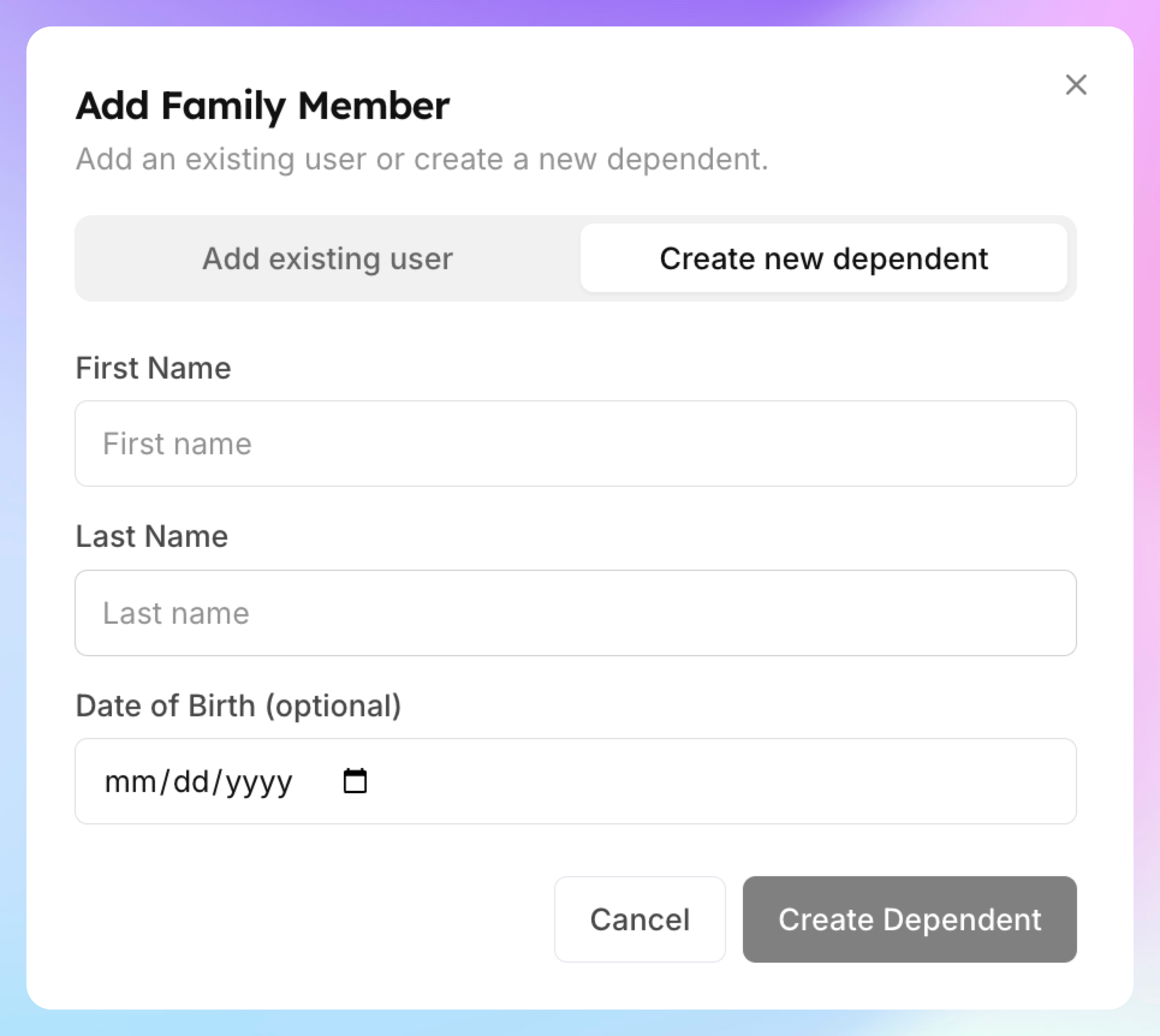
Enter the user’s email, first name, and last name
Assign Dependent vs. just being in the family
This part is important:
If a member is only part of the family
They can use shareable family booking passes if the pass is configured that way.
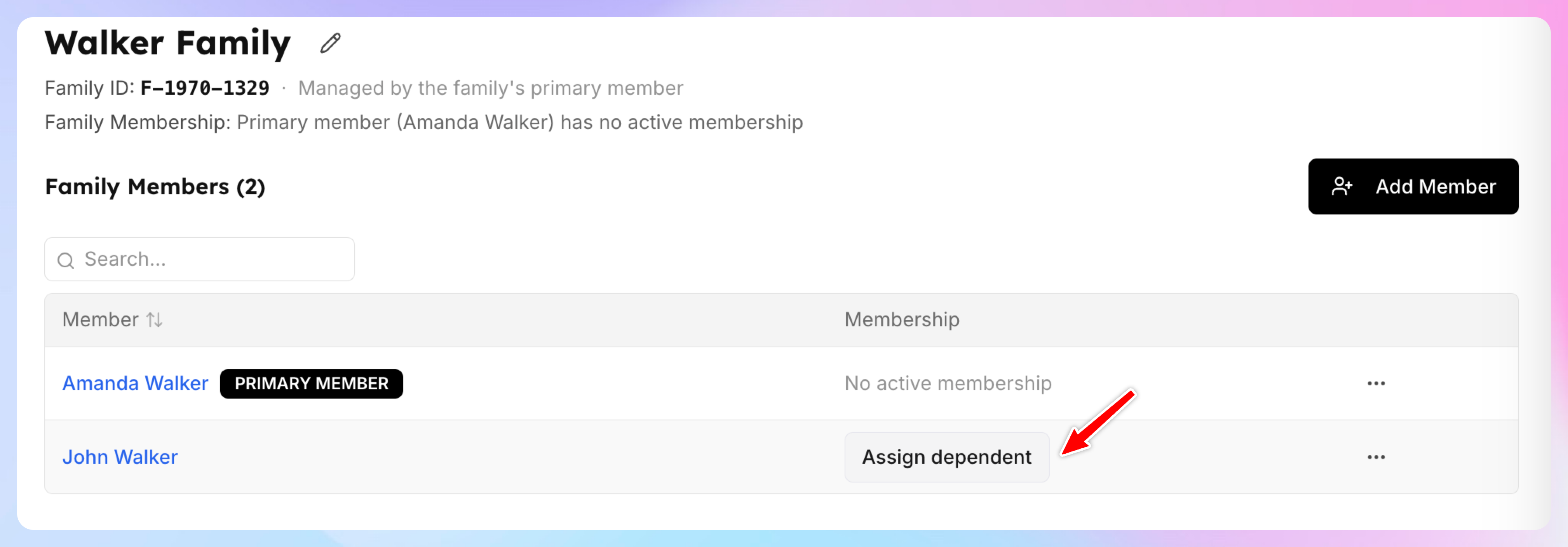
If you click Assign Dependent
They receive the same benefits as the primary member, not just shared passes.
This may include:
the same pricing (e.g. free or discounted booking for members)
the same booking window (e.g. they can book 14 days in advance)
other membership-level benefits tied to the primary member
Such dependents are treated the same as the primary member and receive the same membership benefits, but they do not pay separately, since the primary member pays for the full couple or family membership.
Best practice
Use Assign Dependent only for family members who should truly receive the same membership rights as the primary member. This is especially useful for couple-style memberships.
If a family includes more members, but only some should get full benefits, keep the others in the family without assigning full dependent benefits.
What happens after a family is created?
Once a family is set up, family members can use eligible family booking passes that are shared with the family.