Adding a new customer
Most of the time, new customers create an account on OpenCourt on their own within a minute by entering their email and their name.
But if someone calls the front desk or walks in wanting to reserve a court or join an Open Play or tournament, here’s how to add them to the platform.
Method 1 (Recommended)
Ask them to scan QR code of your waiver and fill it out. Once they do it, they're automatically added to the system.
Method 2 (Manually)
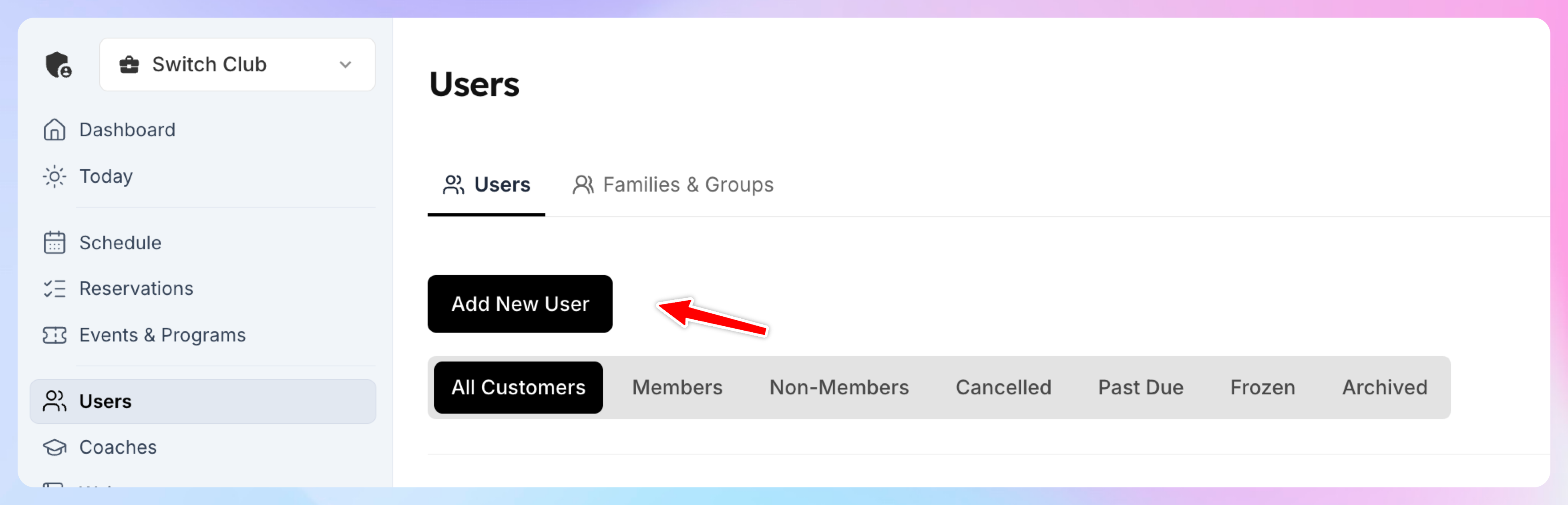
Head to the Users Tab
Jump into your admin panel and click on the Users tab from the left-hand menu.
Click "Add New Customer" at the right top corner.
Type in their email address. If they already have an account, it’ll pop up.
If not, it’ll create a new one for them. Fill out their name, and it's all set.
What you can do next
Book a court for them
Add them to any event (Open Play, Tournament, Clinic etc)
Sell them products via POS
Quick Tip
Make sure they signed a waiver before their first game.