Creating a Free Reservation Pass
Give your members a set number of free court reservations per month. Each time a member books a court, one pass is consumed and the booking fee is waived. Example: Premium members get 4 free court reservations per month.
Step 1: Create the Pass Template
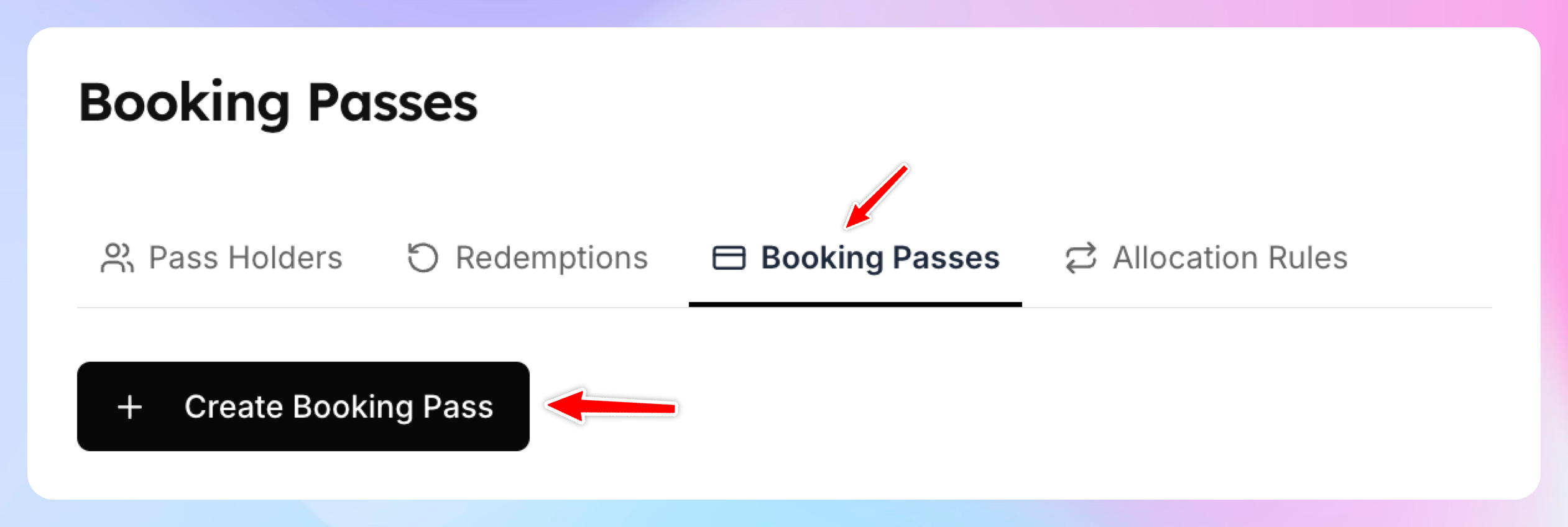
Go to Booking Passes page
Click Create Booking Pass
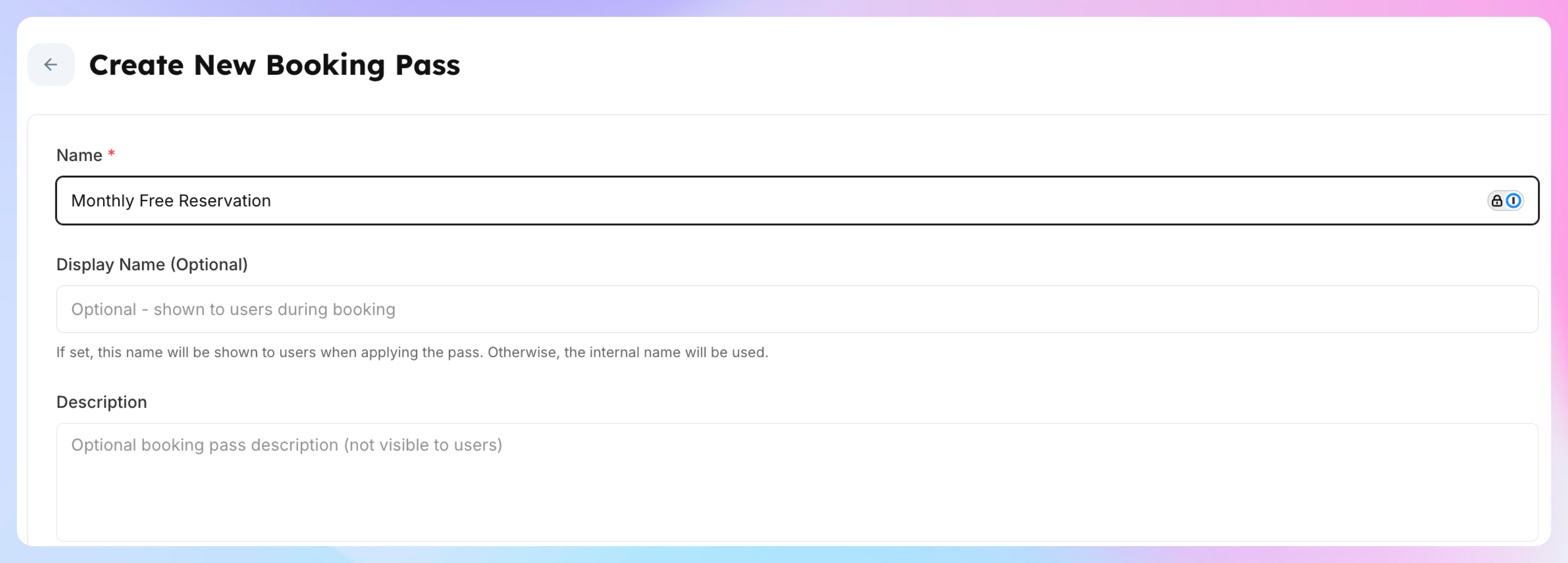
Enter the name and the description of the pass (optional)
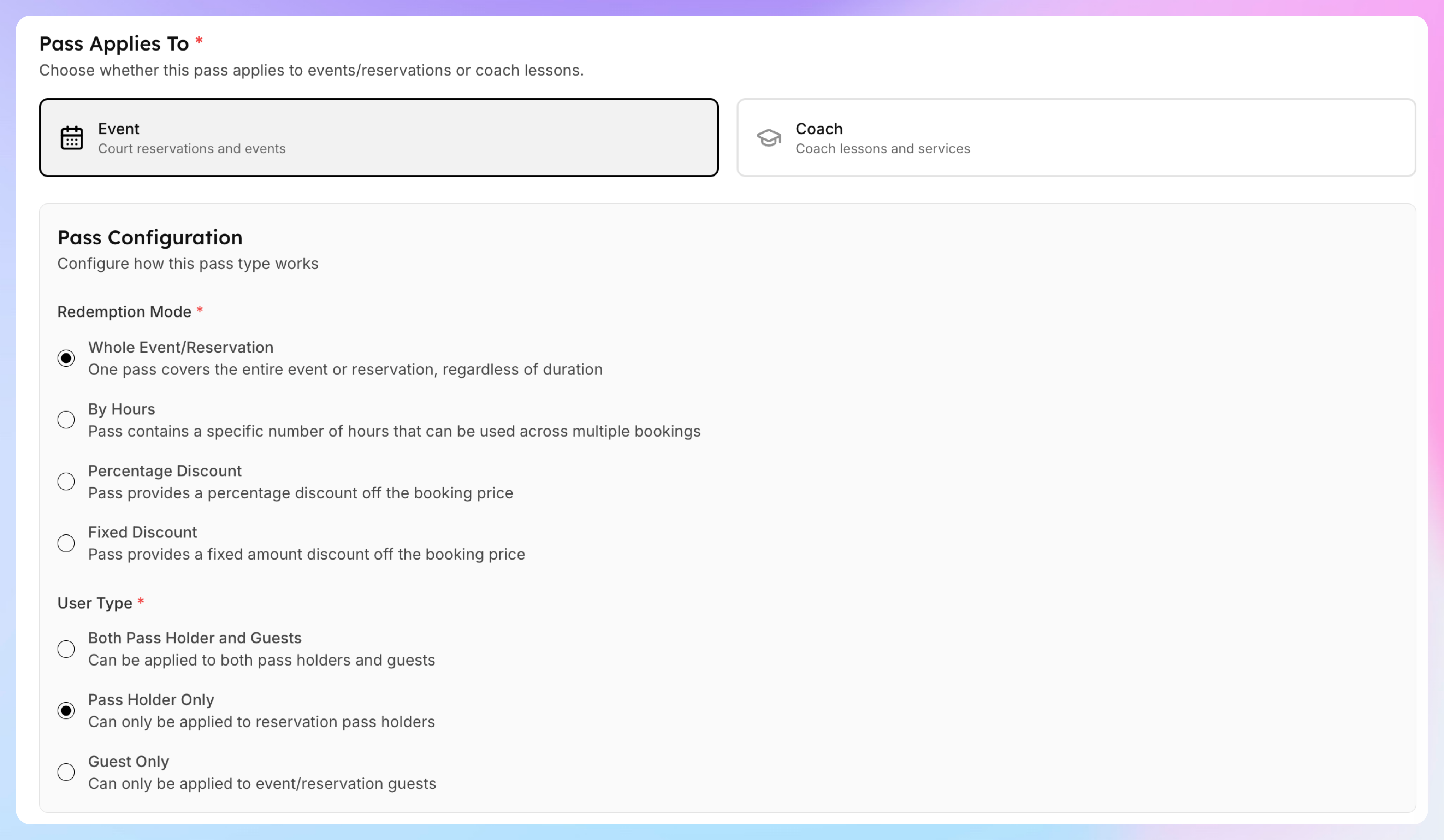
Pick Event that it applies to.
Choose Whole Event/Reservation
Choose Pass Holder Only as a user type that it can be applied to.
If you want your members to share it with their family members, toggle on this setting:

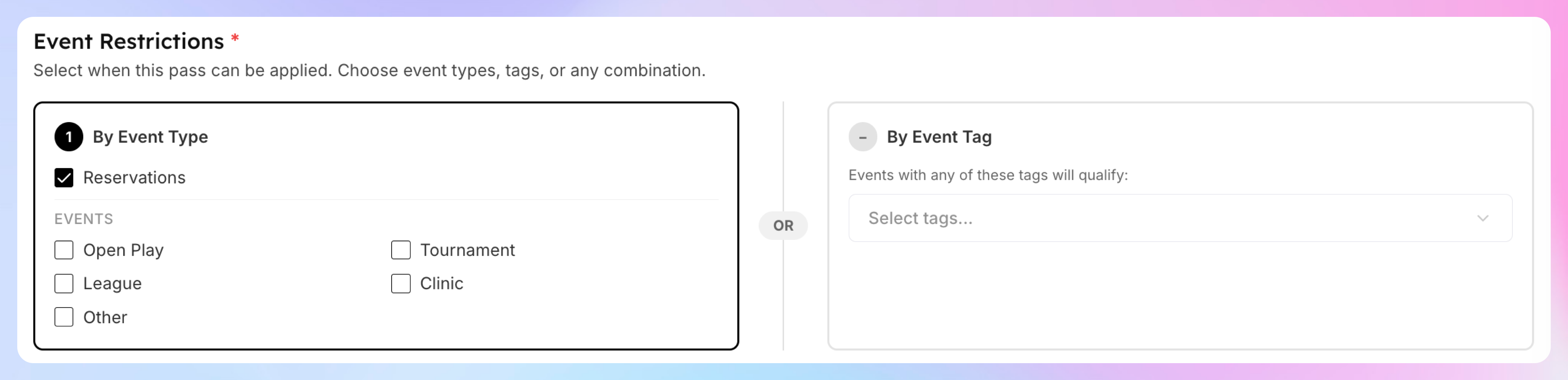
Under Event Restrictions, check only Reservations. Leave all event types (Open Play, Clinic, etc.) unchecked — this pass should only apply to court reservations.
Click Create Booking Pass.
Step 2: Create the Allocation Rule
Now set up automatic allocation so members get passes when their membership activates.
Go to Booking Passes → Allocation Rules
Click Create Rule

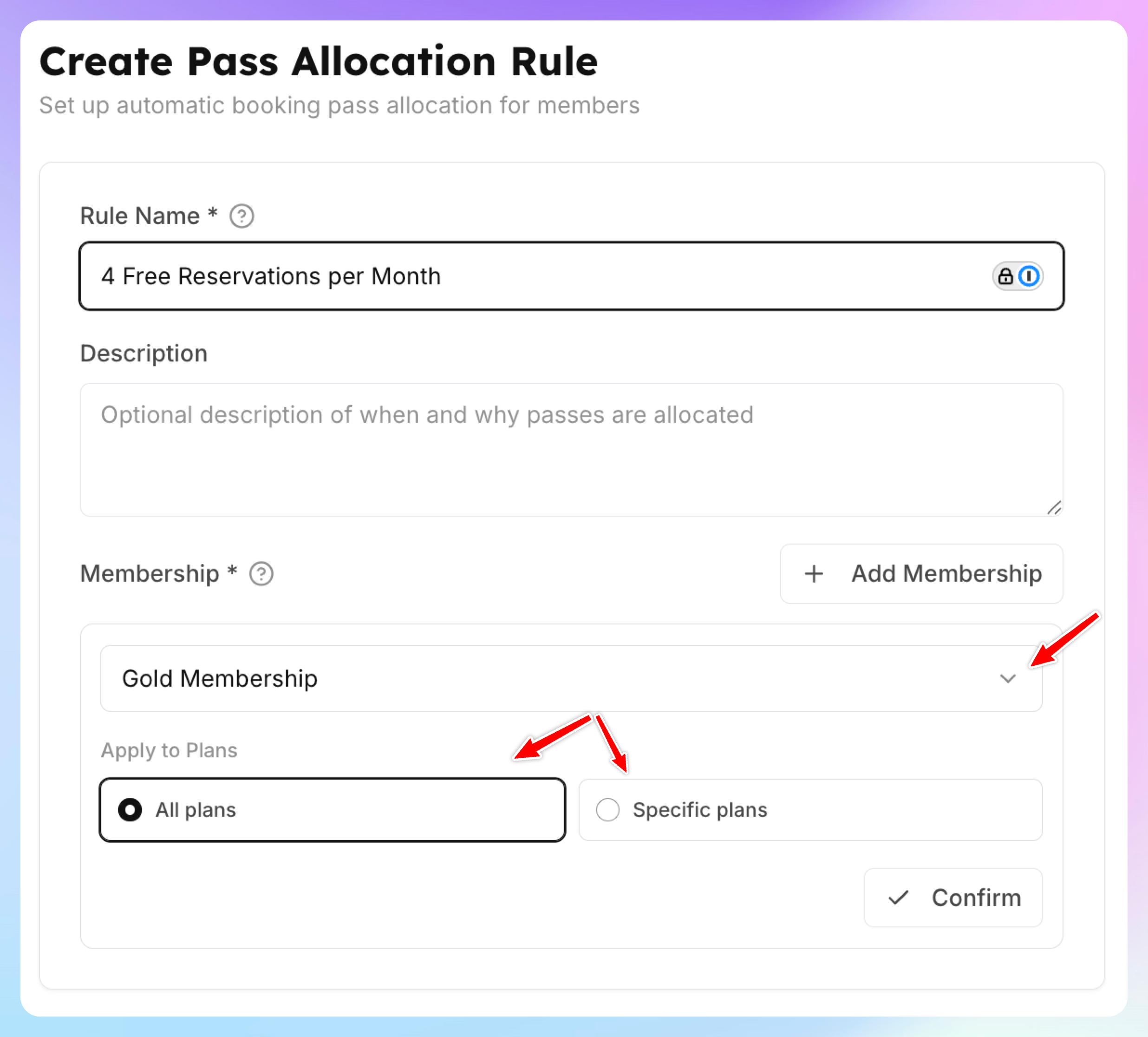
Use this form to choose who will receive these passes, when they’ll be granted, and how often they’ll be issued.
1. Fill out the name and the description (optional)
2.Select the memberships and plans these passes should apply to.
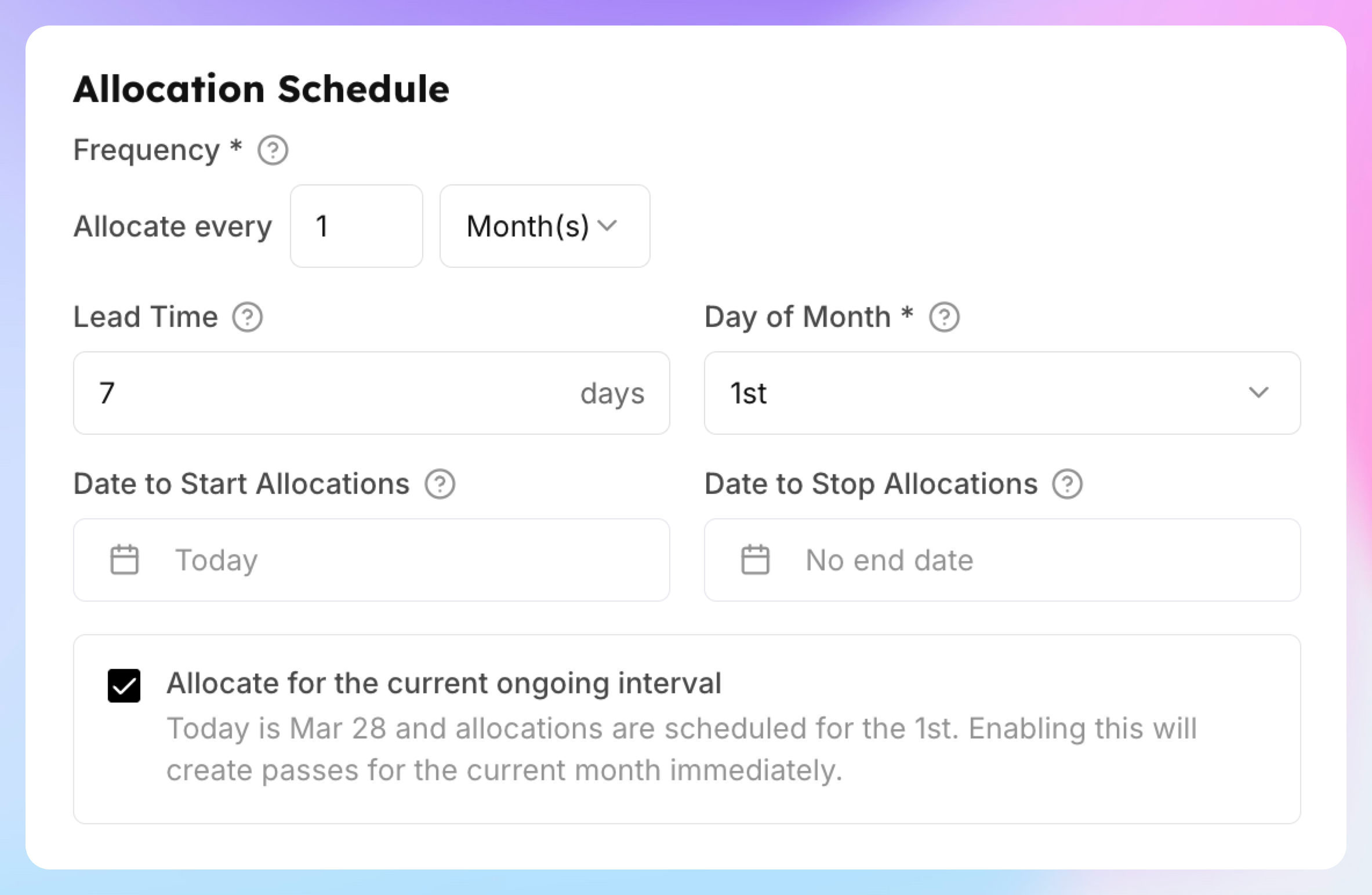
3. Define how often you will grant those passes - e.g. every month, or every week etc.
4. How many days in advance you’ll issue them (Lead Time) - e.g. your members can book 7 days in advance, then they’ll need to have passes 7 days in advance before the new month/week starts.
5. If you check “Allocate for the current ongoing interval”, it’ll create the passes for he current period. Otherwise, it will start generating passes from the next month/week.
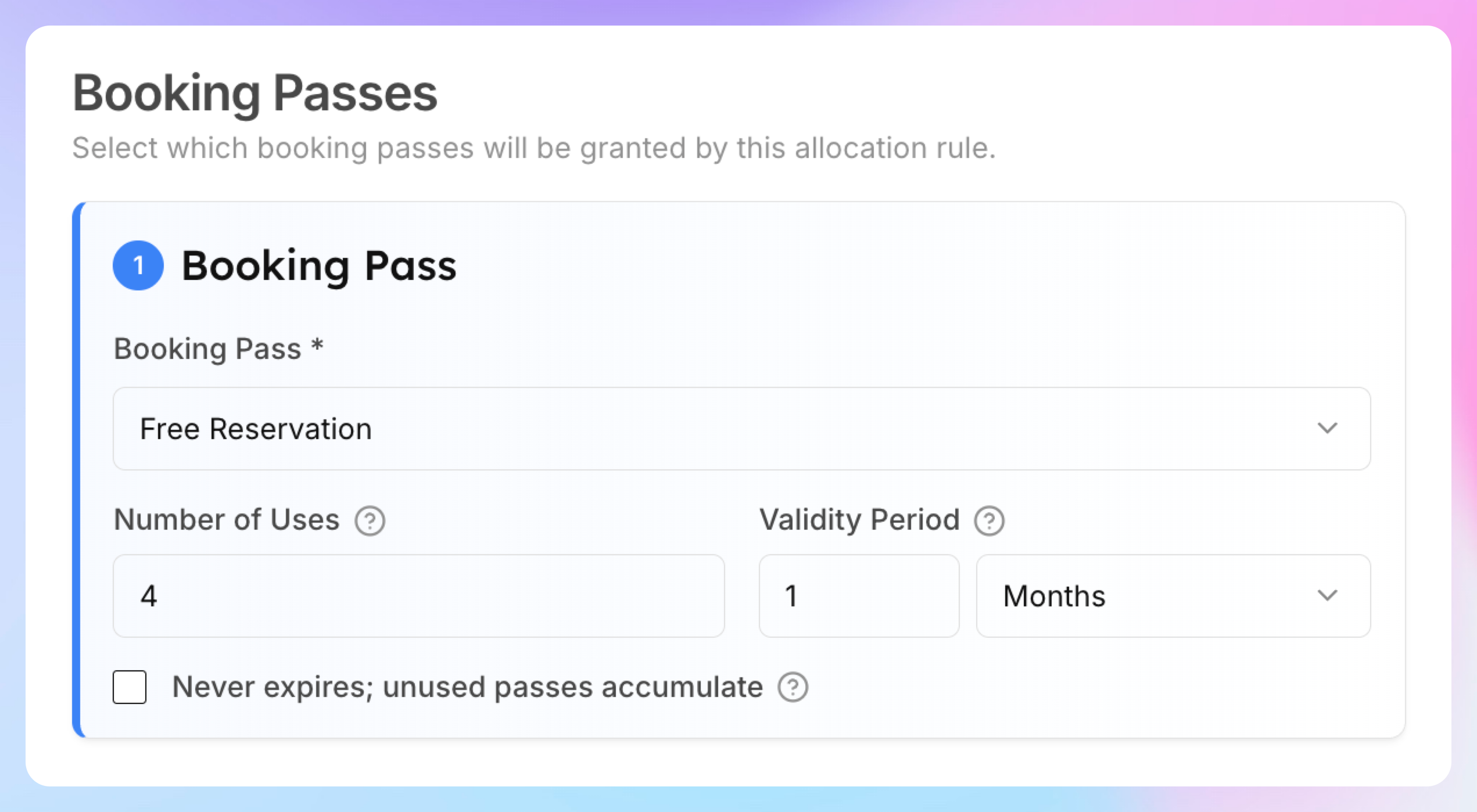
6. Under Booking Passes, click Add a booking pass and configure how many passes you want to give per certain period.
Click Save.
How It Works for Members
A Premium member books a court reservation
The system finds an available free reservation pass and applies it
The booking fee is waived — one pass is consumed (e.g., 4 → 3)
After all 4 passes are used, the member pays the regular court fee
On the 1st of next month, 4 new passes are allocated automatically
Members can see their remaining passes in My Profile → Booking Passes.
Key Points
The pass covers the full reservation regardless of duration — a 60-minute and 90-minute booking each consume one pass
If you want duration-based passes instead (e.g., 5 hours of court time), see Create a Free Court Hours Pass
Only court reservations are covered — Open Play, clinics, and other events are not affected
Unused passes expire at the end of the month unless you check "Never expires" in the allocation rule