Club Credit
Club Credit allow customers to store value in their OpenCourt account and use that balance to pay for almost anything at the club — from court bookings and event registrations to POS purchases in the pro shop. Club Credit make payments flexible, convenient, and easy for both clubs and players.
Players can receive Club Credit in several ways:
By redeeming a gift card
By receiving a refund issued as club credit
Or other types of credit, e.g. compensation, promo credit, gift from another member, etc.
For Admins: Managing Club Credit
Adding or Adjusting a User’s Club Credit Balance
Go to the User Profile of the member or customer.
Open the User Wallet tab.
Choose the type of credit:
Promotional Credit
Gift Card
Refund
Compensation
Other, etc.
Enter the amount to add or deduct.
(Optional) Add an internal note — for example: “Gift card from Alice”.
Click Adjust Club Credit.
The new balance appears instantly.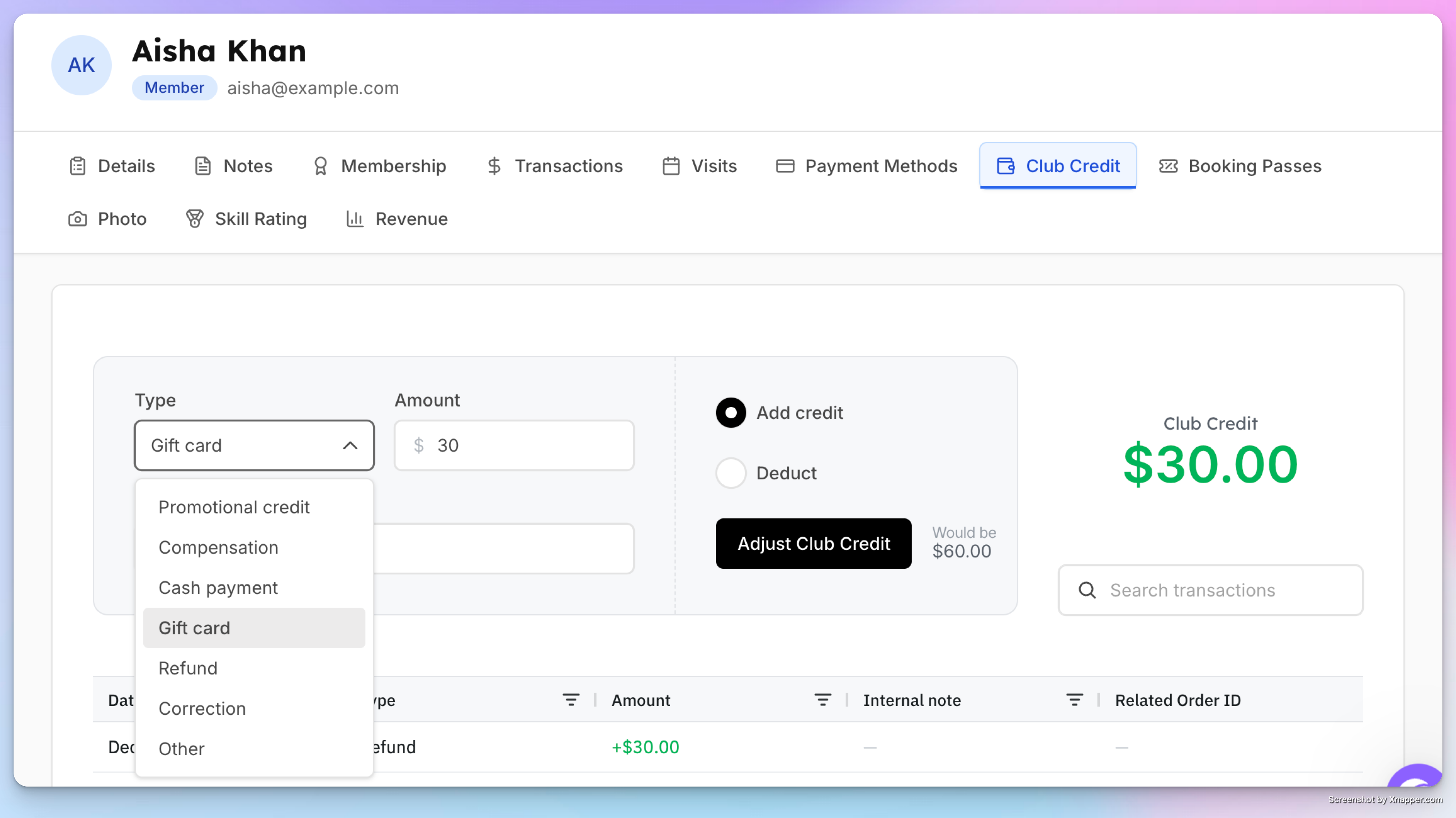
Using Club Credit as an Admin
Whether they’re paying for a reservation, an event, or a POS purchase, you can apply their credits toward the full amount or a partial payment—whichever the customer prefers.
At checkout, choose Account Balance as the payment method.
Click Pay Now to complete the transaction.
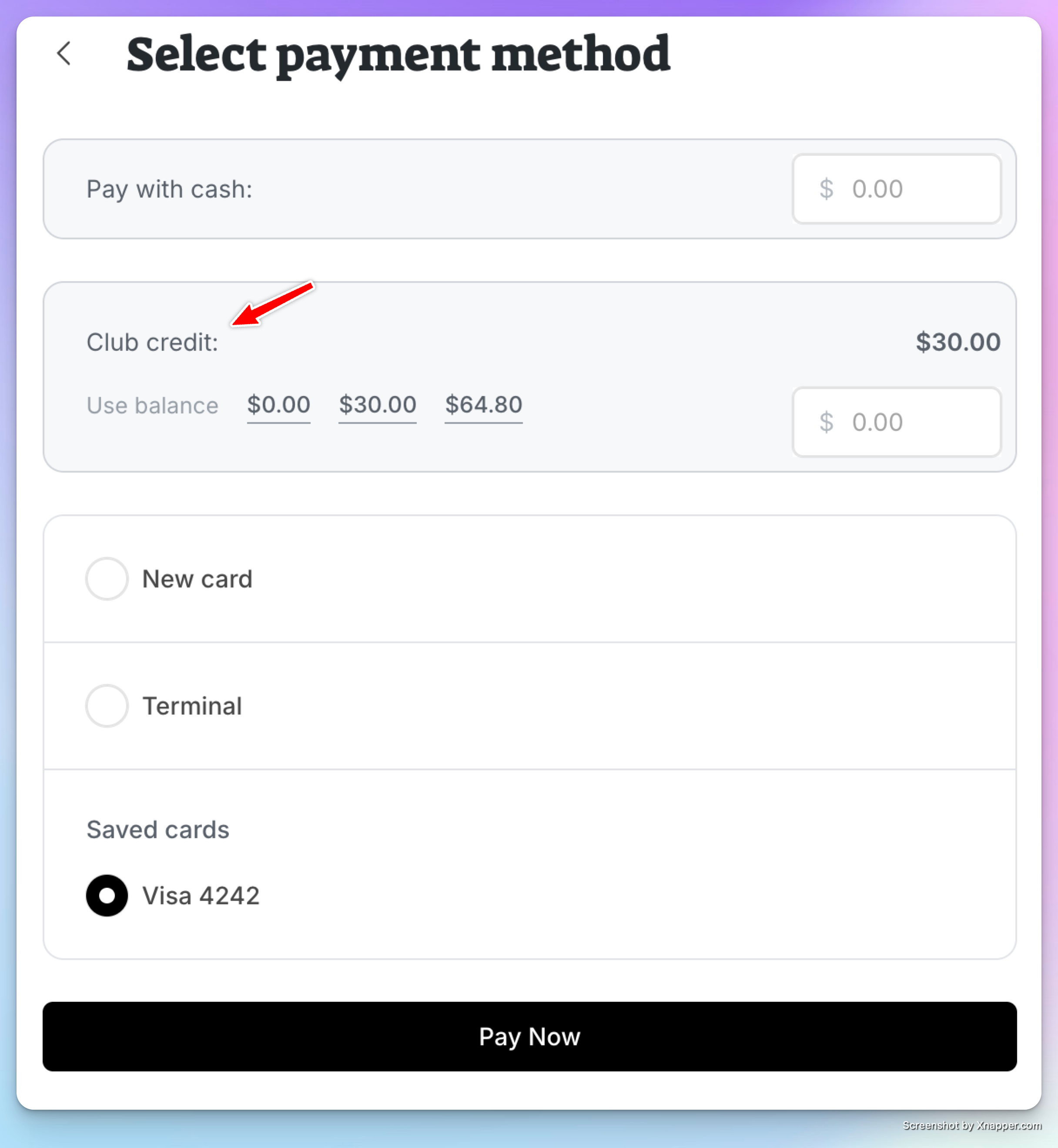
The transaction receipt will show that the payment was made using Club credit.
For Users: Paying With Club Credit
Users can pay for reservations or events directly from their club credit balance.
Using Club Credit for a Booking
Start a court reservation or event sign-up.
At checkout, the user will see their available Club Credit balance.
They can apply club credit toward the purchase.
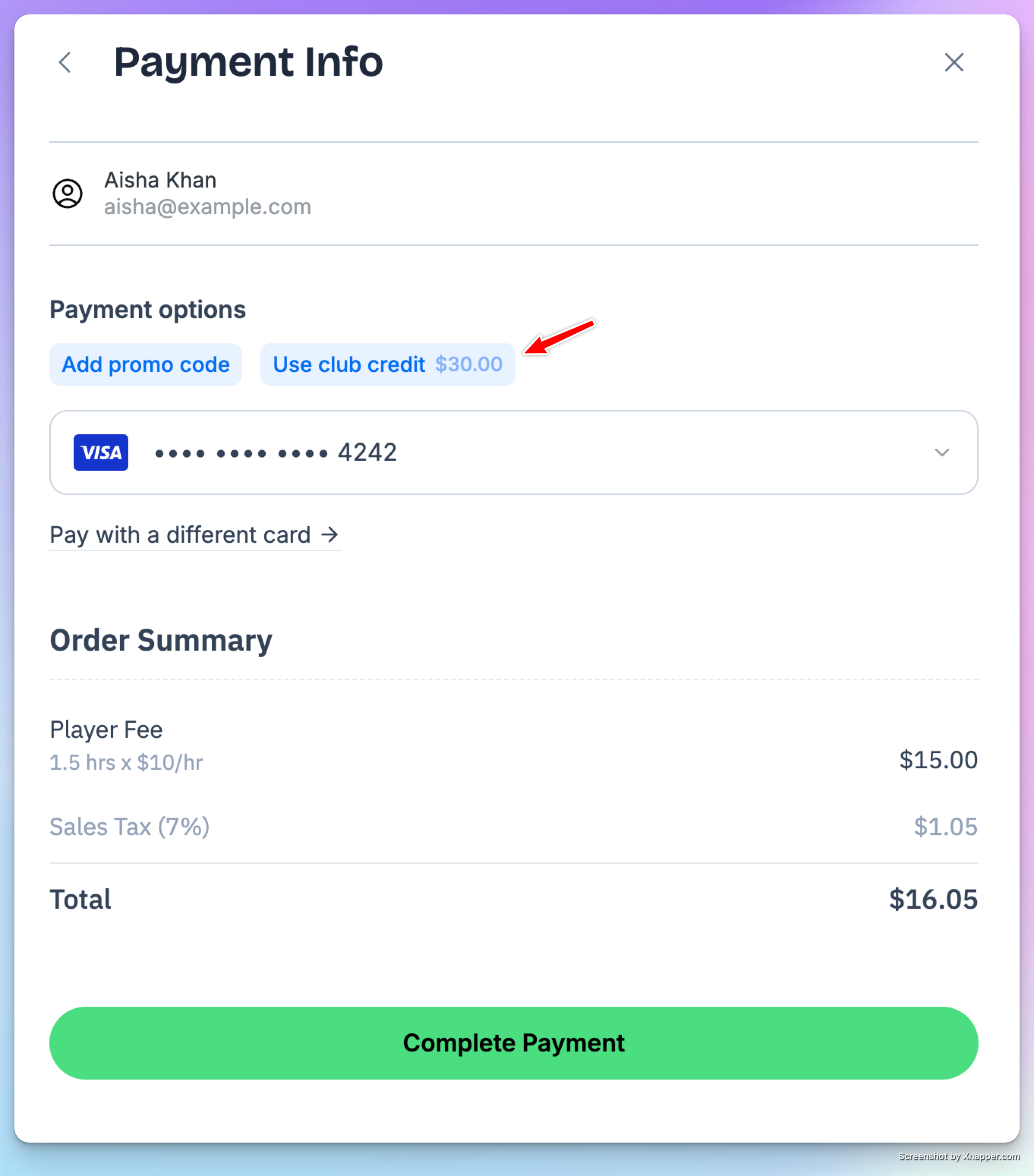
If the credit does not cover the full amount, users can:
Use mixed payment, where part of the charge is paid by club credit and the remaining balance is charged to their card.
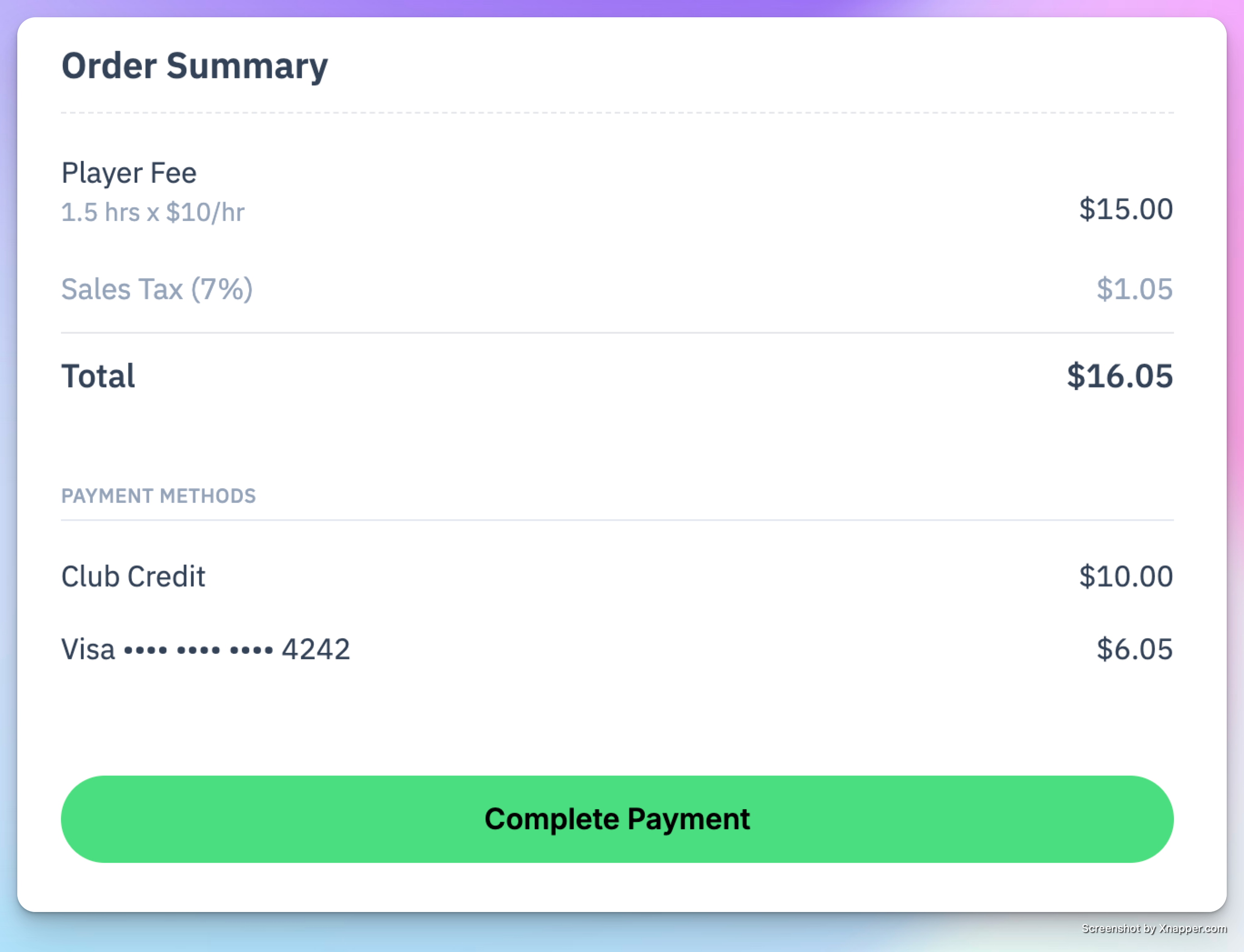
Example
User has $55 in club credit
Booking total is $90
User can apply $55 from club credit and pay the remaining $35 with their saved card
Viewing Club Credit History (User Side)
Users can see all club credit activity under My Profile → Club Credit:
Total credit received
Source of credit (gift card, refund, admin adjustment)
How much was used for each transaction
Remaining balance
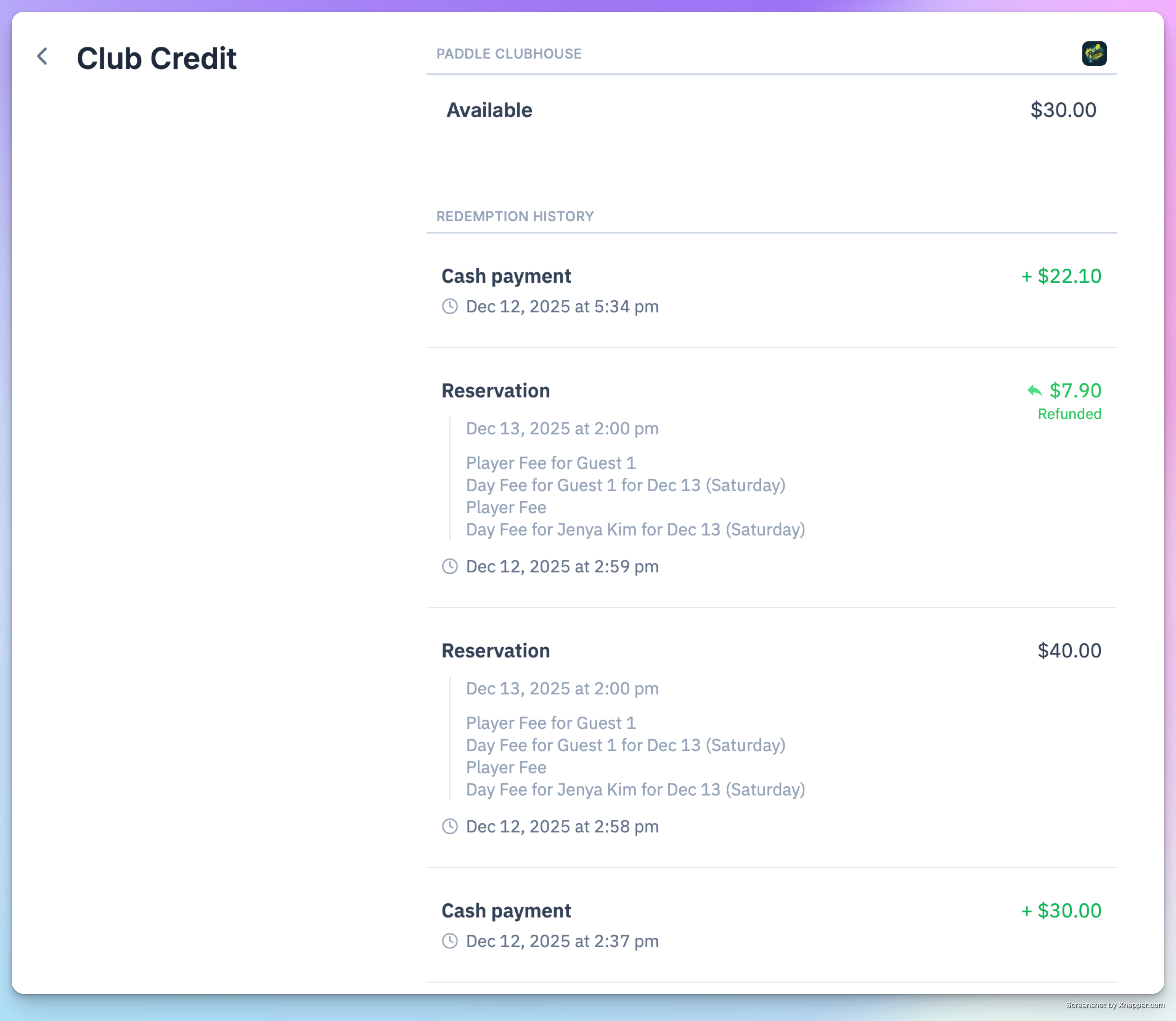
They can also view details in Billing History, where each transaction clearly shows:
How much was paid using club credit
How much (if any) was charged to their card
Club Credit offers a flexible and transparent way for players to manage their spending at the club — and give admins an easy way to issue refunds, gift cards, or promotional balances. If your club issues or accepts club credit, this feature ensures a smooth experience on both ends.