Custom Fields in Memberships
The Custom Fields feature allows clubs to collect additional information from members during the membership purchase process. This is especially useful for family or couples memberships, where you may need to know more about other people included in the plan.
How It Works
If you want to add the custom fields, please contact your OpenCourt representative.
Define what extra details members need to provide.
Examples:
Partner’s name + email (for Couple’s Memberships)
Partner’s and children’s names + emails (for Family Memberships)
Choose whether each field is optional or required.
User Experience
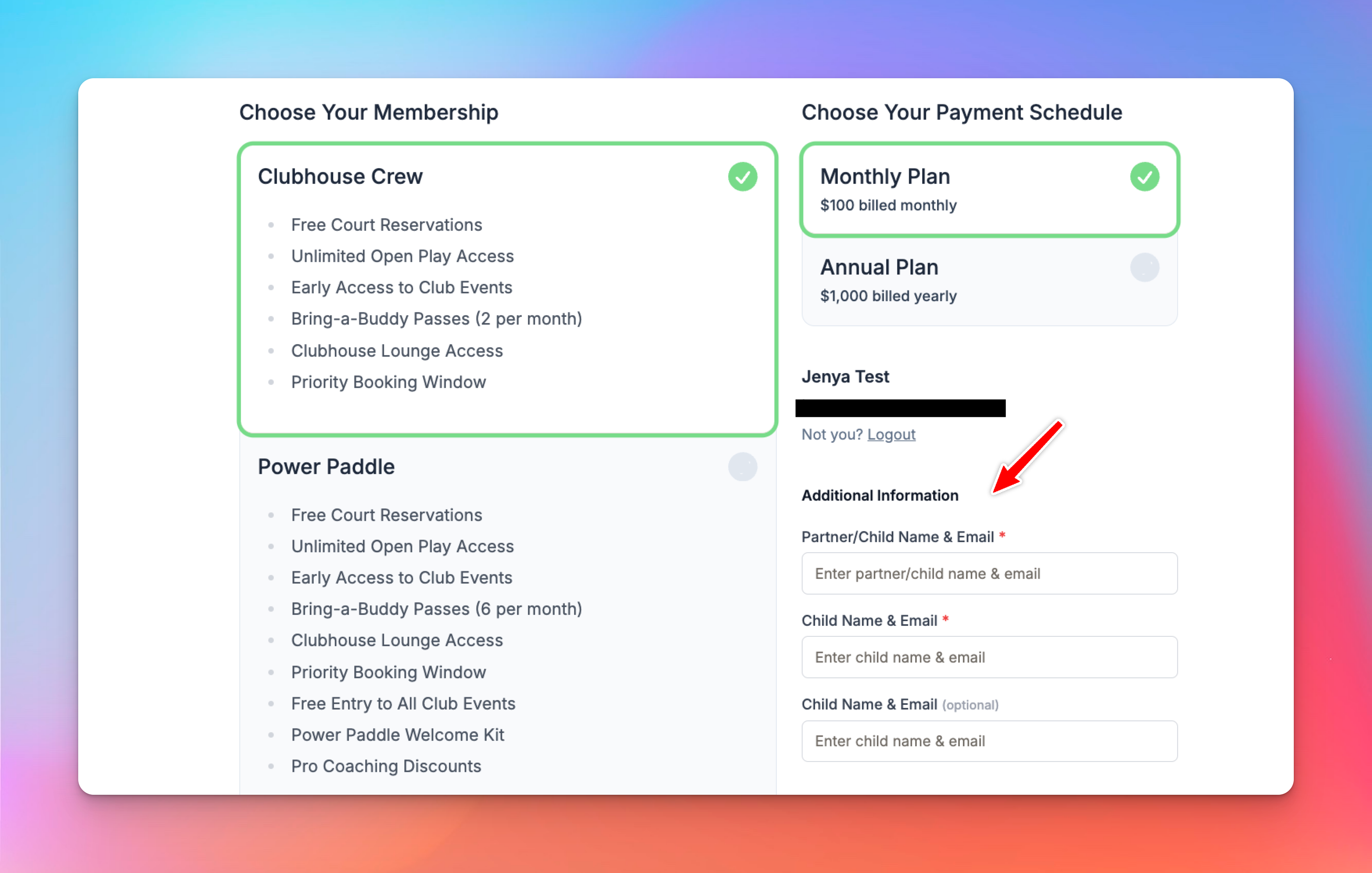
When purchasing a membership, members will select a payment plan first.
Below it, they’ll see the custom fields you’ve created in “Additional Information” block.
Required fields must be completed before checkout.
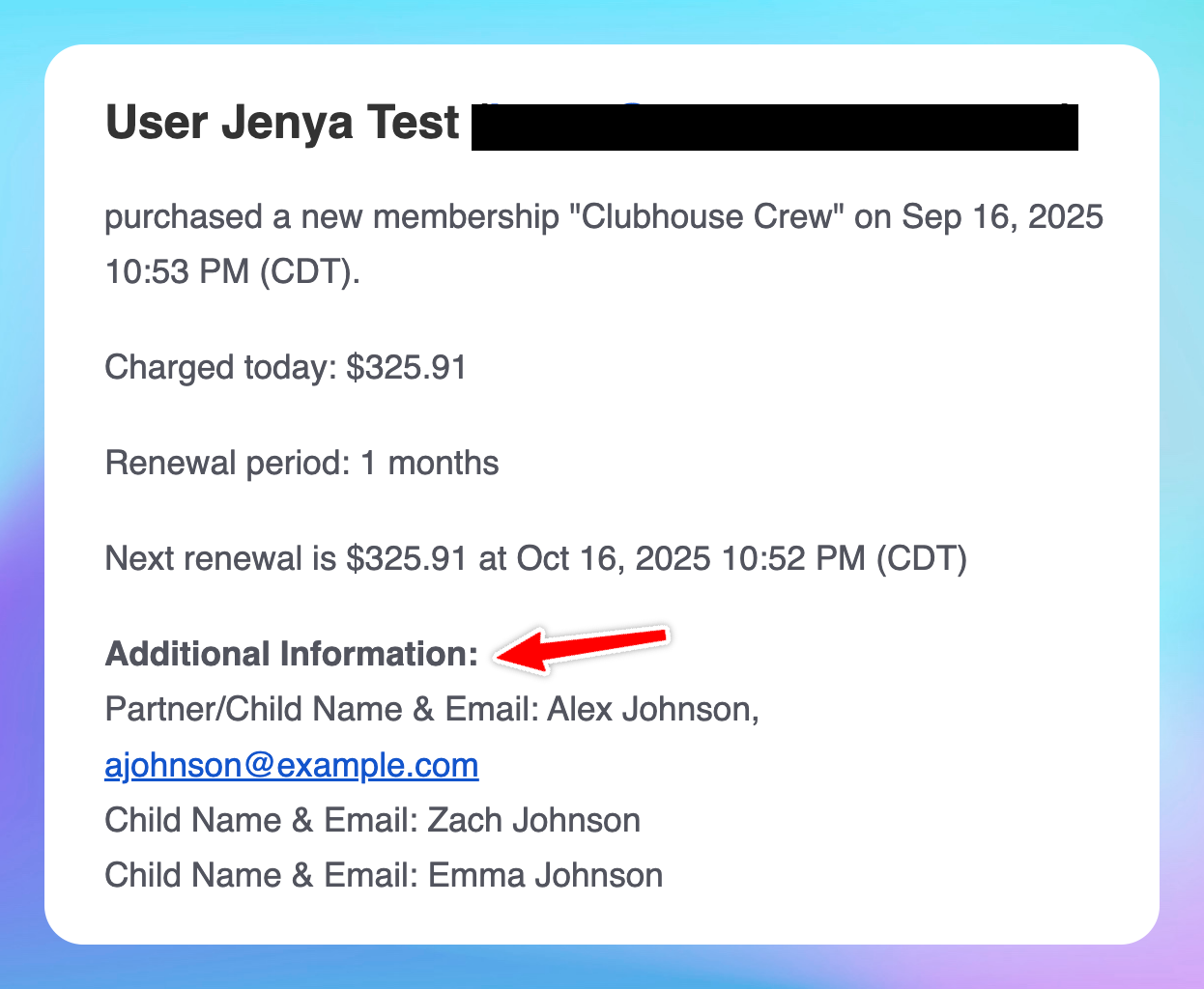
Where Admins See the Information
Email Notifications: If you’ve enabled membership notifications, you’ll receive an email with the new member’s details, including the custom fields.
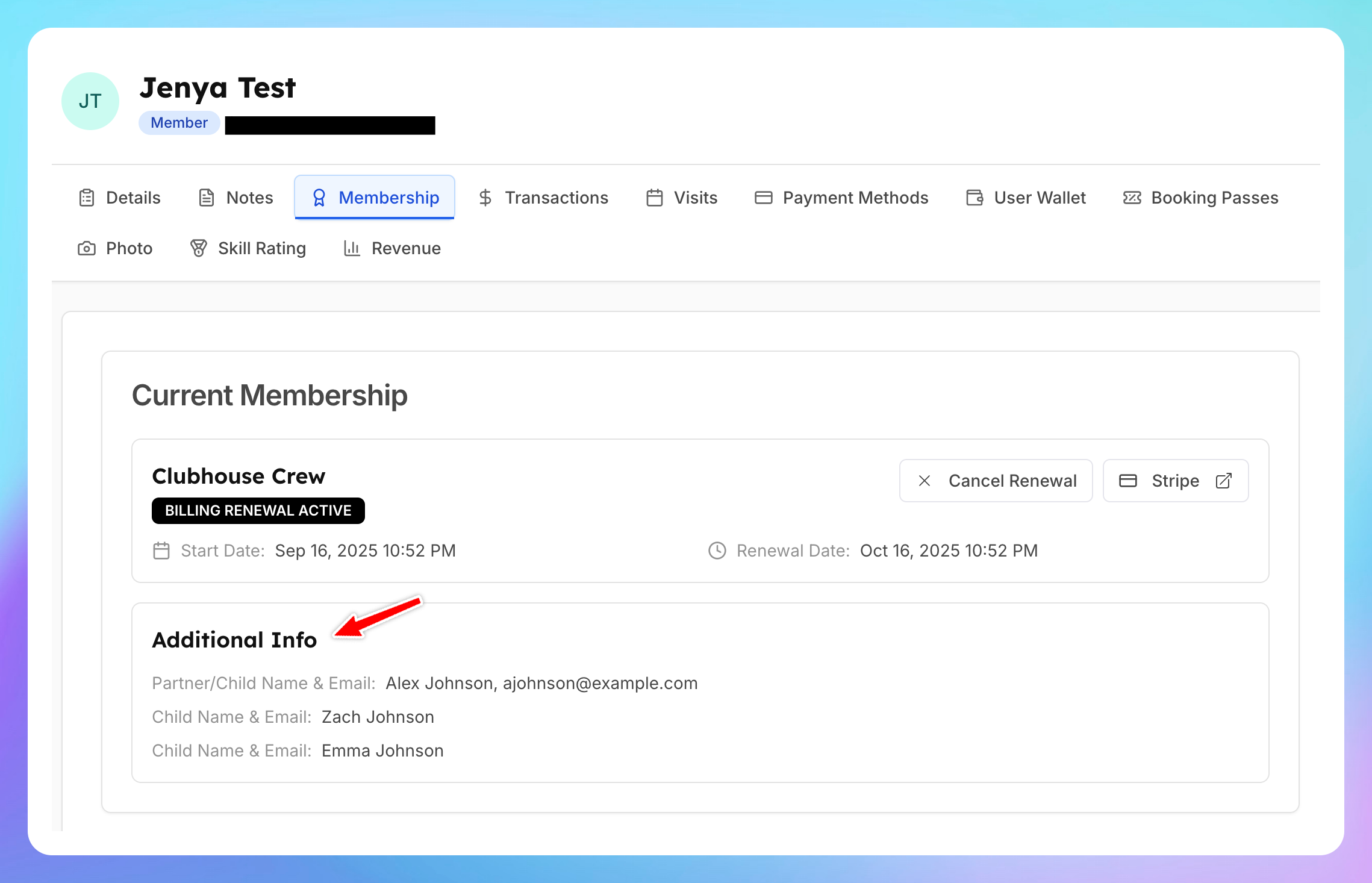
Member Profile: The same information will also appear on the Membership tab of the user’s profile in the admin dashboard.
Example
A Family Membership requires:
Partner’s name + email
Children’s names
When the primary account holder signs up, they’ll fill in those fields before completing checkout.
The admin receives the details by email and can always access them later in the user’s profile.
Key Notes
You can add as many custom fields as needed.
Each field can be set as optional or required.
Collected data is always available in both email notifications and the user profile.