Families & Group Memberships
The Families & Group Memberships feature allows clubs to group related members together under a single primary membership. This makes it easy to manage family or group plans where one person pays for the membership and others receive the same benefits as dependents.
How Family Memberships Work
Each family or group has one Primary Member.
The Primary Member:
Holds the paid membership
Is financially responsible for the plan
Dependent Members:
Do not pay individually
Receive the same membership benefits as the Primary Member
Automatically sync with the Primary Member’s membership status and dates
If the Primary Member’s membership:
Is canceled or terminated → all dependents lose benefits at the same time
Is resumed or reassigned → dependents can regain benefits accordingly (you
Creating a Family or Group
Go to the Users section.
Open the Families & Groups tab.
Click Create Family.
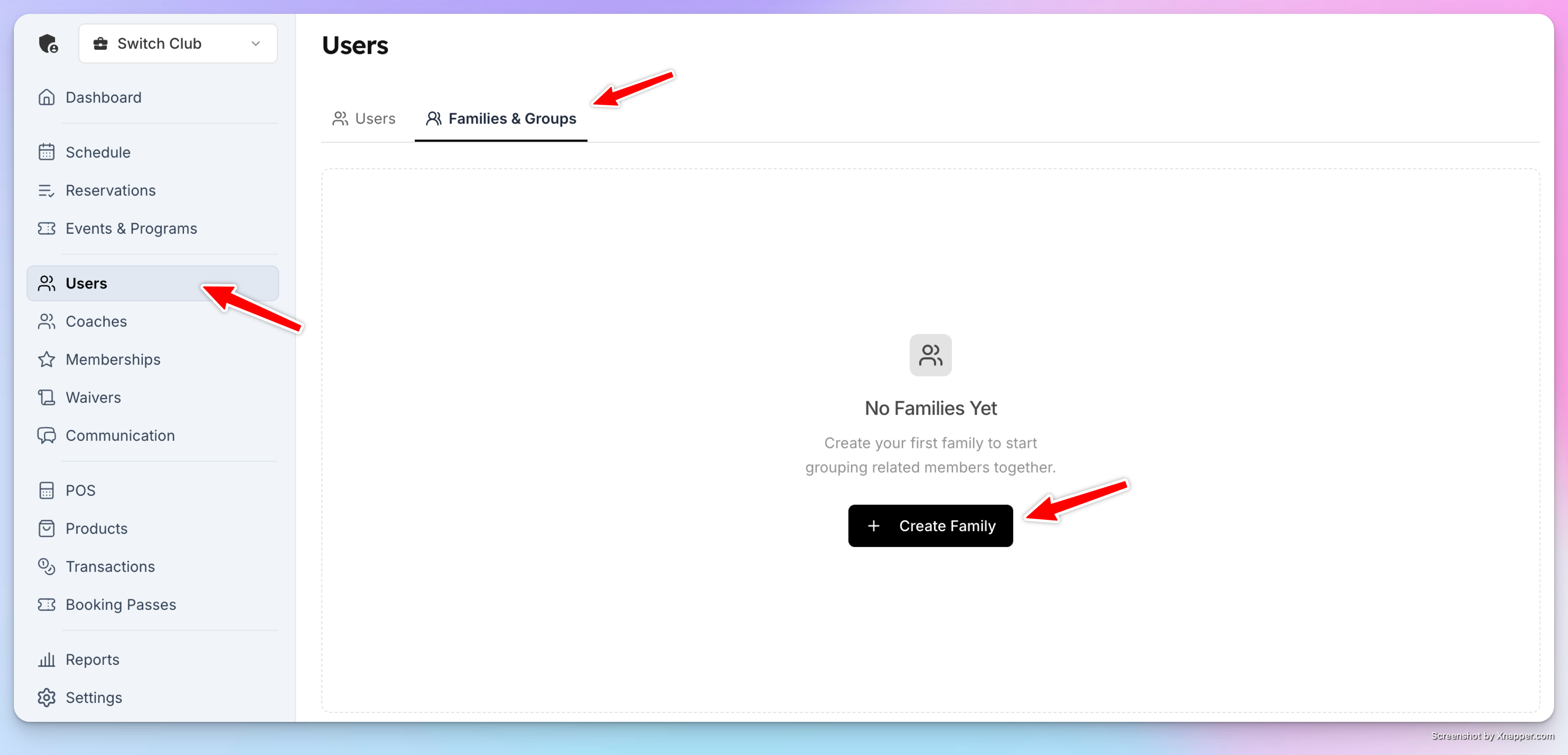
Enter a Family / Group Name and click Create.
At this stage, the family exists but has no members assigned yet.
Assigning the Primary Member
Inside the family, click Add Member.
Search for and select the user who will be the Primary Member.
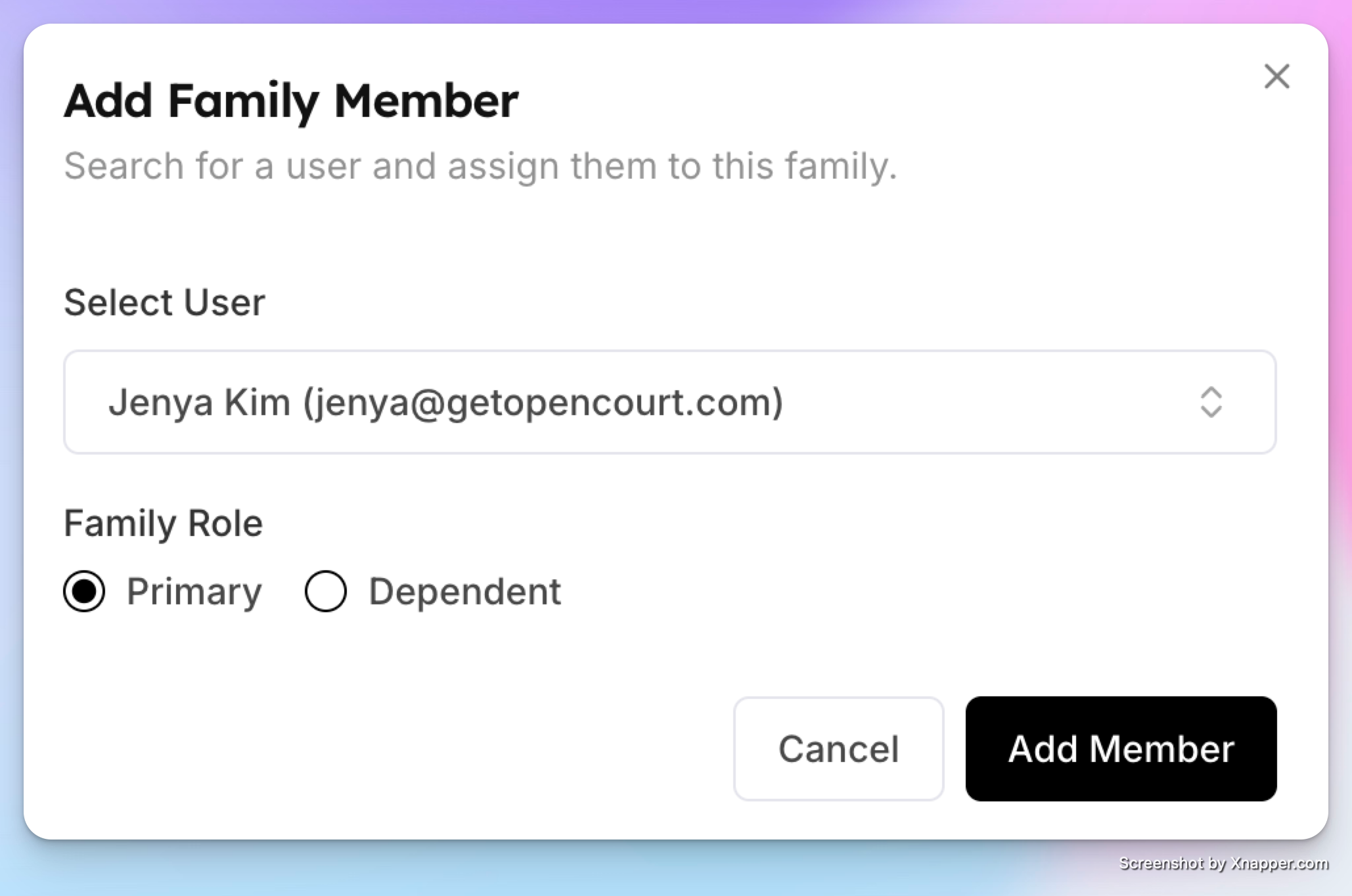
Add them to the family.
⚠️ The Primary Member must have a family/group membership plan assigned for dependents to receive benefits.
Adding Dependent Members
Click Add Member again.
Select another user.
Click Assign Dependent.
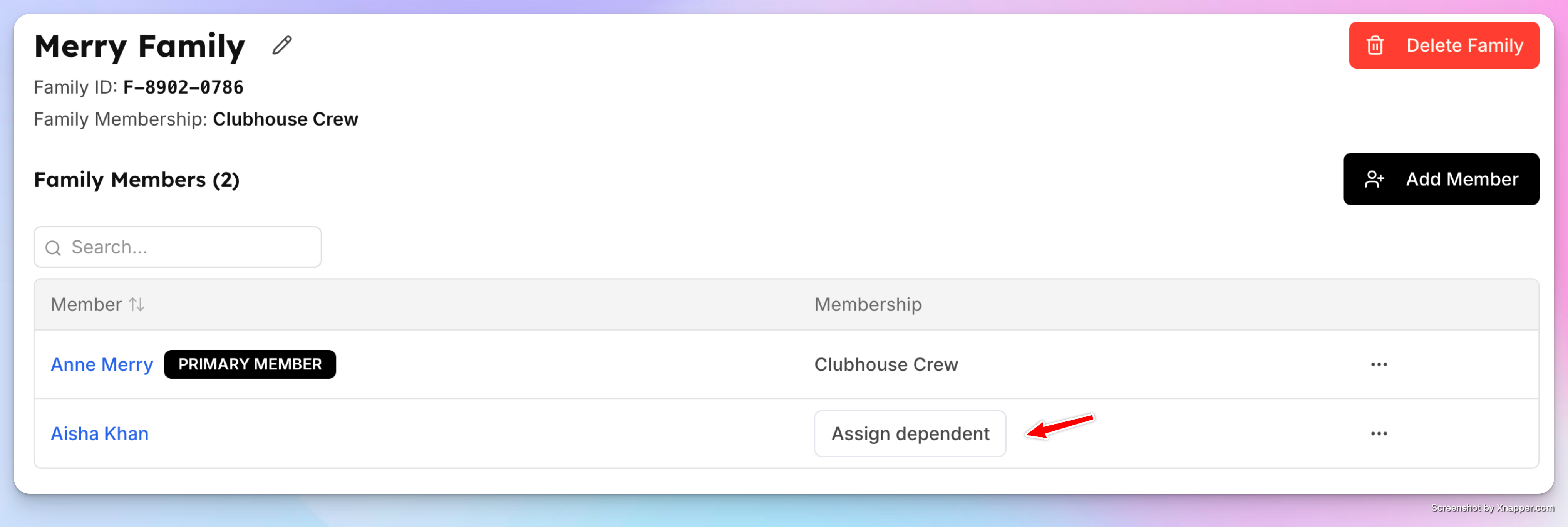
Once assigned:
The dependent immediately inherits the Primary Member’s membership benefits
Their membership expiration date matches the Primary Member’s
You can repeat this process to add multiple dependents.
Managing Family Members
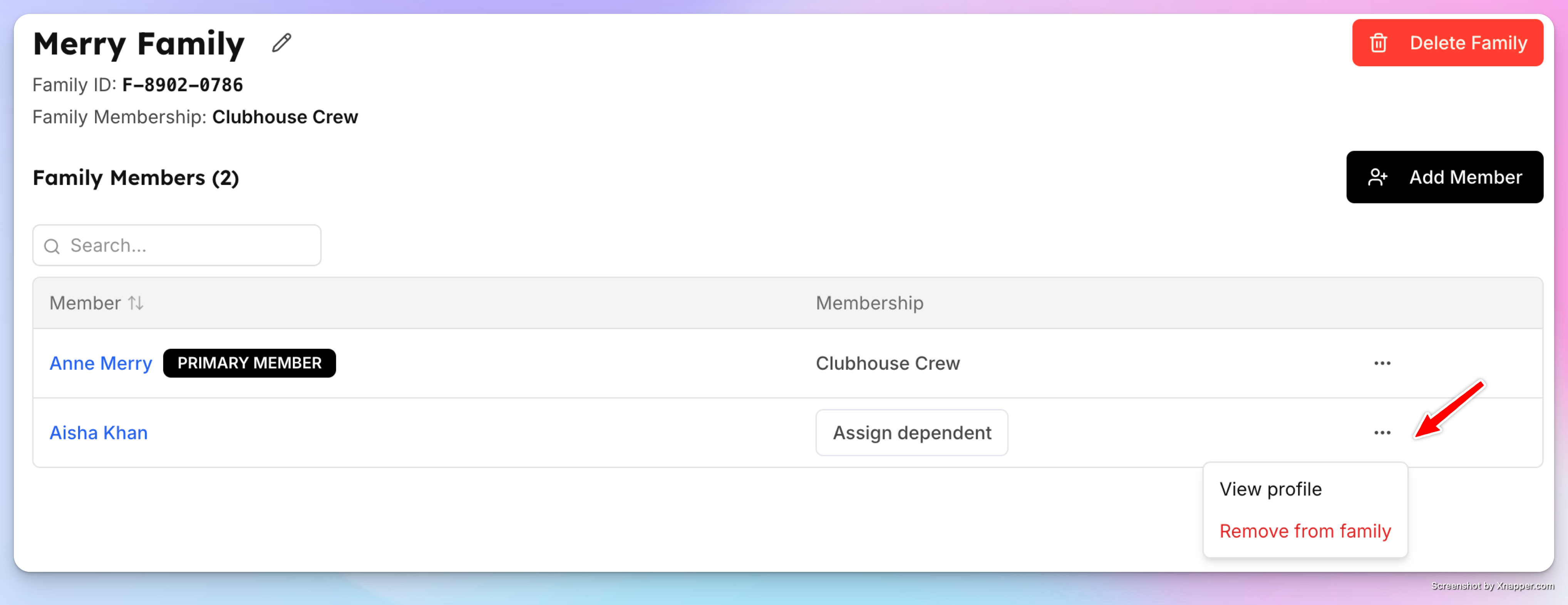
From the Family view, admins can:
View all members in the family
Remove a member from the family
Open a member’s profile
From an individual User Profile, members will see a Family tab showing:
Family / group name
Their role (Primary or Dependent)
Total number of members
A Detach from Family option (admin-only)
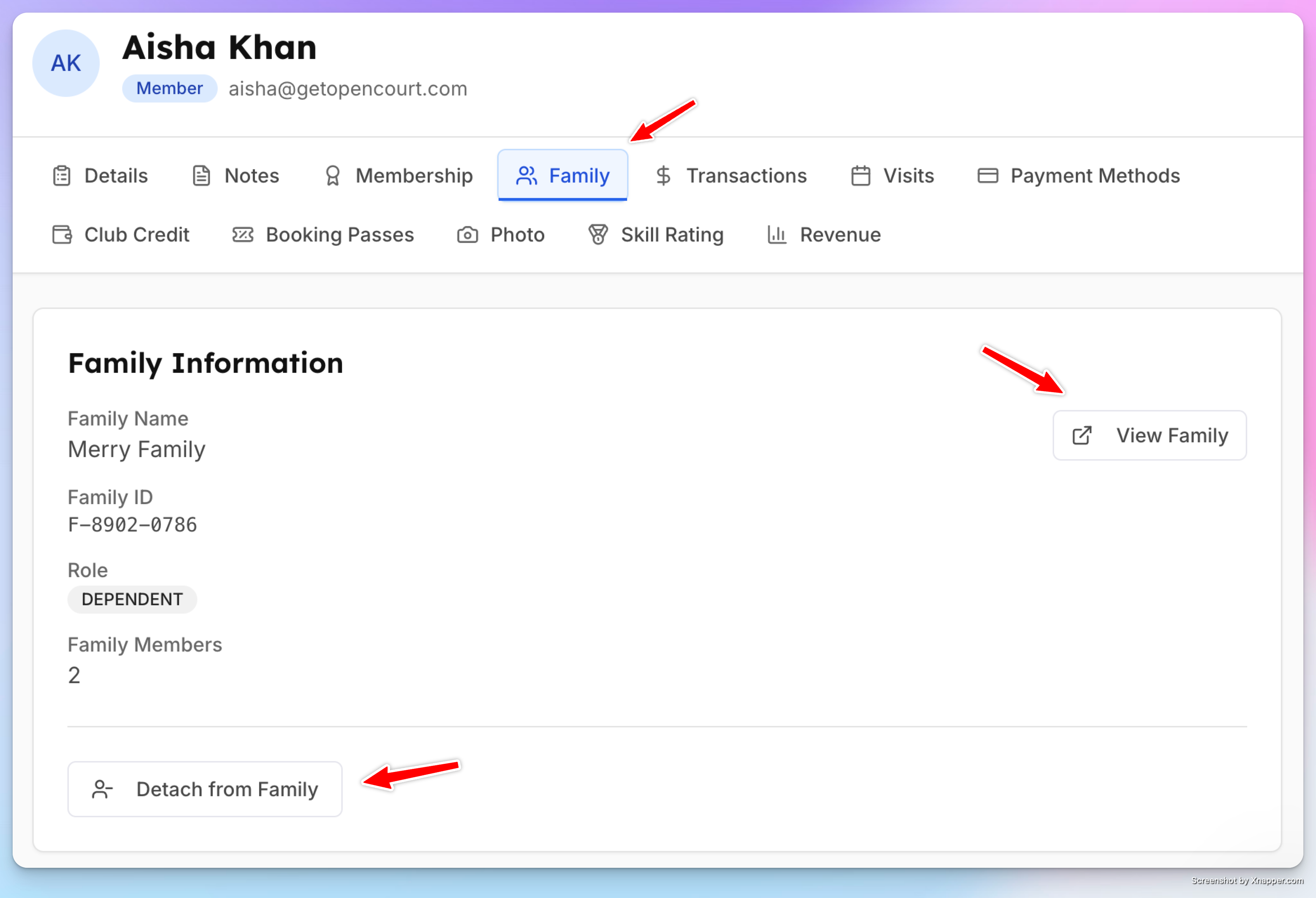
Removing a member from the family immediately removes their dependent benefits.
Membership Sync Rules
Dependents always follow the Primary Member’s membership status
If the Primary Member:
Cancels or loses membership → dependents become non-members
Changes membership → dependent benefits update accordingly
Dependent membership expiration dates always match the Primary Member’s expiration date
When to Use Families & Groups
Family memberships (parents + children)
Couples or household memberships
Group or team-based memberships
Any plan where one person pays and others share access
The Families & Group Memberships feature simplifies group-based billing and benefit management, ensuring everyone stays in sync with the Primary Member’s membership status.