Event Waitlist
The Event Waitlist feature lets clubs manage fully booked events more smoothly by allowing players to join a waitlist when no spots are available. When a spot opens up, players on the waitlist are notified automatically — helping clubs fill events faster and reduce last-minute drop-offs. You can choose between two types of waitlists depending on how much control you want over who gets invited and when.
Enabling a Waitlist for an Event
When creating an event:
Fill in all the usual event details (name, description, type, pricing, capacity).
Scroll to the Waitlist section.
Toggle Enable Waitlist ON.
Choose the waitlist type:
Simple Waitlist
Sequential Waitlist
Finish creating the event as usual.
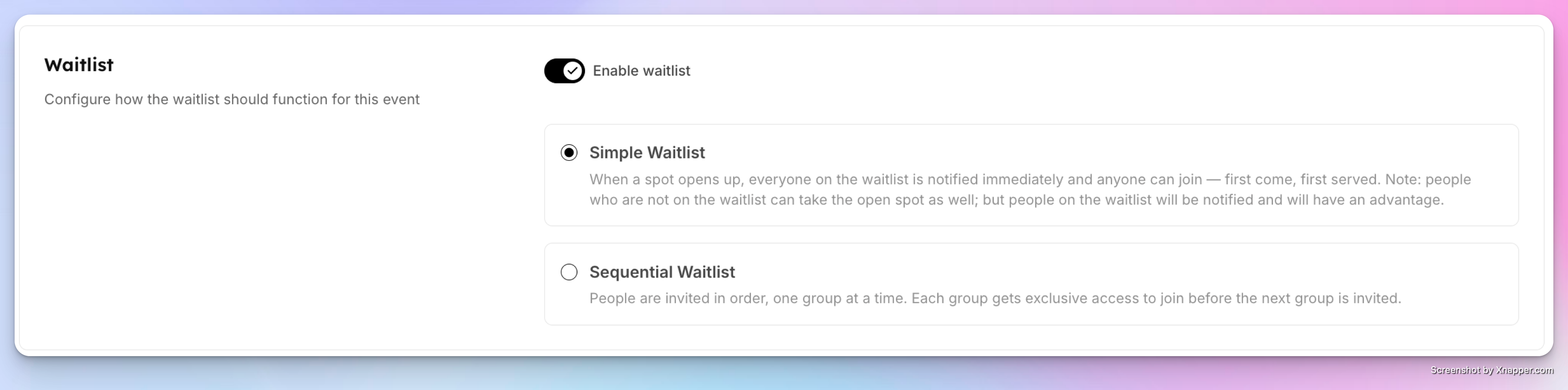
Simple Waitlist
A Simple Waitlist notifies everyone on the waitlist at the same time as soon as a spot becomes available, and it is best when you want minimal setup.
How it works
Until the event reaches capacity, it behaves like a normal event.
Once full, users can no longer join — but they’ll see a Join Waitlist button.
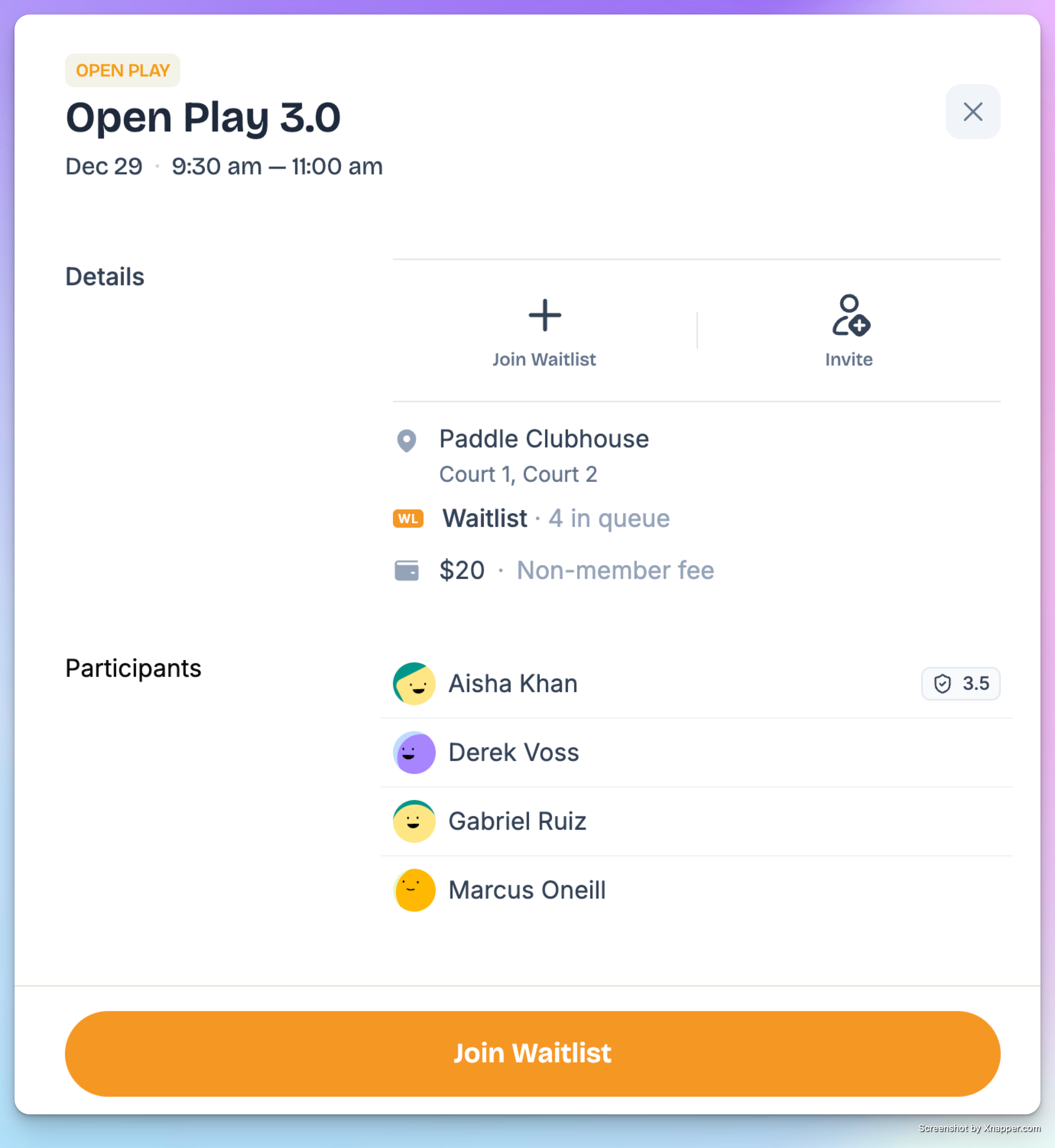
Users can:
Join the waitlist
See how many people are currently waiting
Leave the waitlist at any time
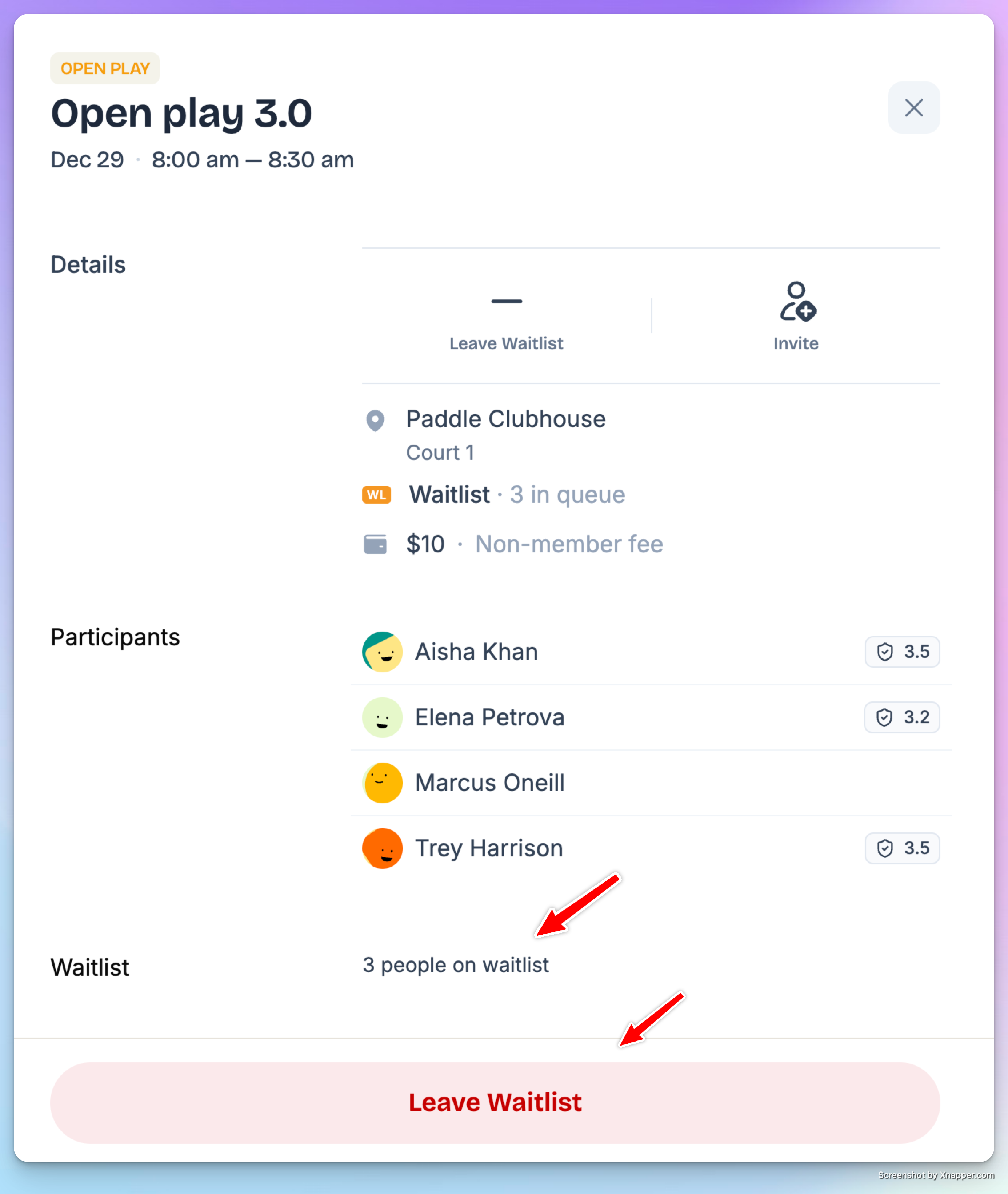
When a spot opens
A spot can open if:
A participant cancels
An admin increases event capacity
When this happens:
All waitlisted users receive a push notification and email.
The event becomes open again.
Whoever joins first gets the spot.
The event is also open to the public — not just the waitlist.
Why join the waitlist?
The advantage is early notification — waitlisted users are alerted immediately when a spot becomes available.
Sequential Waitlist
A Sequential Waitlist gives clubs more control by inviting users in order, in small groups or one at a time.
Additional setup required
When selecting Sequential Waitlist, you’ll configure:
How many people are invited at a time (e.g. 2 people at a time)
Invitation interval (e.g. every 5 minutes)
Optional: Open event to public after waitlist is exhausted
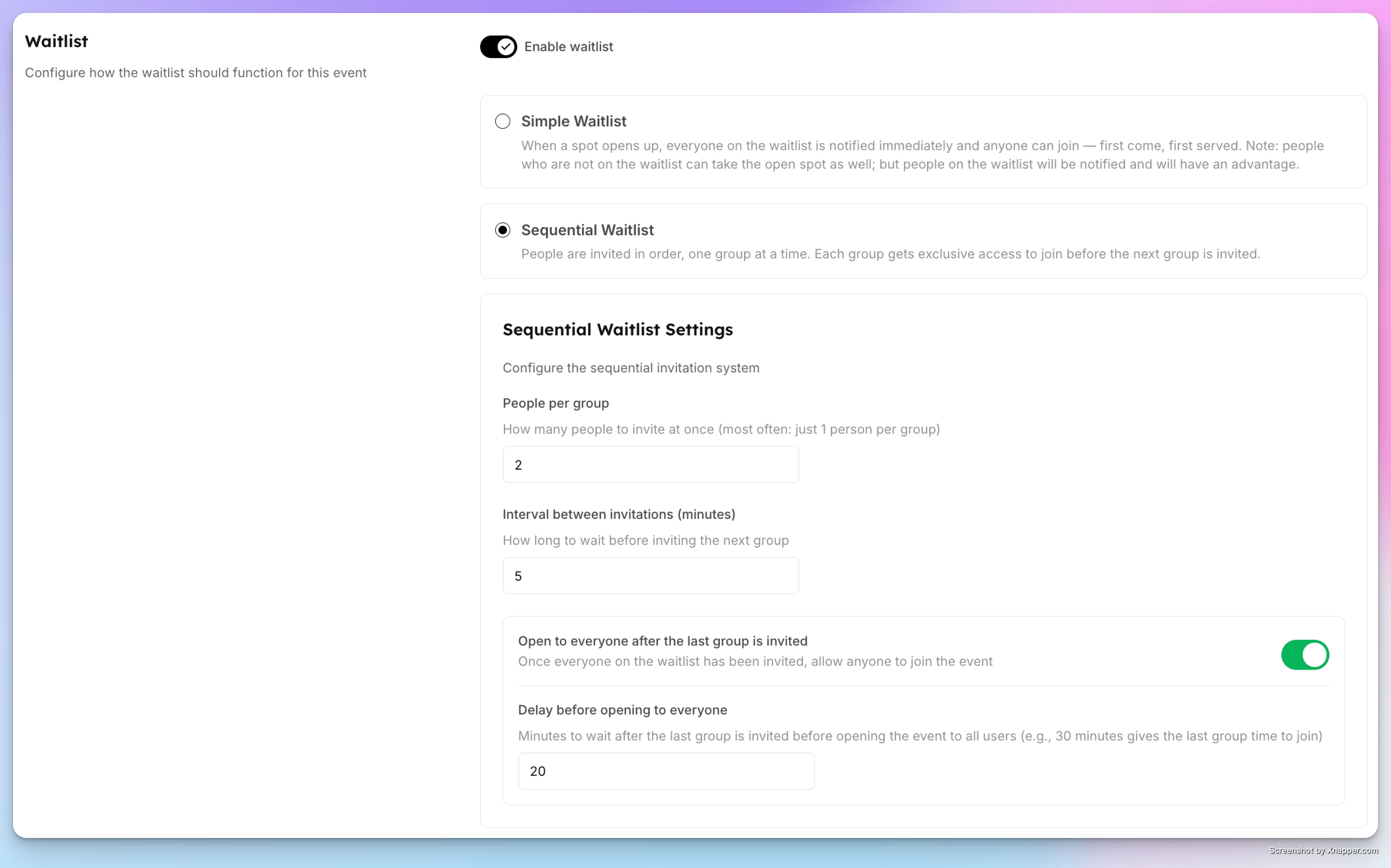
How it works
Users are invited in the order they joined the waitlist.
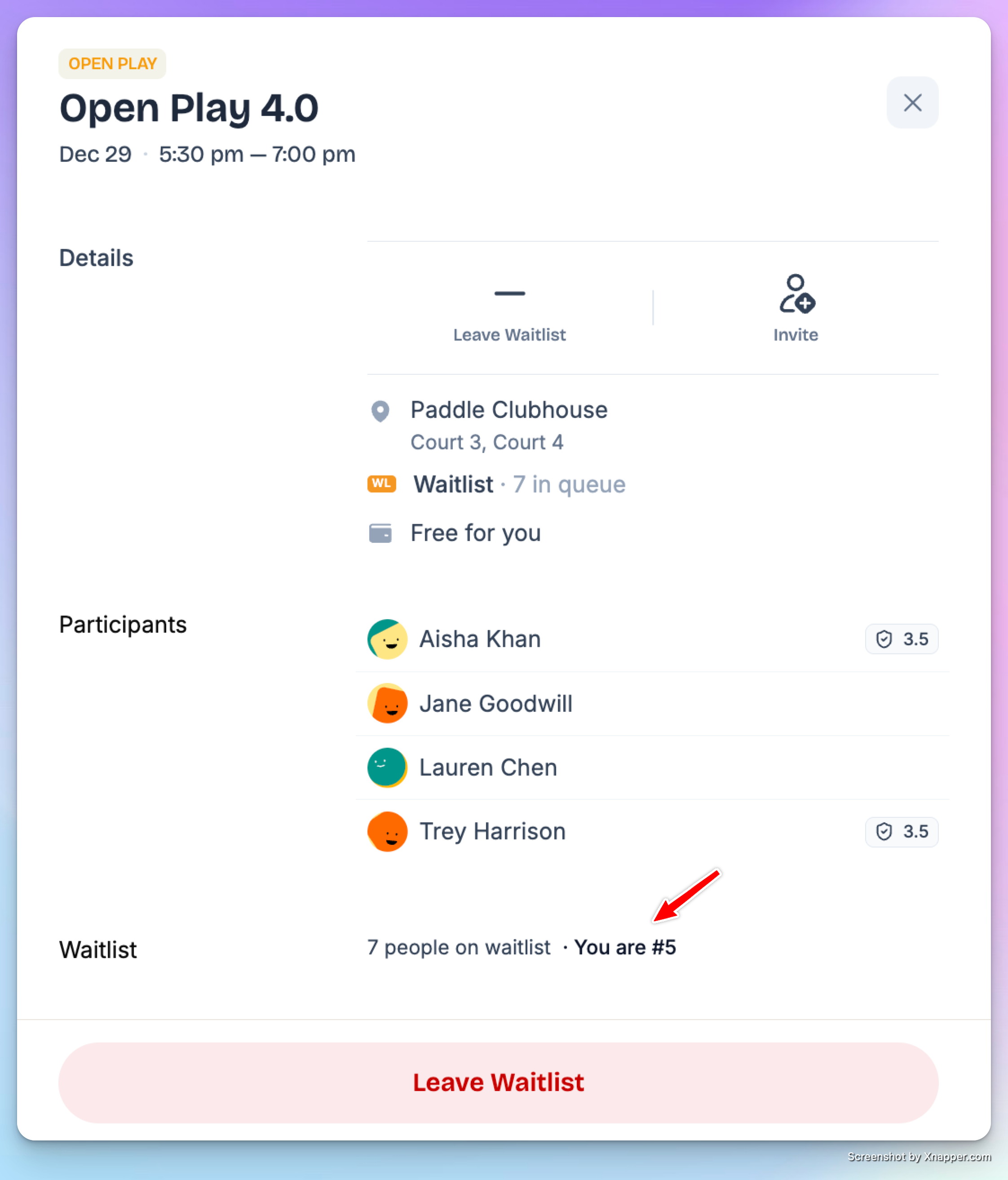
Only the invited group can join during their invitation window.
If a user joins and takes the spot, all further invitations stop automatically.
If no one joins from :
The system invites the next group after the set interval.
Or, if enabled, opens the event to public access after the waitlist is exhausted.
Important rules
Only people on the waitlist can join via a Sequential Waitlist, they can’t add guests with them.
Each waitlisted person must join individually when it’s their turn.
The earlier a user joins the waitlist, the better their chances.
Admin Controls
Admins can manage waitlists directly:
Add users to the waitlist manually
Remove users from the waitlist
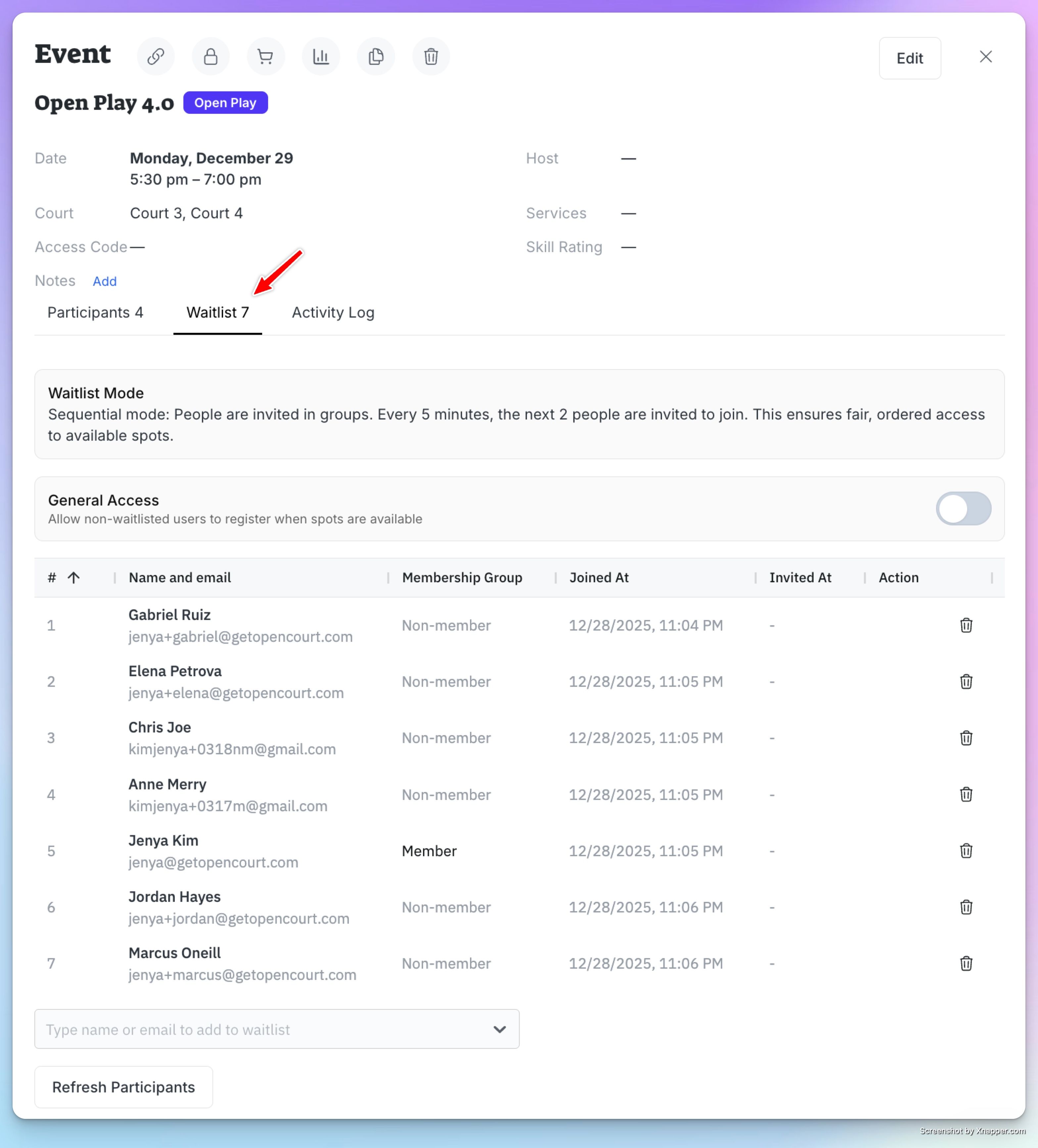
If an admin adds a waitlisted user to the event:
That user is automatically removed from the waitlist
The next eligible waitlisted user moves up in line
When to Use Each Type
Use Simple Waitlist if you want:
Quick setup
First-come, first-served access
Public access as soon as a spot opens
Use Sequential Waitlist if you want:
Controlled invitations
Priority based on waitlist order
Less competition when a spot opens
The Event Waitlist feature helps clubs maximize attendance, reduce empty spots, and give players a fair chance to join popular events — even when they fill up fast.