Creating recurring event series
Recurring events are ideal for activities that take place on a regular schedule, such as weekly Open Plays, clinics, or other programs. Instead of creating each event individually, you can set up a recurring series to save time. Each session in the series will still be created as a separate event, with its own sign-up list and payment. This means customers will register and pay for each session individually.
Step 1 — Start a New Event
In the left-hand menu, click Events & Programs.
Click New Event.
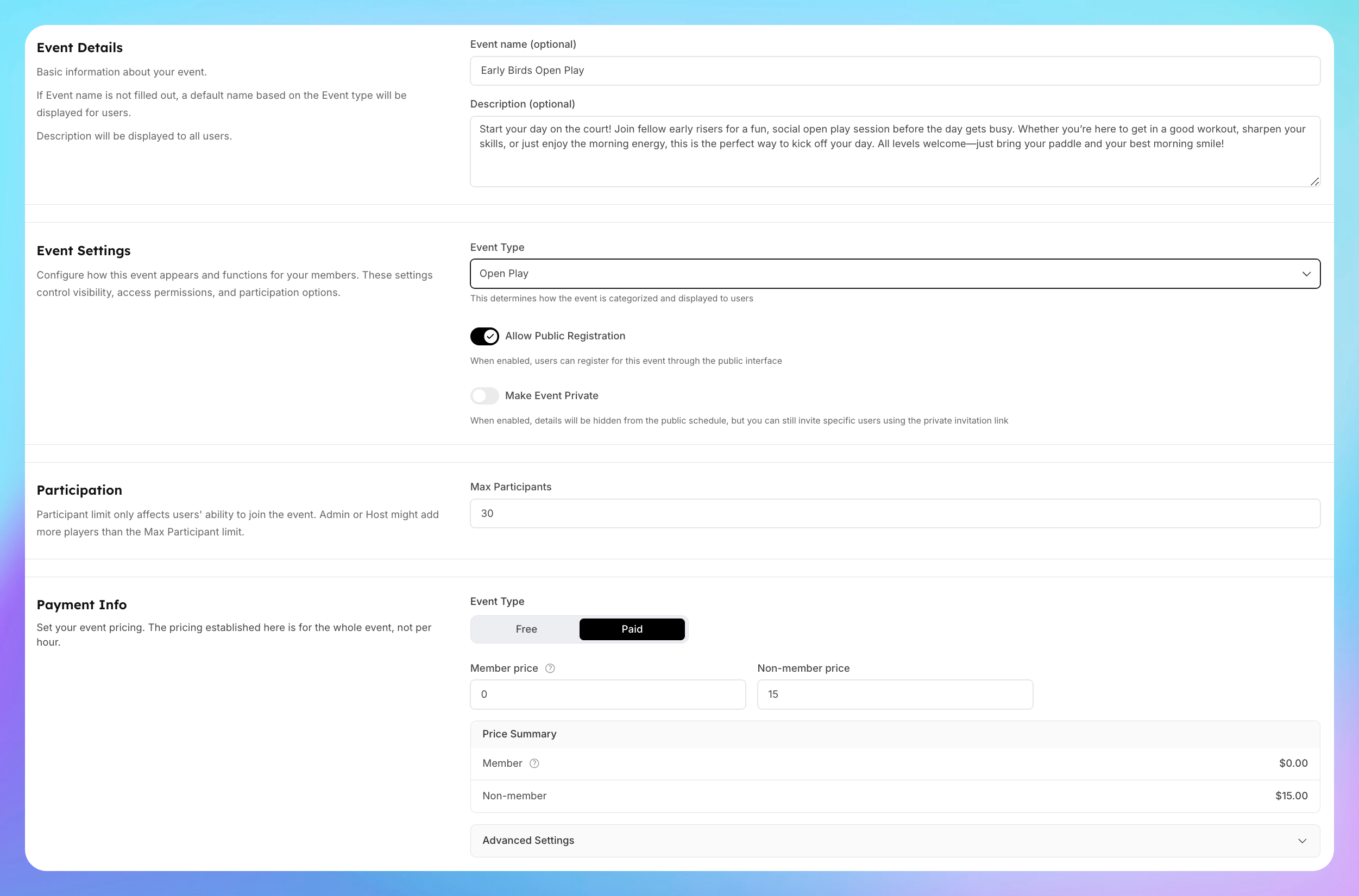
Step 2 — Add Event Details
Enter all the event details like in a regular event.
Step 3 — Set Up the Recurring Schedule
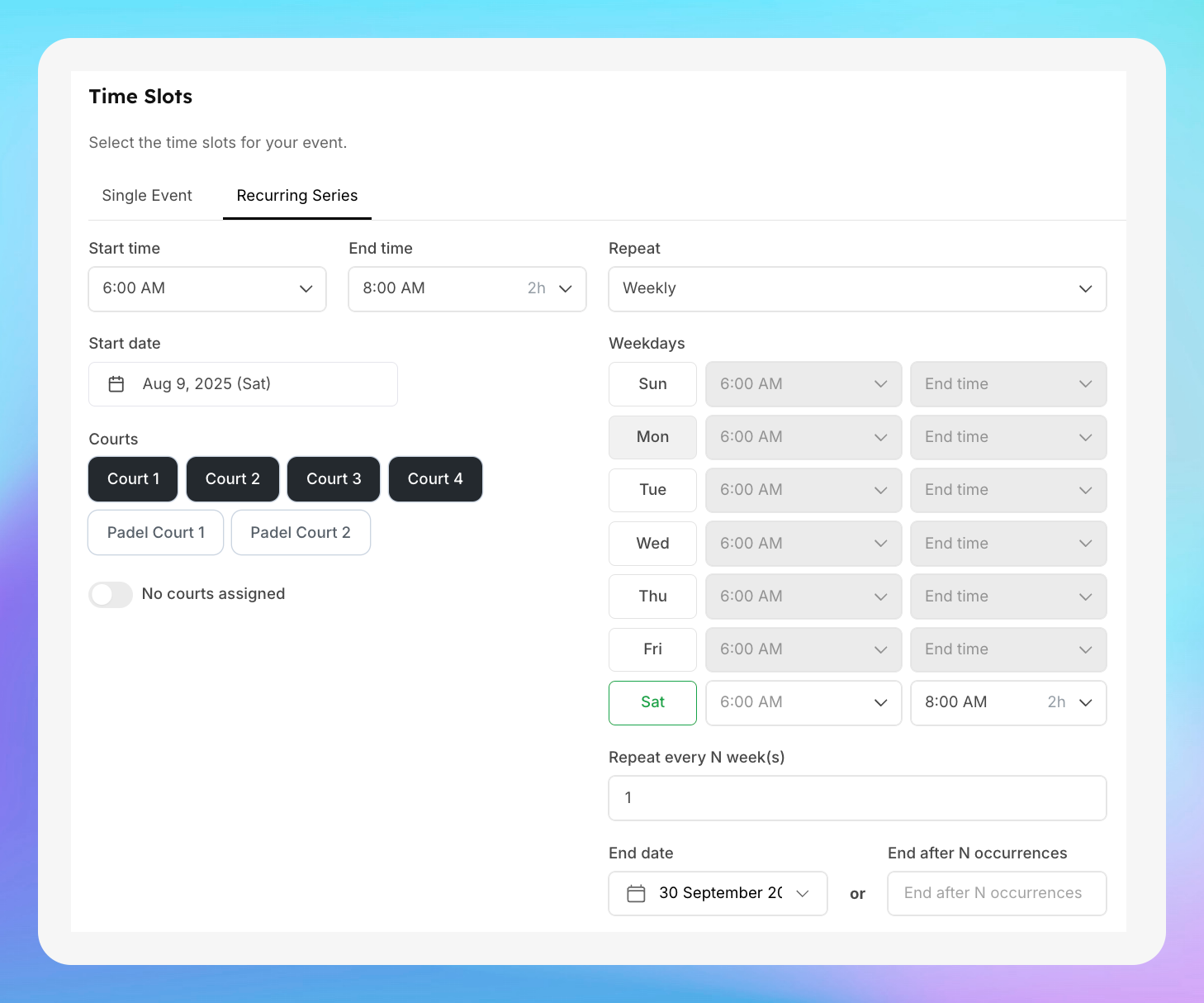
In the Time Slot section, click the Recurring Series tab.
Choose your day and time — for example:
Day: Saturday
Time: 6:00 AM – 8:00 AM
Select the Courts — e.g., Courts 1 to 4.
Set the End Date — for example, until the end of September.
Step 4 — Create the Event Series
Once all details are set, click Create Event Series.
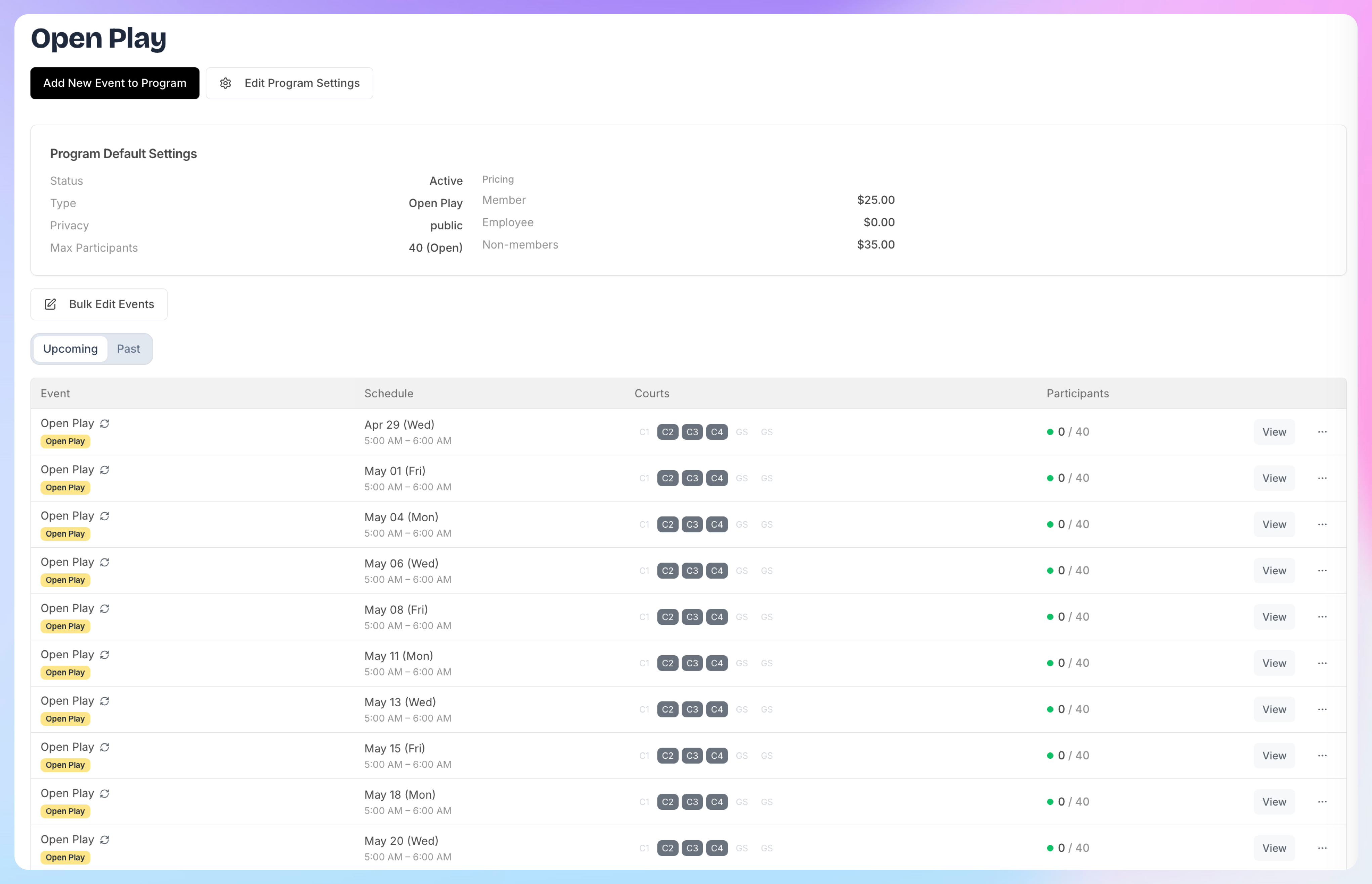
Your events will now appear in your Events & Programs list and on the Schedule.
Step 5 — Manage Individual Events in the Series
Each event in the recurring series is treated as a separate event.
You can open any date in the series to:
View participants
Add players
Edit event (for that specific date)