Creating and Managing Promo Codes
Promo codes let clubs offer discounts to players for court reservations and events. You can control what a promo code applies to, how much discount it gives, and when it’s valid, and how many times it can be used.
Creating a Promo Code
Go to Promo Codes in the admin panel.
Click Add New Promo.
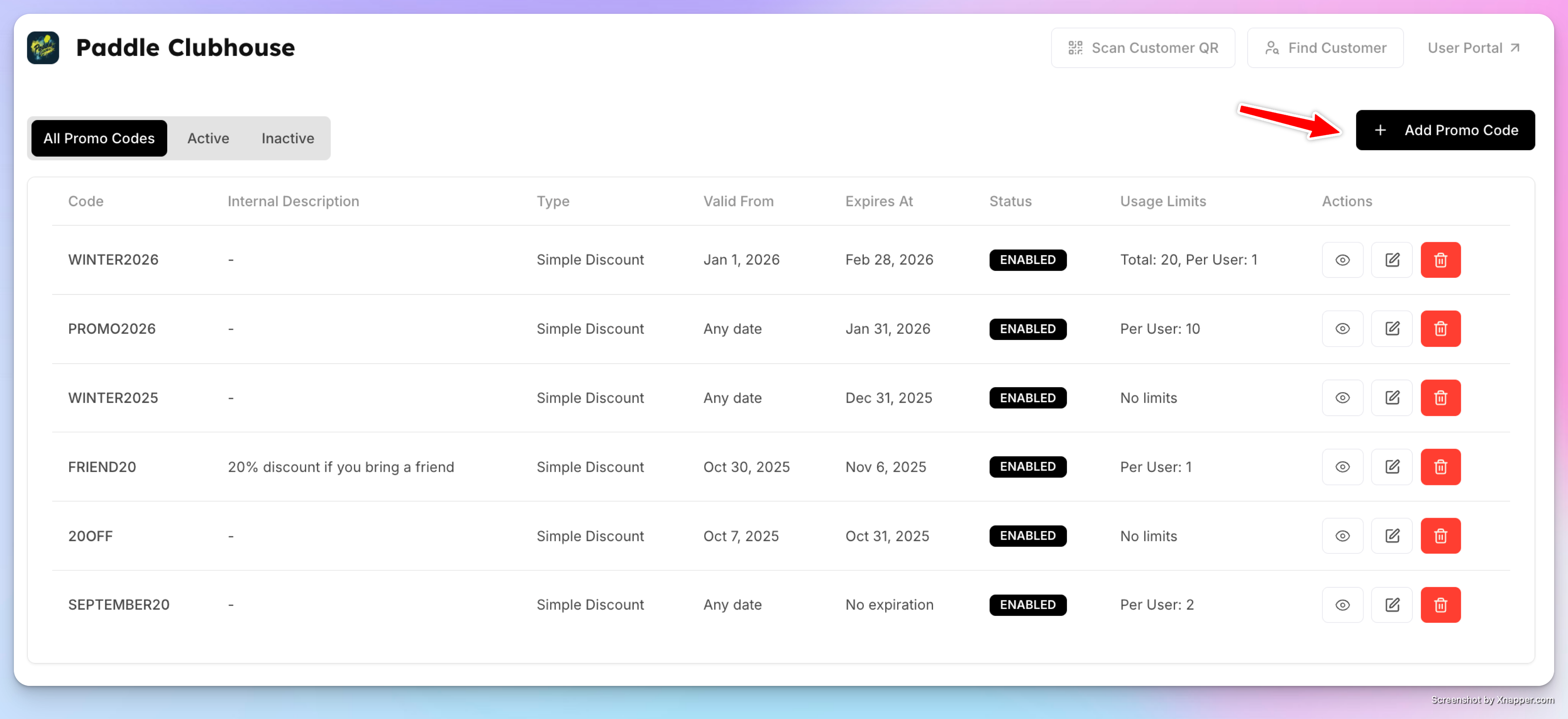
Enter the Promo Code (for example,
WINTER2026).Toggle Enabled to make the promo code active.
(Optional) Add an Internal Description (for admin use only).
Add a User-Facing Description—this is what players see at checkout.
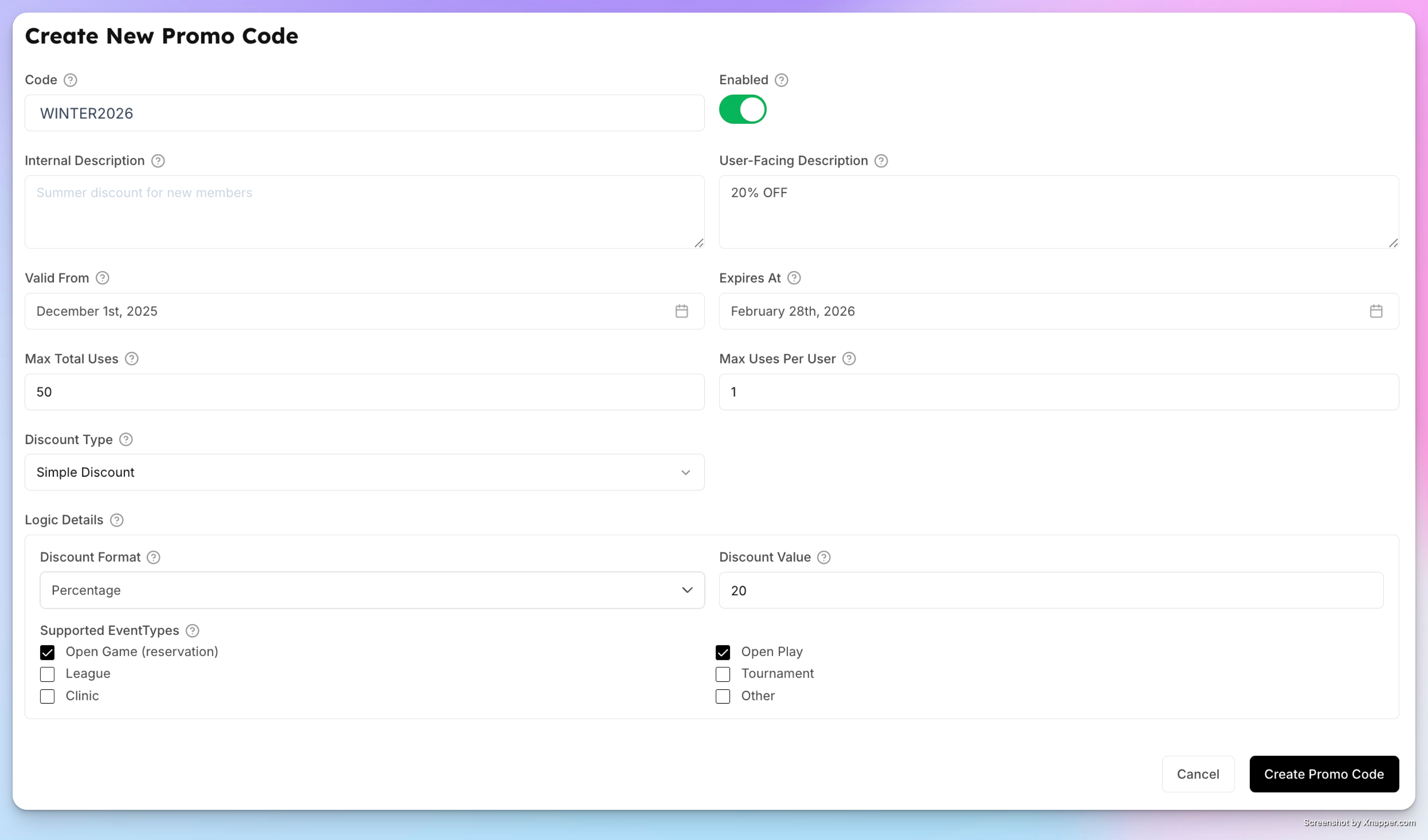
Set Validity & Usage Limits
Valid From / Expires At
Define the date range when the promo code can be used.Maximum Total Uses
Limit how many times the code can be used in total (e.g., first 100 redemptions).Max Uses Per User
Limit how many times a single user can redeem the code (e.g., once per user).
Leave limits empty to allow unlimited usage.
Choose the Discount Type
Option 1: Simple Discount (Most Common)
Fixed Amount (e.g., $5 off)
Percentage (e.g., 20% off)
Use this for straightforward promotions across bookings or events.
Option 2: Free Minutes per Interval
Offer free time (e.g., first hour free).
Set how often it can be used (e.g., once per week, twice per month).
Define the reset interval (weekly, monthly, etc.).
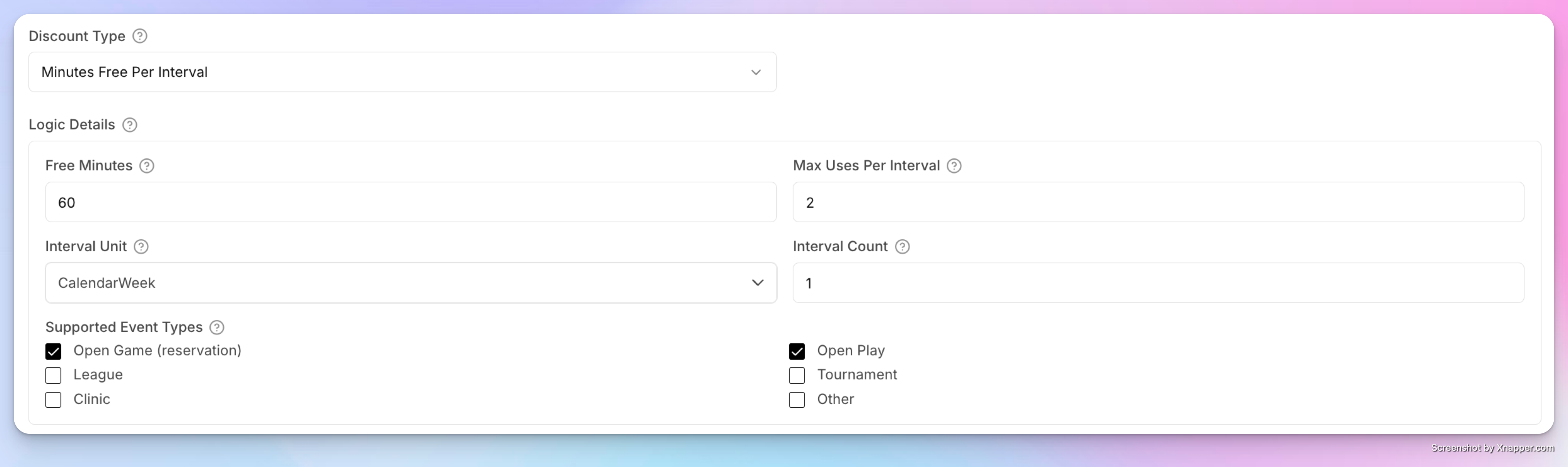
This is useful for recurring incentives like “one free hour per week.”
Select Where the Promo Applies
Choose which bookings or events the promo code can be used for, such as:
Court reservations
Open Play / Open Games
Clinics
Tournaments or leagues (optional)
You can apply a promo code to some or all types, depending on your promotion.
Save and Share
Click Create Promo Code to save.
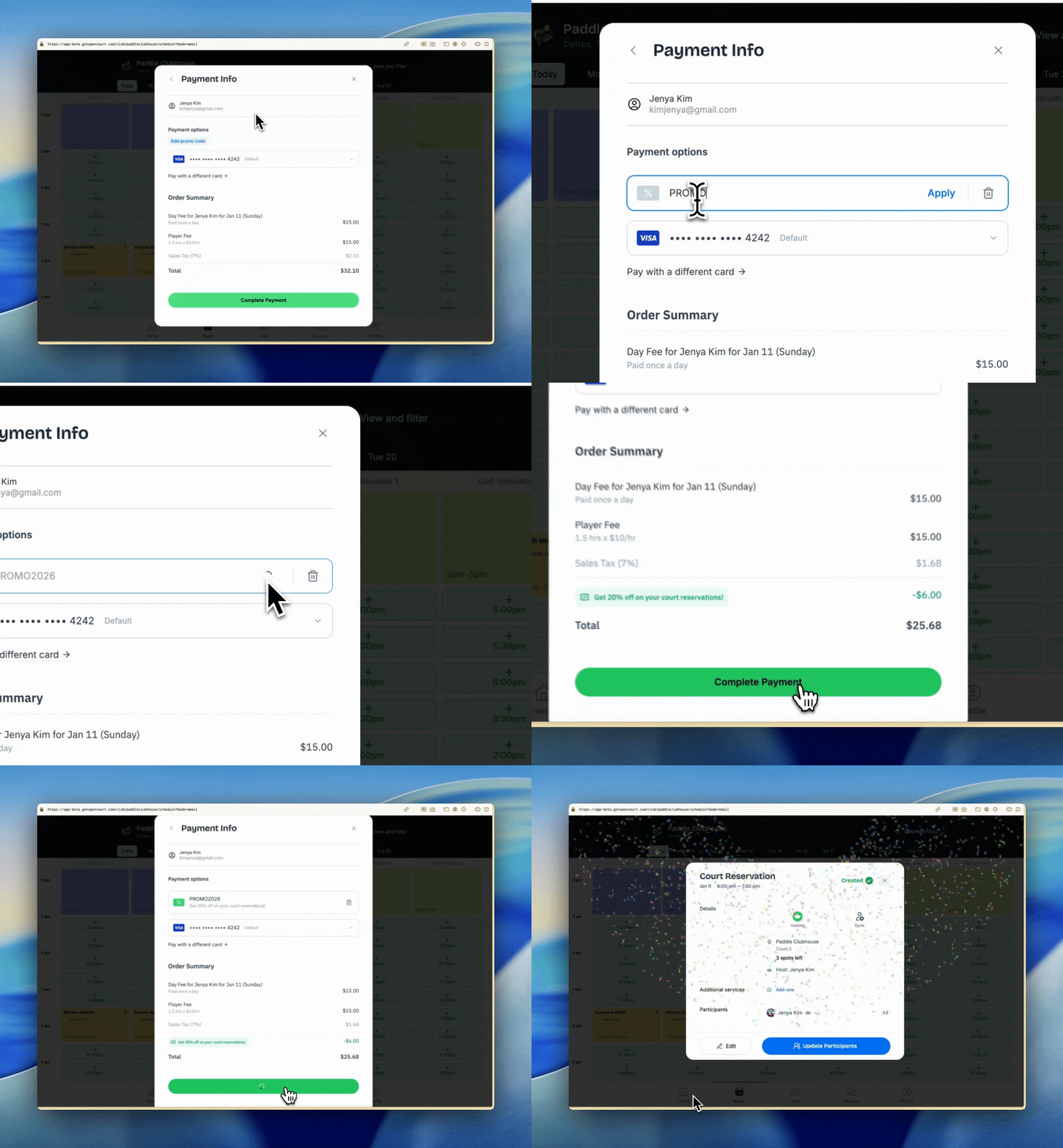
Once created, share the code with your players. When they apply it at checkout, the discount will be calculated automatically and reflected in the total.
This is how your players can apply it:
Example
Promo Code: WINTER2026
Discount: 20% off
Valid: January 1 – February 28 2026
Usage: 1 time per user, up to 20 total redemptions
Applies to: Court reservations and Open Play
Players who apply this code at checkout will instantly receive 20% off.
Editing Promo Codes
Promo codes can be edited at any time:
Open the Promo Codes page.
Click View Promo Code next to the promo you want to update.
Make changes to discount rules, validity dates, limits, or eligibility.
Save your updates — changes apply immediately.
You can also disable a promo code at any time by toggling it off.

Active vs. Inactive Promo Codes
On the Promo Codes page, you’ll see two tabs:
Active — promo codes that are currently enabled and within their valid date range.
Inactive — promo codes that are expired or manually disabled.
This makes it easy to manage current and past promotions.
Viewing Promo Code Details & Usage Reports
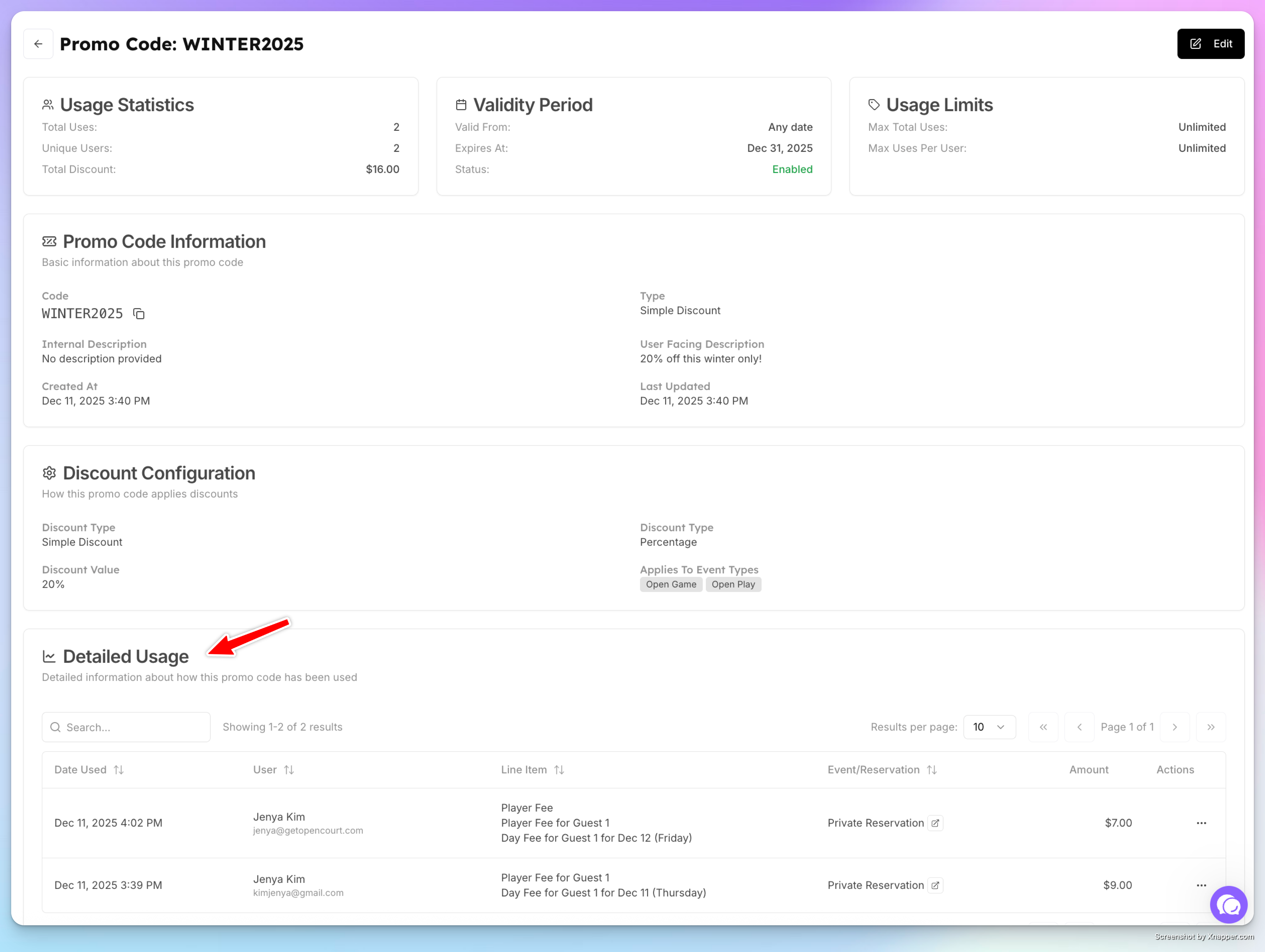
When you click View Promo Code, you can:
See all promo settings (discount type, value, eligibility, and dates).
Review a detailed usage report, including:
Each time the promo code was applied
The user who used it
Date and time of use
The reservation or event it was applied to (with a direct link)
Discount amount applied
This gives full visibility into how each promo code is performing.
Promo codes give clubs a flexible way to run promotions, reward players, and boost participation—while keeping full control over limits and eligibility.