Booking Upsells
The Booking Upsells feature lets your club offer add-on products and services during court reservations or event sign-ups. It’s a great way to increase revenue while improving player experience — whether you’re renting paddles, selling balls, or offering food and beverage packages.
When to Use Booking Upsells
Use this feature to:
Rent equipment (paddles, balls, towels, etc.) to new or visiting players.
Sell add-ons such as drinks, snacks, or merchandise.
Include upgrades for clinics, tournaments, or open plays (e.g., premium package, T-shirt, or extra session).
How to Set It Up
Step 1. Create or Select a Product
Go to Products in the left-hand menu.
Click Create New Product if it doesn’t exist yet.
Fill in the product name, description, and price.
(Example: “Paddle Rental – $5”)Save the product.
More about adding a new product find here.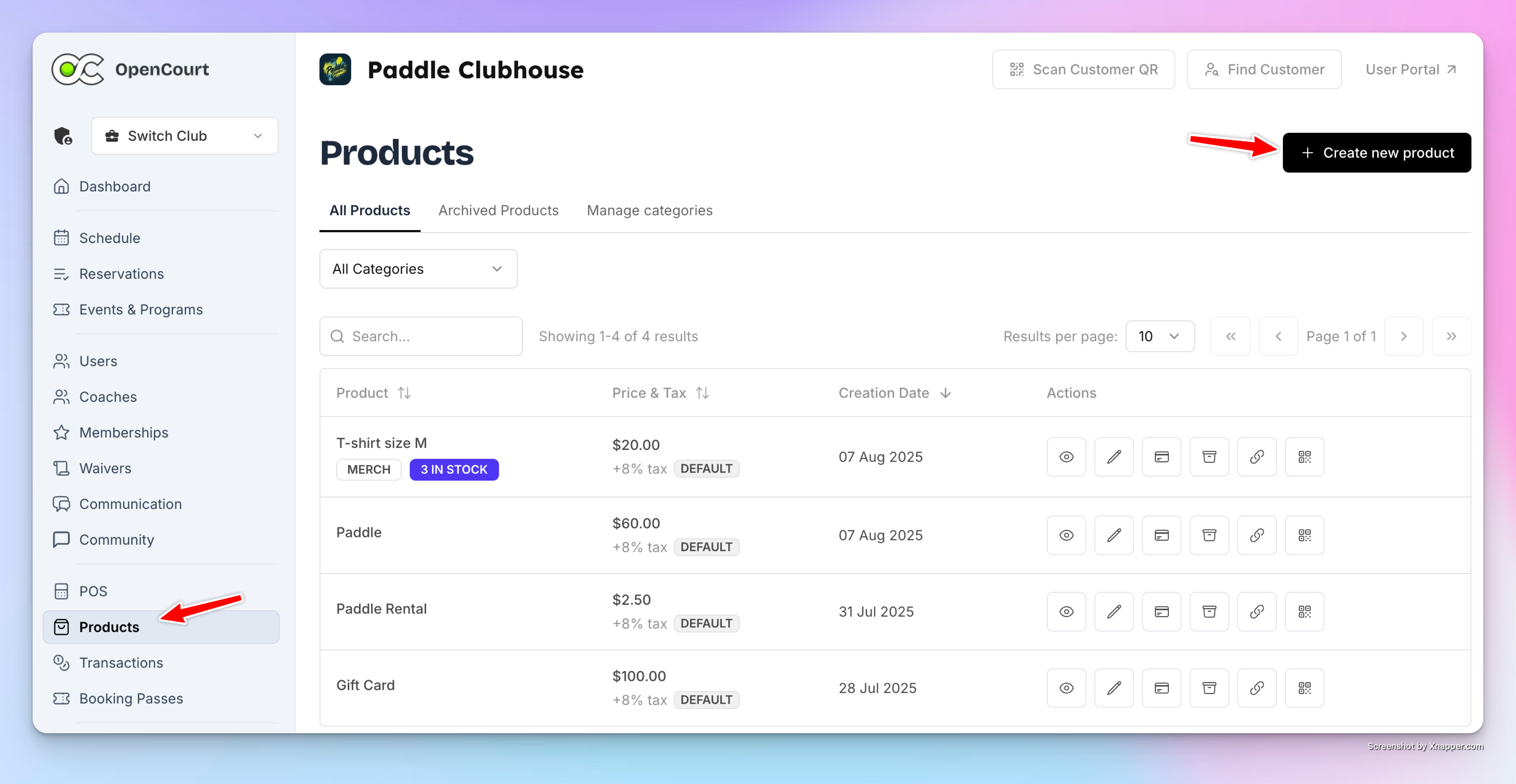
Step 2. Add It as a Booking Upsell
Go to Settings → Booking Upsells.
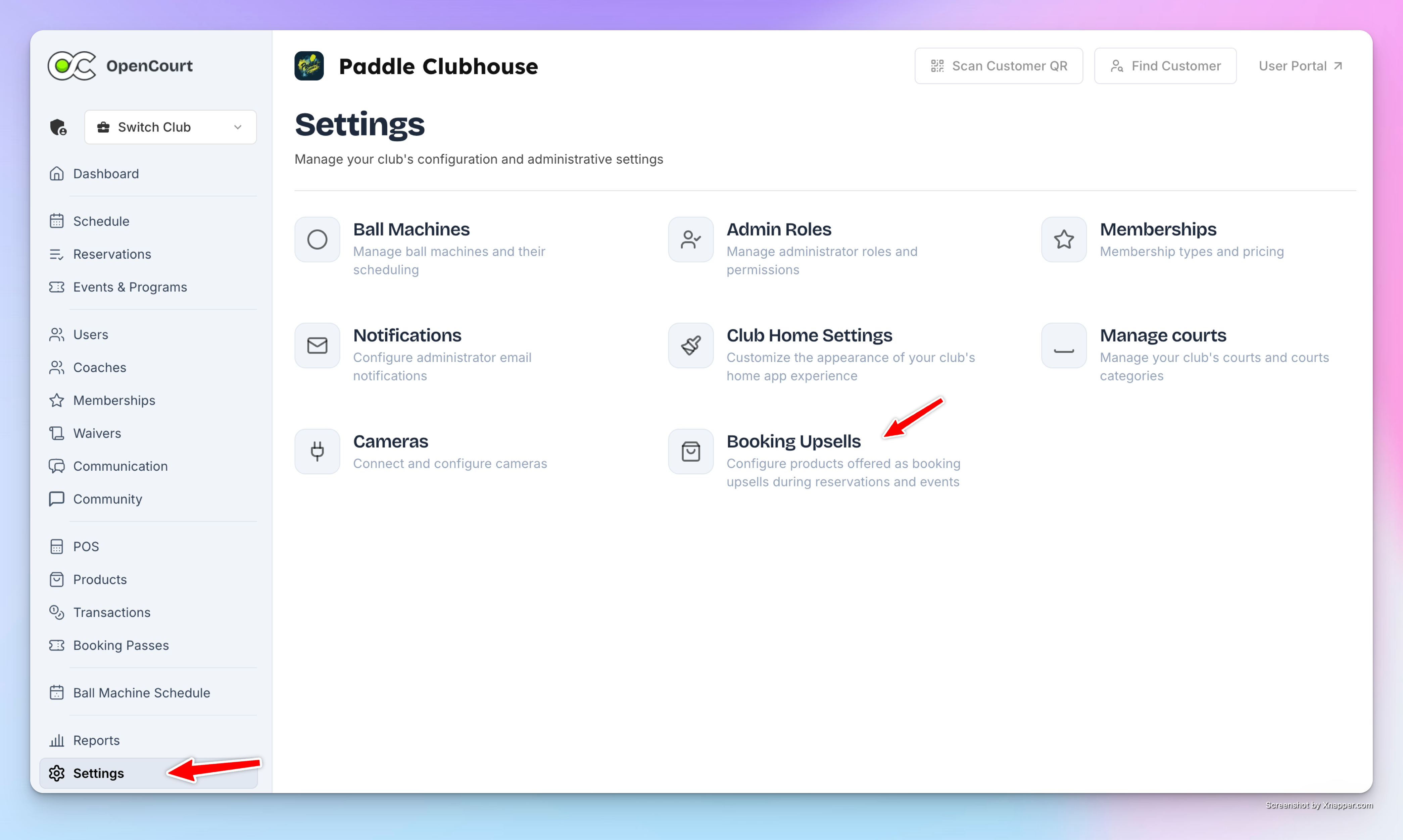
Click Add Booking Upsell.
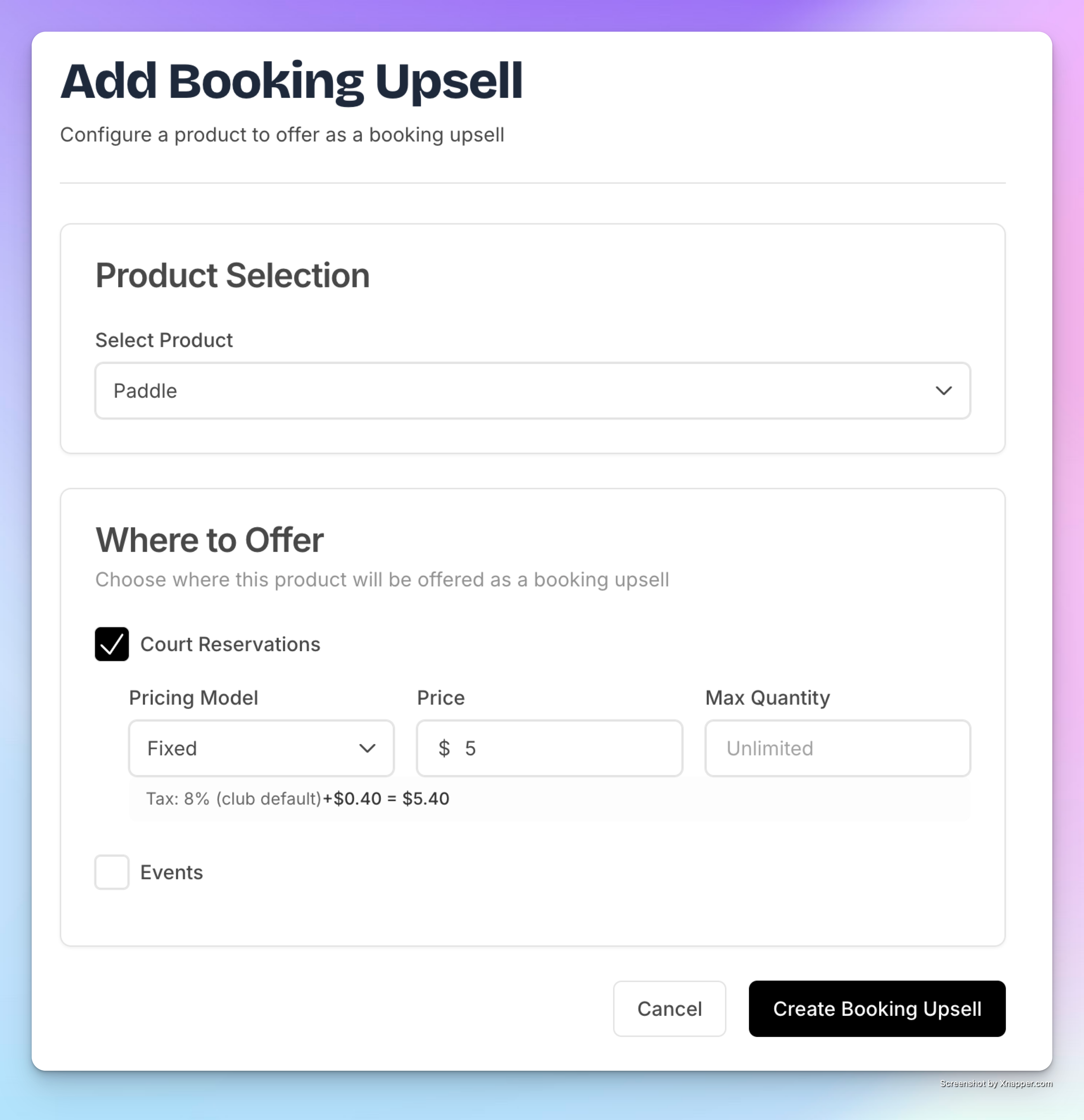
Choose a product from the dropdown list.
Select where it should appear:
Court Reservations
Events (like Open Play or Clinics)
Set the price (fixed per item or per hour).
(Optional) Add a max quantity if you want to limit how many can be purchased.
Click Create Booking Upsell and confirm.
What Players See
When players book a court or join an event:
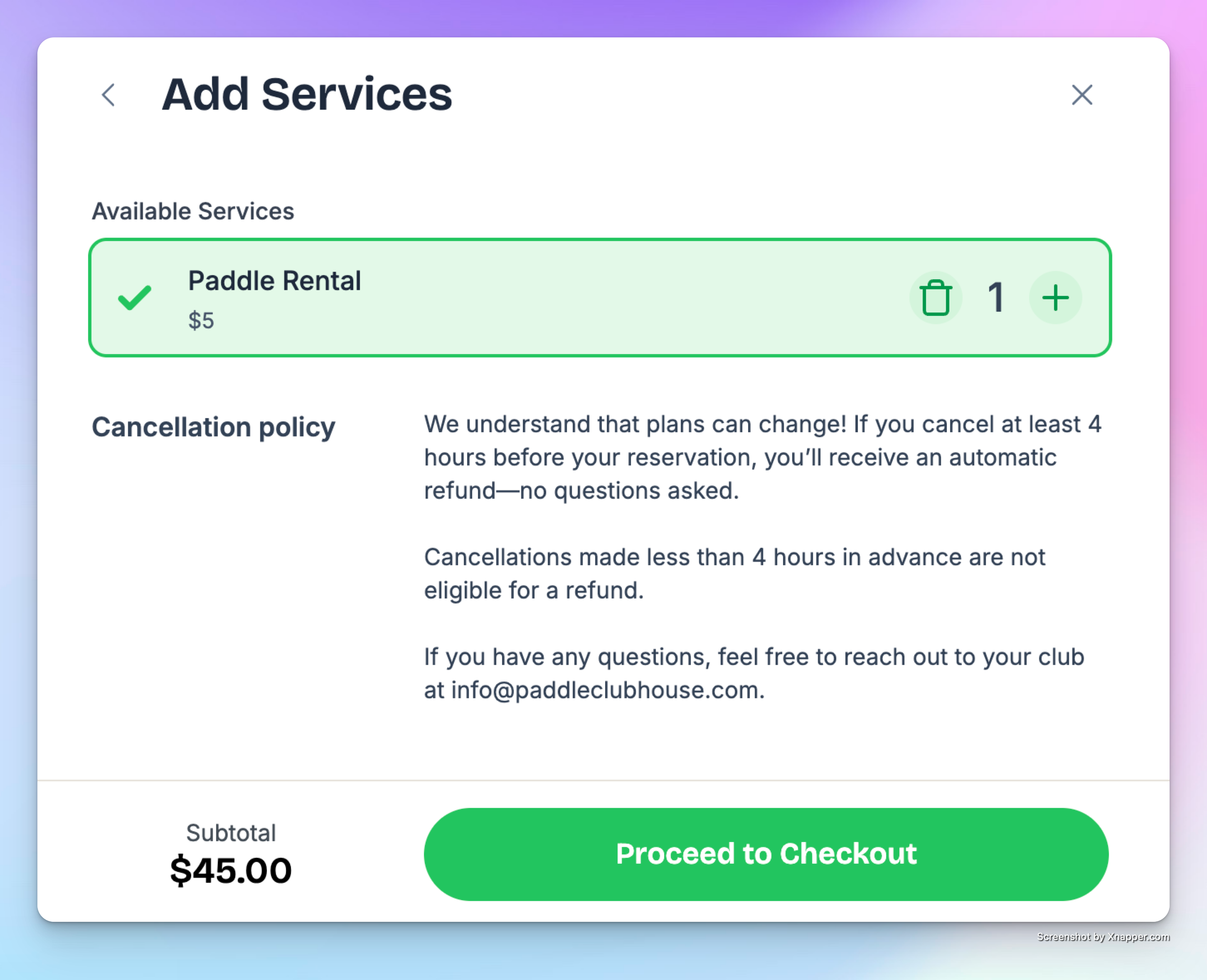
They’ll see an “Add Services” section before checkout.
Available upsells (like Paddle Rental) will appear there.
They can select one or more items and continue to payment.
The upsell cost is automatically added to their total.
What Admins See
In the Admin Panel, reservations with upsells show a “+” icon next to the booking.
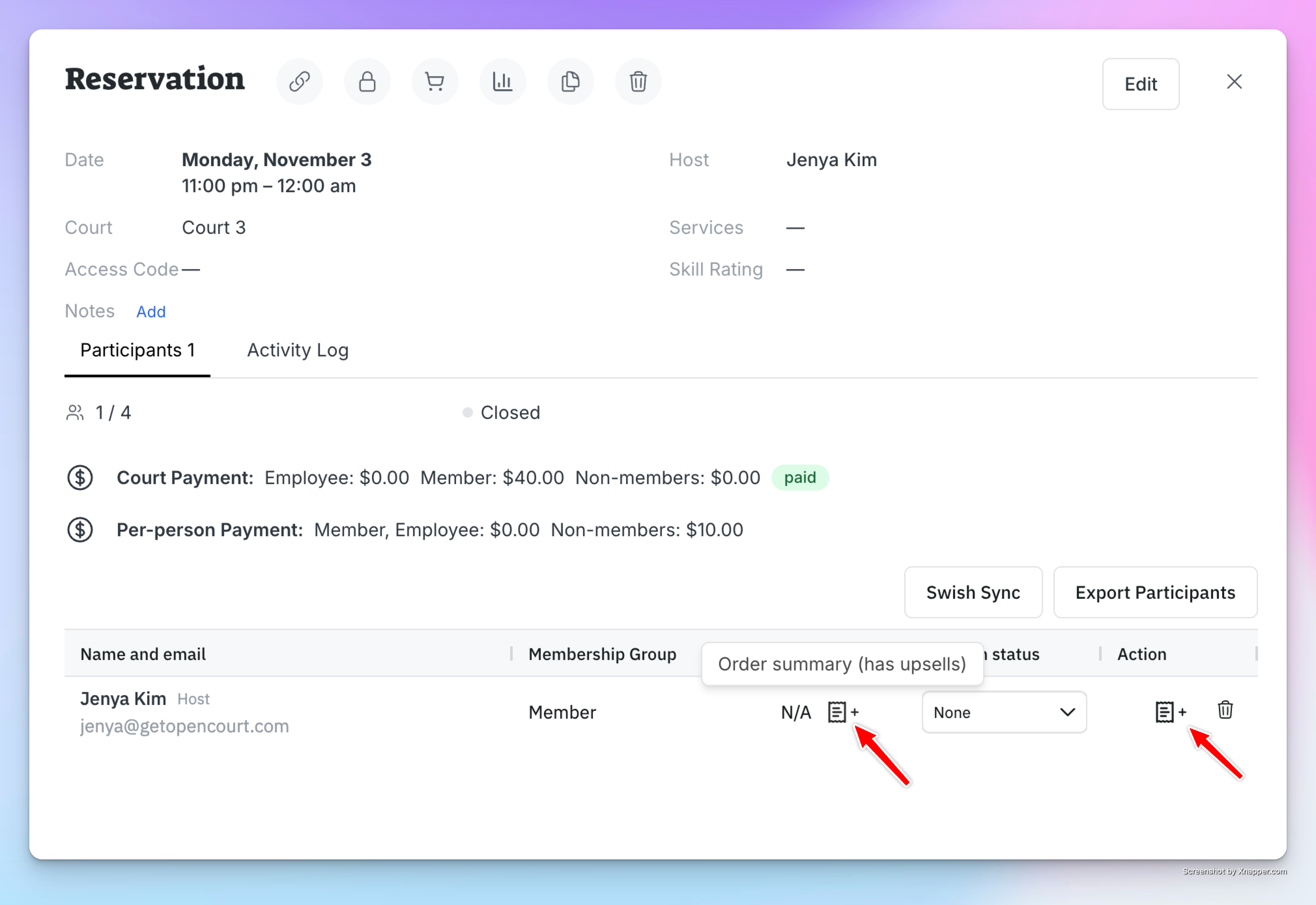
Click it to view which items were added and how many.
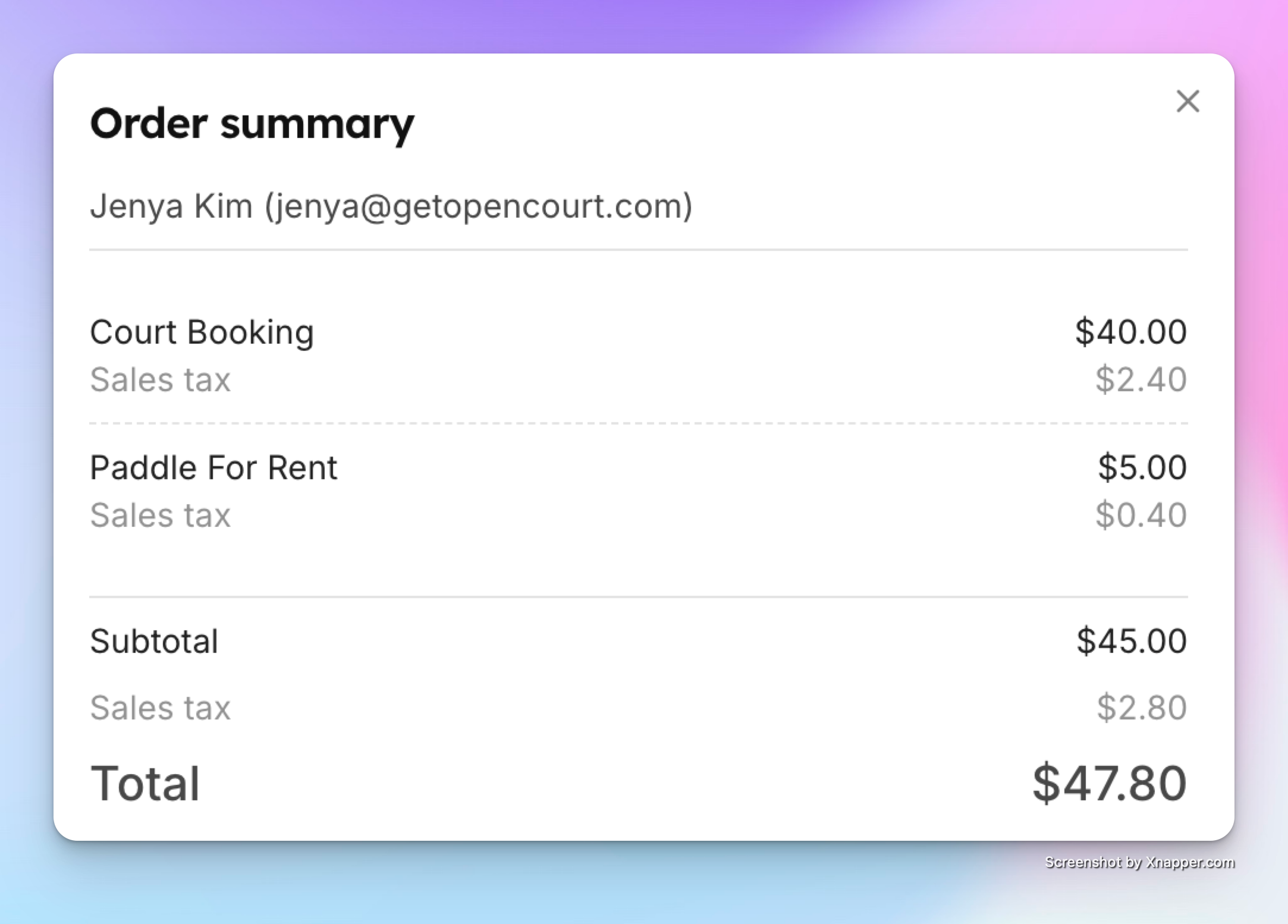
At check-in, staff can quickly confirm which upsell items to provide (e.g., 2 paddle rentals).
✅ With Booking Upsells, you can streamline rentals, increase revenue, and offer a smoother experience for both players and staff — all without leaving the booking flow.